Weather Widget
Weather at every location at a glance
Local weather forecast for all company locations with 7-day forecast and severe weather alerts
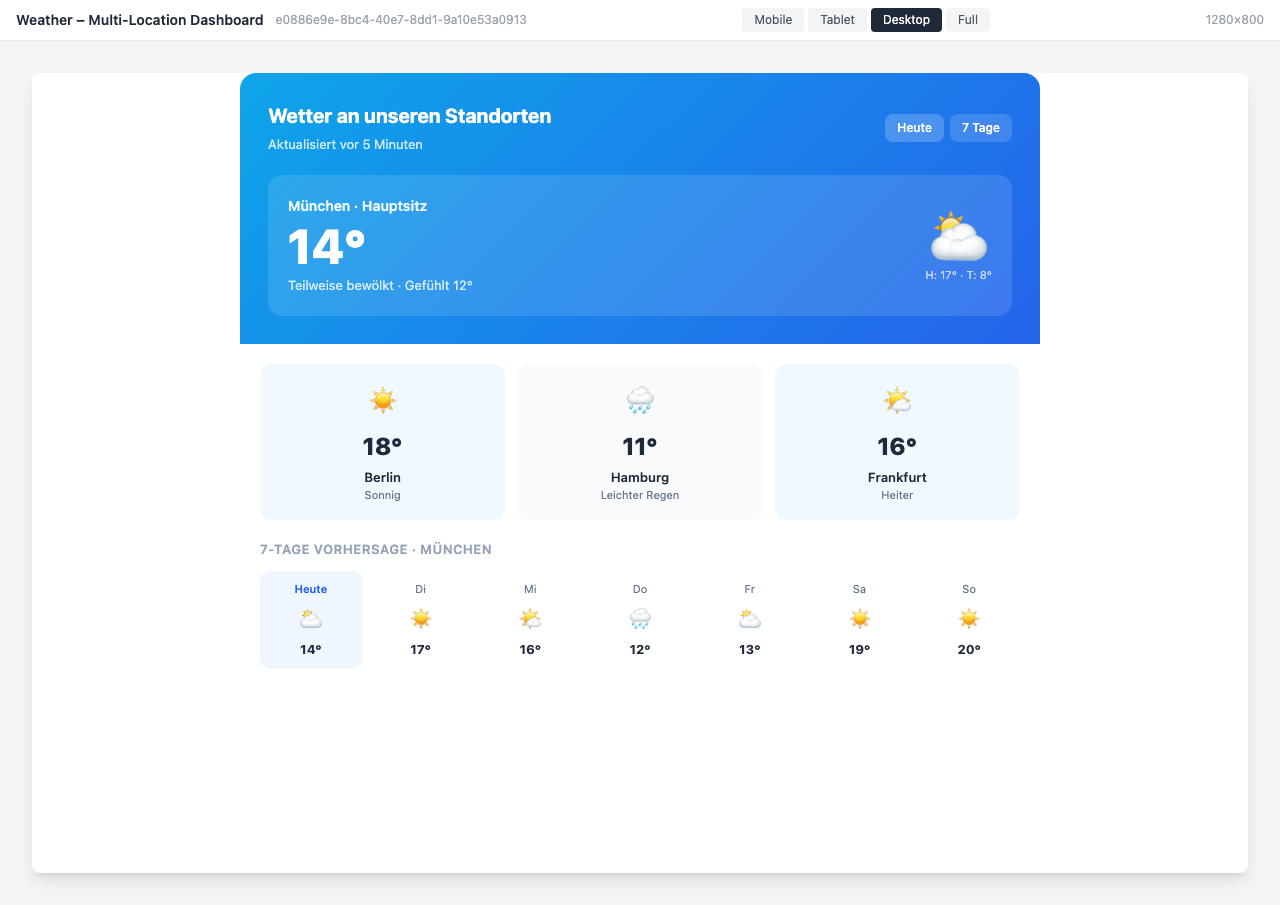
Overview
The Weather Widget displays the current weather forecast for all company locations directly in the intranet. With a 7-day forecast, hourly updates, and automatic severe weather alerts, your employees are always informed.
Why This Widget?
Whether it’s commuting, outdoor events, or location safety — weather affects the workday. With the Weather Widget, your employees have all relevant information right in the intranet:
- ✅ Multi-Location: All company locations at a glance
- ✅ Alerts: Automatic severe weather warnings per location
- ✅ Up-to-date: Automatic updates every 5 minutes
- ✅ Multilingual: Automatically in the user’s language
Key Features
1. Multi-Location Dashboard
The dashboard shows all company locations simultaneously:
- Main location with detailed view
- All secondary locations in the overview
- Status indicator (OK, Warning) per location
- Automatic location detection possible
2. 7-Day Forecast
Plan ahead with the weekly forecast:
- Daily temperatures (High/Low)
- Hourly forecast for the current day
- Weather trend with icons
- Rain probability and wind
3. Weather Alerts
Protect your employees with automatic warnings:
- Heavy rain, storms, heat, frost
- Color-coded severity levels (Yellow/Red)
- Direct action recommendations
- Location-specific assignment
4. Detailed Weather Data
All relevant metrics at a glance:
- Temperature (current, feels-like, High/Low)
- Humidity and wind
- UV index
- Rain probability
Typical Use Cases
🌤️ Daily Weather Check
Employees see the weather at their location immediately when opening the intranet.
⚠️ Severe Weather Preparation
Early warnings help plan outdoor assignments and commutes.
🏢 Multi-Location Overview
Facility managers see all locations and their weather status at a glance.
📅 Event Planning
Plan outdoor events and team activities based on the forecast.
Integration & Setup
The widget can be set up in under 5 minutes:
- Select widget from the gallery
- Configure locations (city or coordinates)
- Choose display variant
- Publish — done!
Weather data is automatically retrieved via API.
Design Options
- Multi-Location Dashboard: All locations overview with 7-day forecast
- Detailed View: Single location with hourly forecast and metrics
- Dark Mode: Modern design for dark themes
- Compact Sidebar: Space-saving with weather alert
- Alert Dashboard: Focus on severe weather warnings and location status
Frequently Asked Questions
What weather data is displayed?
Temperature, humidity, wind, UV index, rain probability, and official weather warnings.
How often is the data updated?
Automatically every 5 minutes. Weather warnings are updated in real-time.
Can I configure multiple locations?
Yes, any number of locations can be added. Pro plan supports up to 10, Enterprise unlimited.
Where does the weather data come from?
From professional weather APIs (OpenWeatherMap, national weather services) with high reliability.
Best Practices
- Homepage: Place the widget prominently on the homepage
- Enable Alerts: Set up severe weather warnings for all locations
- Combination: Use together with the Public Transport Widget for complete commuter information
- Auto-Location: Enable automatic location detection for mobile users
Screenshots
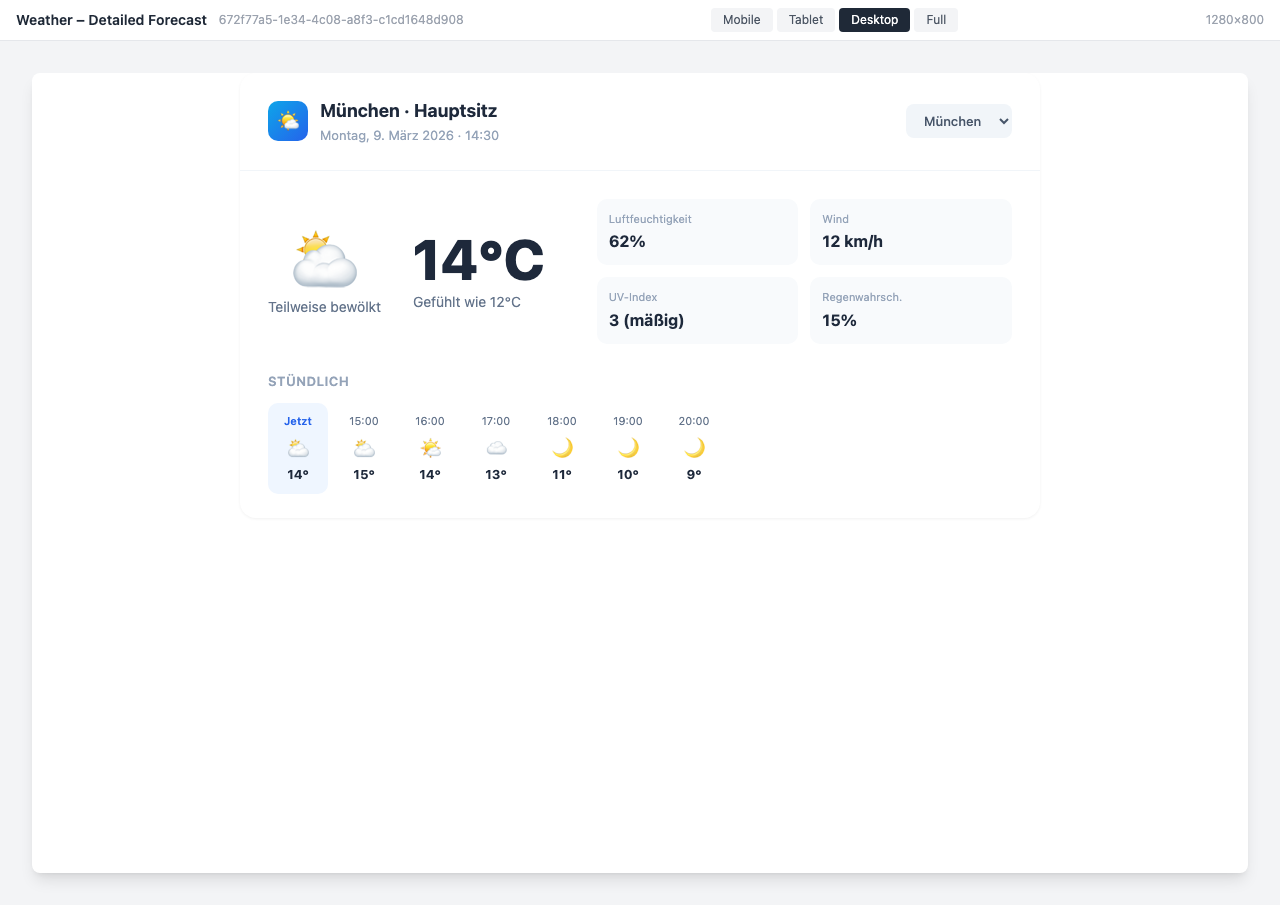
Detailed forecast with hourly view
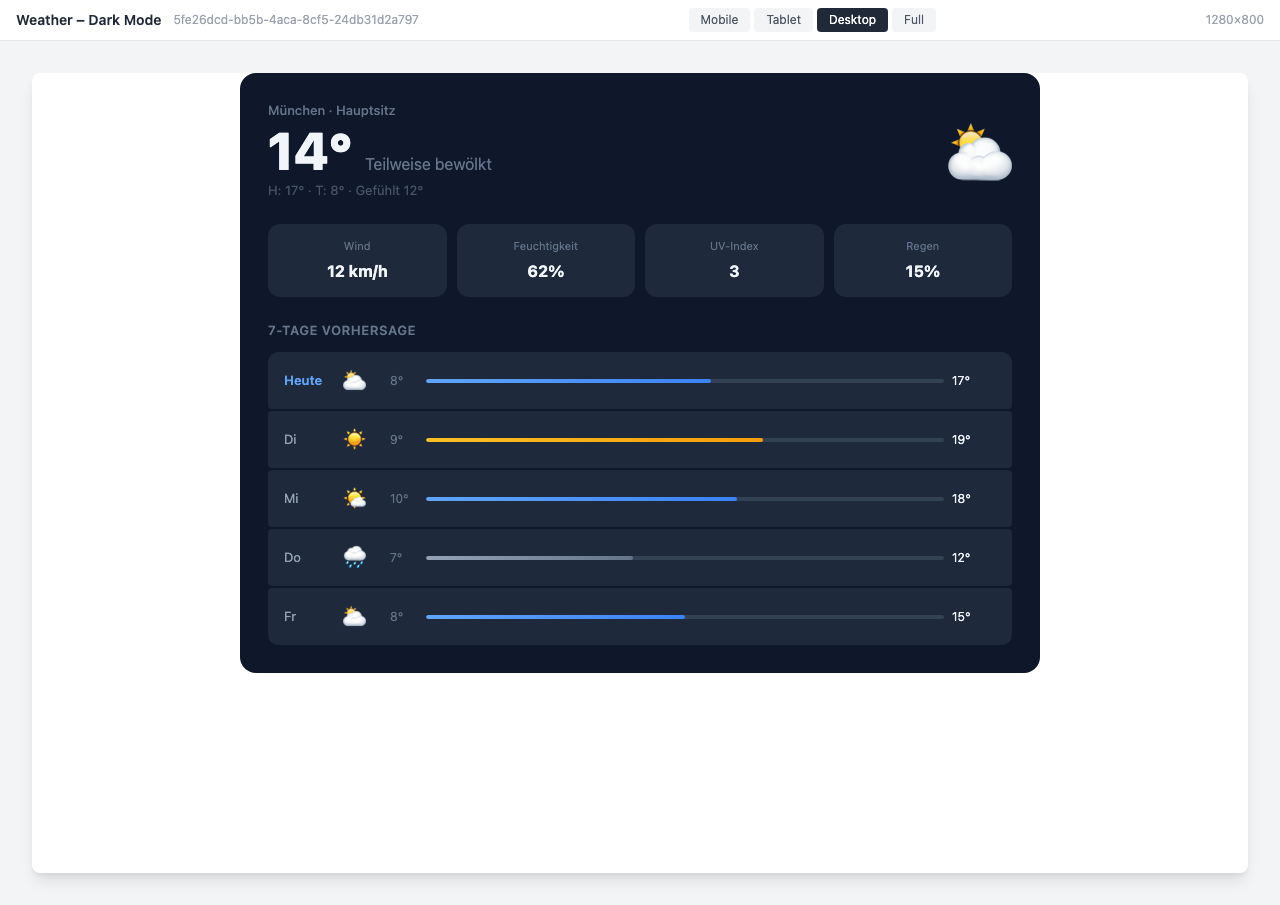
Dark mode variant with temperature bars
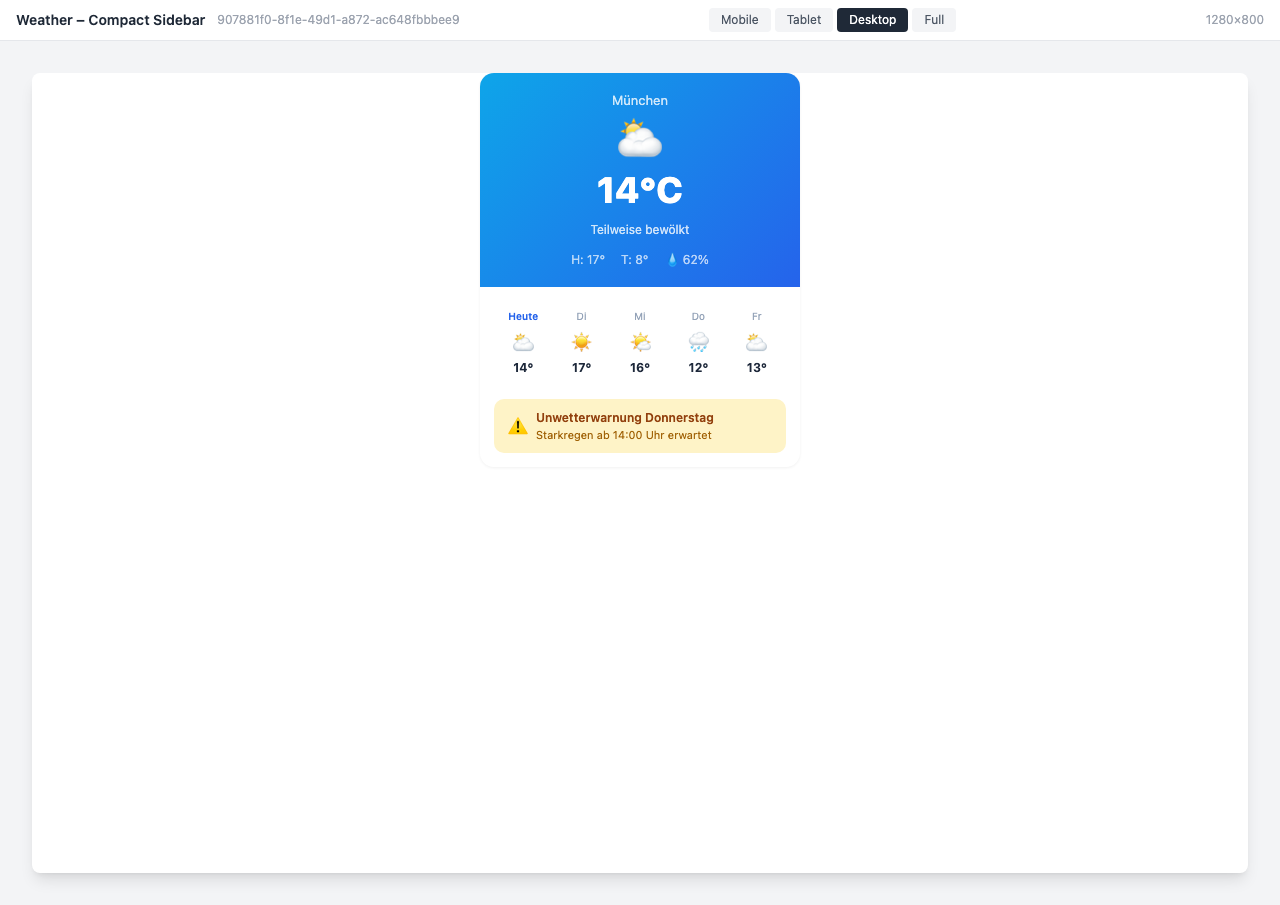
Compact sidebar with weather alert
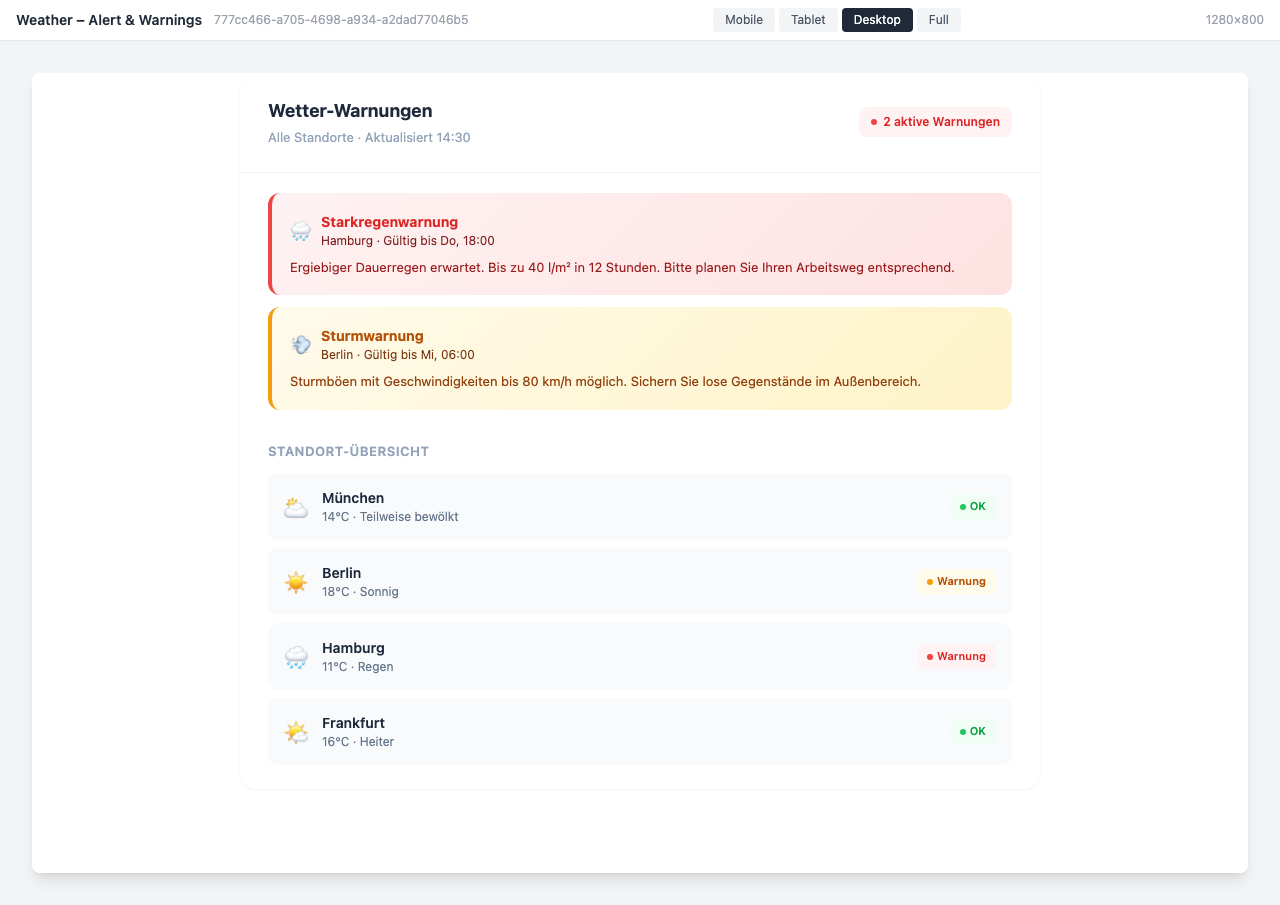
Alert dashboard with location status
Use Cases
Location Overview
Weather at all company locations at a glance
Commute Planning
Employees can plan their commute based on the forecast
Severe Weather Preparation
Early warnings for extreme weather at locations
Key Features
- Multi-Location SupportWeather for all company locations simultaneously
- 7-Day ForecastDaily and hourly forecast at a glance
- Weather AlertsAutomatic severe weather warnings per location
- MultilingualAutomatic translation to the user's language