Staffbase Town Hall Widget – Live Events in the Intranet
From countdown to replay – all in one place
Town hall widget for Staffbase: countdown, live status, speakers and replay – one hub for every internal event right inside the intranet.
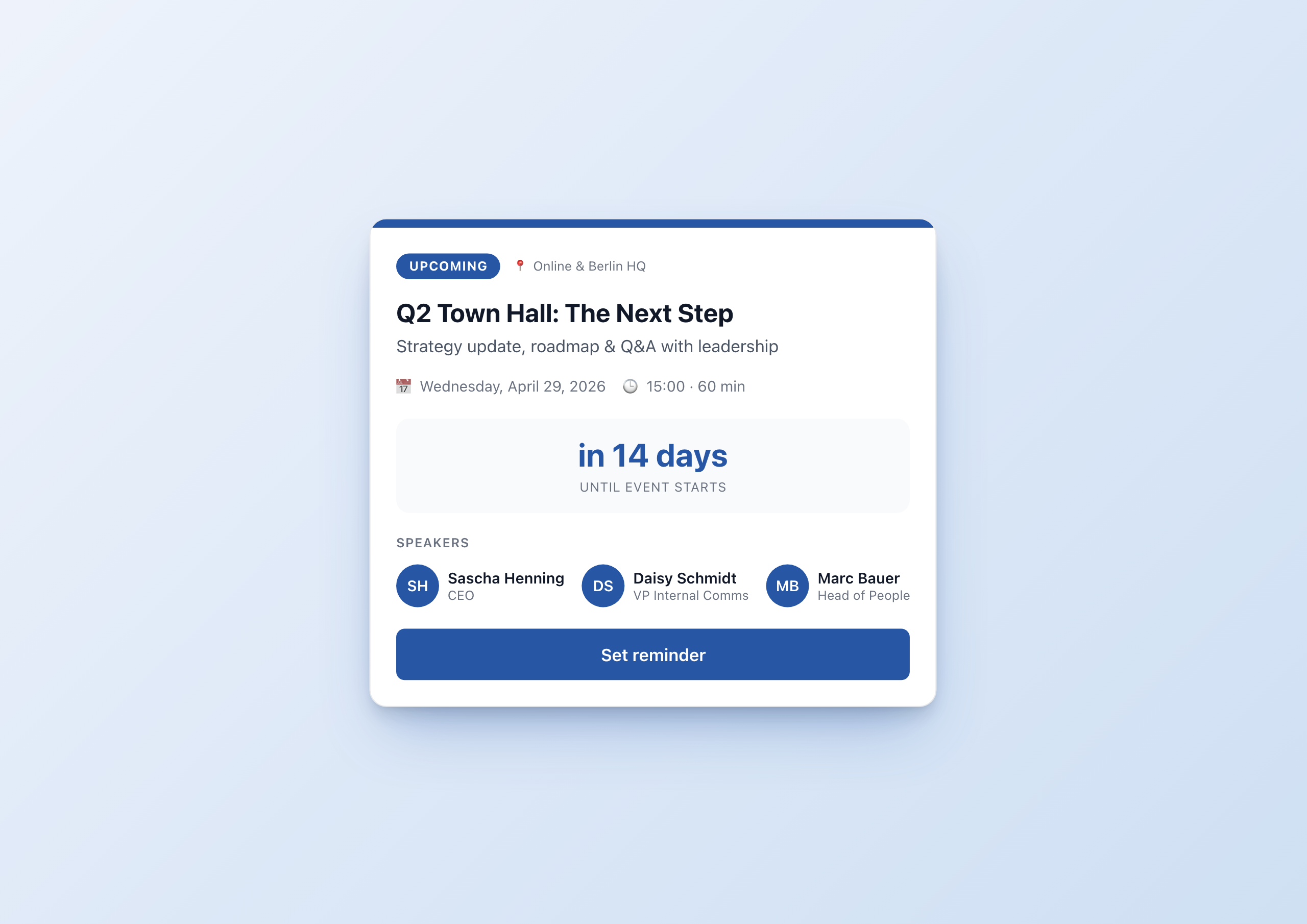
Overview
The Town Hall Live Hub Widget turns every internal event into a digital experience. Quarterly town hall, all-hands, CEO Q&A: a single widget guides your team through every phase – from countdown to live stream to replay.
Why this widget?
Town halls are a core ritual of internal communications. Yet they are often poorly promoted: an email a week in advance, a calendar invite, then the recording lost in SharePoint. Employees miss the event – or can’t find the replay later.
The Town Hall Widget solves exactly that:
- ✅ Visible in the intranet: Right on the homepage, not buried in email
- ✅ Three states, one widget: Countdown before, live indicator during, replay after
- ✅ Localized: German and English UI, locale-aware date and countdown
- ✅ Customizable: Accent color, light/dark theme, up to three speakers with avatar
Key features
1. Three states with matching action
The widget knows three states the editor can switch between with a single click:
- Upcoming – Countdown shown, CTA “Set reminder”
- Live Now – Pulsing red indicator, live viewer count, CTA “Join now”
- Replay – Gray status badge, CTA “Watch replay”
Each state has its own layout, color and call-to-action.
2. Localized countdown
The countdown uses the Widget Builder’s datetime helper with to_relative=true. The result: “in 14 days”, “in 3 hours”, “in 12 minutes” – automatically in the user’s language.
The date is locale-aware too: “Wednesday, April 29, 2026” in English, “Mittwoch, 29. April 2026” in German.
3. Speaker lineup
Up to three speakers with an initials avatar, name and role. The avatars take the accent color so the widget blends seamlessly into your brand. Conditional rendering hides empty speaker slots automatically.
4. Light & dark mode
A dropdown setting lets you choose between light and dark theme. Both themes use the same configurable accent color – ideal for different page templates.
5. Live viewer counter
A widget variable holds the current viewer count. During the event the count can be updated via script – for example connected to your stream provider’s participant API.
Common use cases
📅 Quarterly town hall
Set the widget to “Upcoming” two weeks before the event. Employees see the countdown on the homepage, click “Set reminder”, and add the event to their calendar. On the day of the event, switch to “Live” – one click.
🎤 All-hands & kickoffs
New quarterly goals, strategy updates, reorgs: when everyone needs to be there, the widget belongs on the homepage.
💬 AMA / CEO Connect
Ask-the-CEO sessions where employees can ask live questions. The widget shows the speaker avatars, the live counter and a prominent join button.
🚀 Product launches
Internal launch of a new product or feature: live demo stream, replay afterwards. The widget covers both phases without editor switching.
Configuration
The widget has 21 settings – more than most standard widgets, but every one of them is optional:
- Event data: Title, subtitle, date/time, duration, location
- Status: Dropdown with
upcoming/live/replay - Links: Stream URL, replay URL
- Speakers: 3 × Name, role, initials
- Display: Countdown on/off, speakers on/off
- Design: Accent color (color picker), theme (light/dark)
Technical
- Platform: Staffbase 5.0+
- Multilingual: German and English out of the box, more languages via translation editor
- Responsive: Mobile-first, optimized for the Staffbase App
- Performance: < 1 s initial render
- Connectivity: Works standalone with no API – optionally connectable to stream providers
Connect External Systems
The Town Hall Live Hub is already designed for streaming platforms — and connects seamlessly with additional event and communication tools.
- Microsoft Teams Live Events – Automatically import event metadata and attendee counts from Teams
- Zoom Webinars – Display webinar status, participants, and recordings from Zoom in real time
- Eventbrite – Show event details and registration counts from Eventbrite directly in the widget
- Slido – Integrate live polls and Q&A from Slido into the Town Hall widget
- Vimeo – Visualize livestream status and viewer counts from Vimeo in real time
FAQ
Does the widget switch status automatically?
By default, no – the editor manually switches between upcoming, live and replay. Auto-status logic via variable can be implemented with the Widget Builder if needed.
How many speakers can I show?
Up to three speakers directly in the widget. If you need more, you can manage speakers in a Data Table and bind the widget – we walk through that in the companion blog post .
Can I add my own languages?
Yes. Translations are a JSON object inside the widget – every language Staffbase supports can be added.
Screenshots
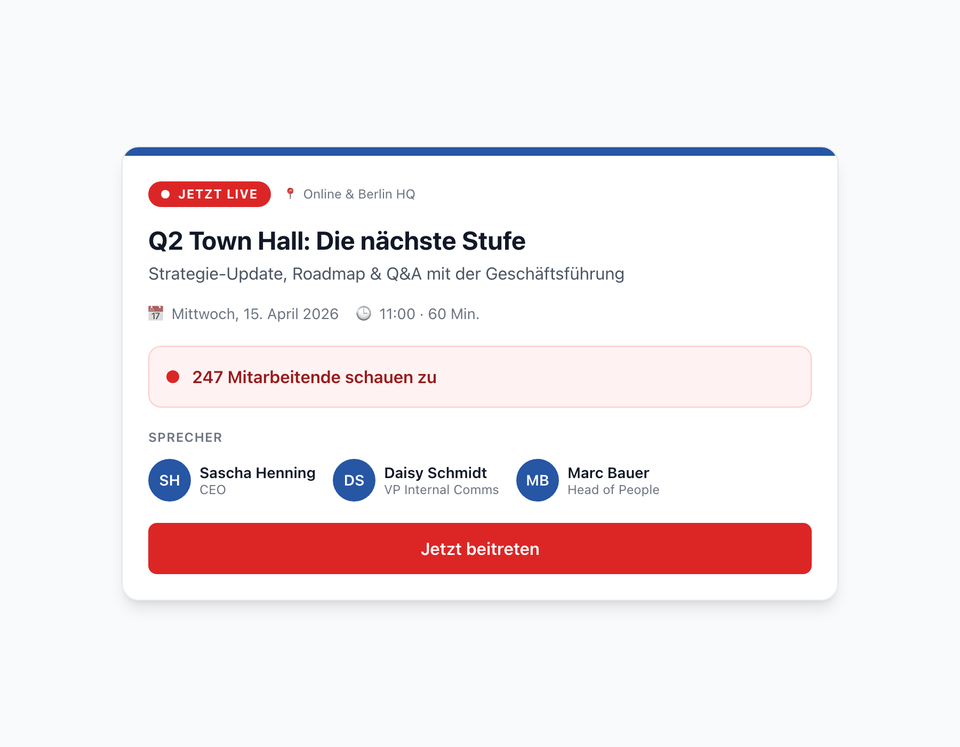
Live status with viewer counter and a prominent join button
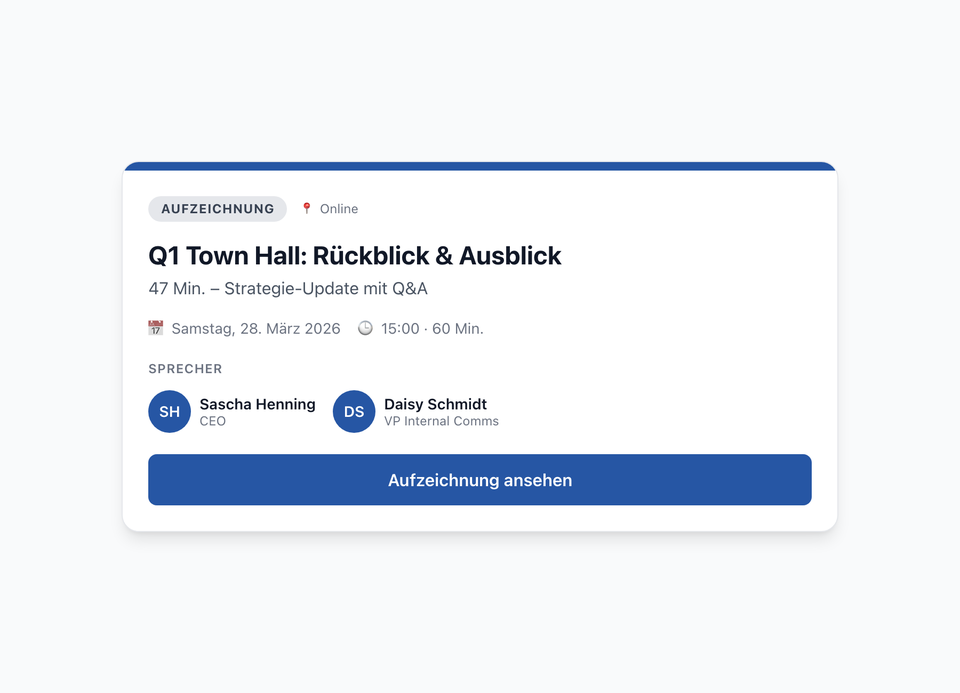
Replay mode after the event – with replay link
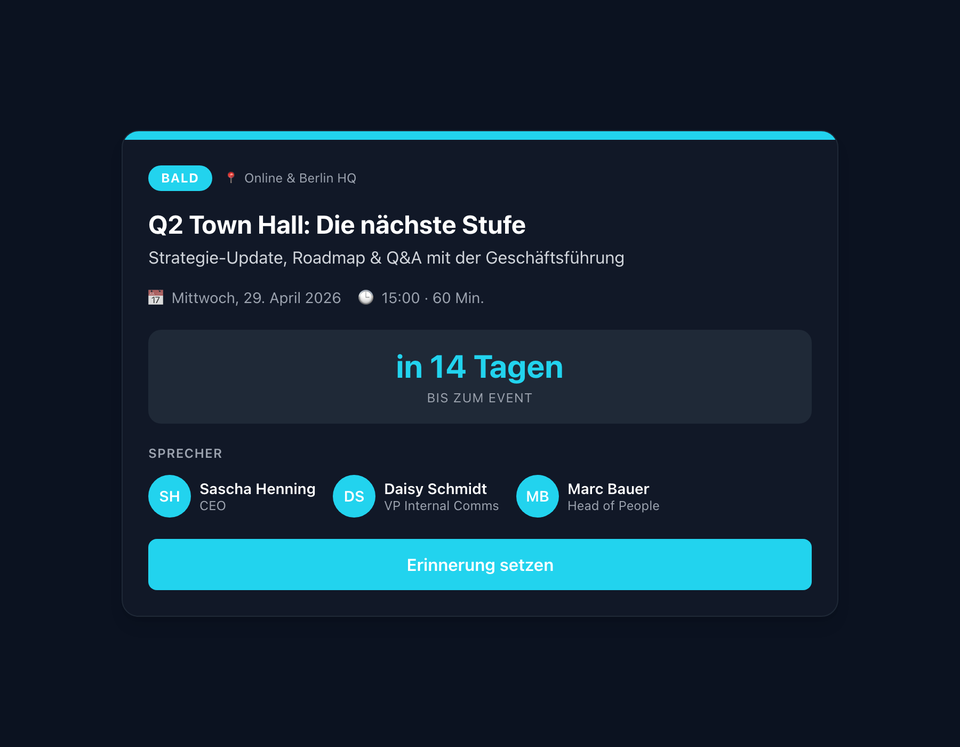
Dark mode with cyan accent color – configurable per page
The screenshots shown are example views with generated demo data. Customers adapt the widgets to their own systems and corporate design.
Use Cases
Quarterly Town Hall
Strategy updates and Q&A with leadership – with reminder before the event
All-Hands & Kickoff
Promote major company events front and center on the intranet homepage
AMA & CEO Connect
Ask-the-CEO sessions with a clear join button
Product Launches
Live demo events with a replay link after the stream
Key Features
- Three Status StatesUpcoming, Live, Replay – each with its own layout and call-to-action
- Localized CountdownLocale-aware countdown with automatic timezone conversion
- Speaker LineupUp to three speakers with initials avatar, name and role
- MultilingualAll UI strings in German and English – switched automatically
- Light & Dark ThemeBoth themes with configurable accent color
- Live Viewer CounterReal-time viewer count during the event – via widget variable
Integrations
Questions about the Staffbase Town Hall Widget – Live Events in the Intranet?
Our team is happy to help you personally