News Feed Widget
News that reaches everyone
Display Staffbase news dynamically in the intranet – custom layouts, personalized content, and full design control
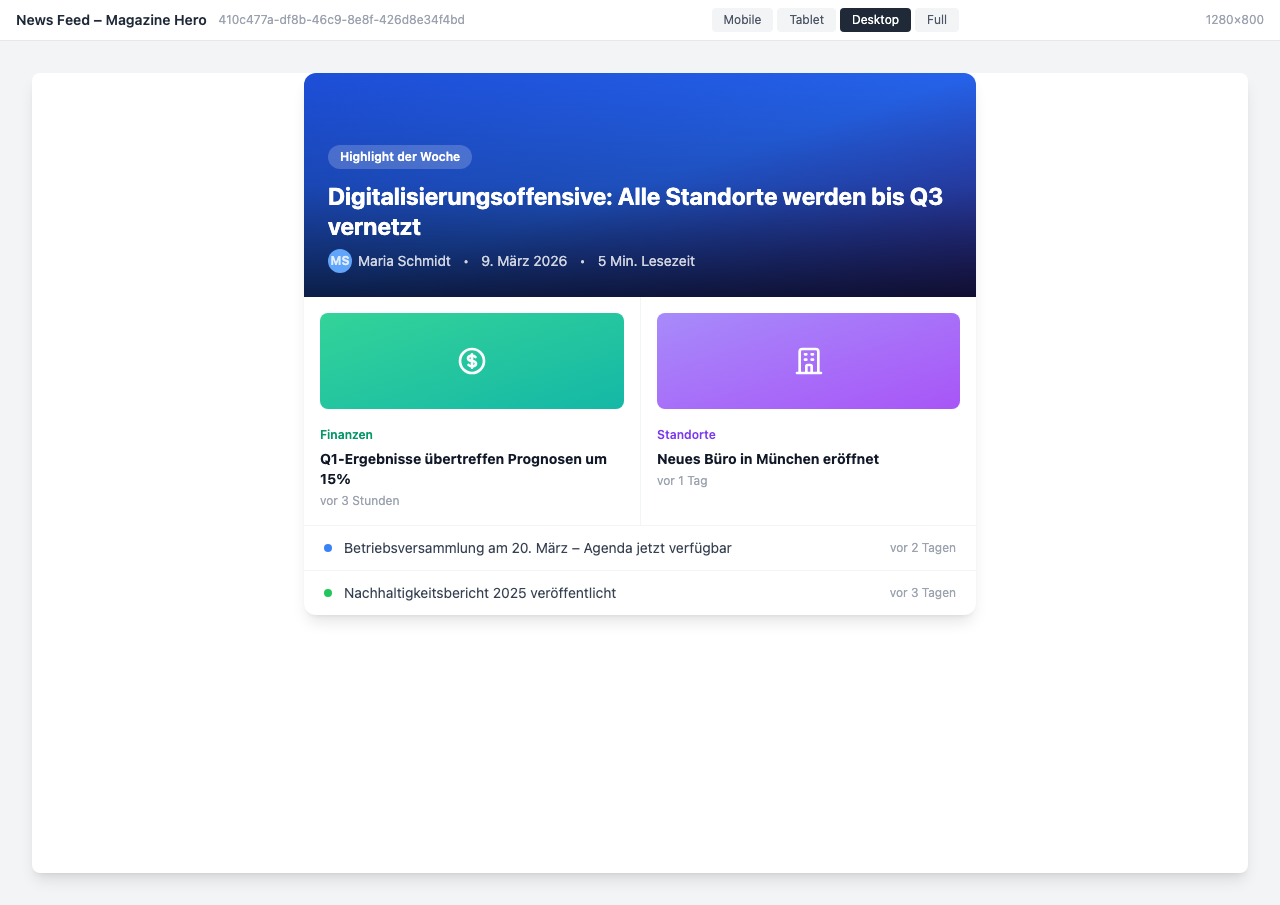
Overview
The News Feed Widget brings Staffbase news into a custom layout directly in the intranet. Instead of the default display, design the news section to match your corporate branding – with flexible filters, personalized content, and various view modes.
Why This Widget?
Internal communication often fails due to visibility. Important news gets lost in the information overload:
- ✅ Full design control: Cards, magazine, timeline, or compact list – you choose the layout
- ✅ Personalized: Everyone sees only authorized news – automatically filtered by location, department, or role
- ✅ Always current: New posts appear in real-time – no manual refresh needed
Key Features
1. Flexible Staffbase Filters
Use the full power of Staffbase filters to display exactly the right news:
- Filter by channel (e.g., only #company or #hr-news)
- Filter by category (Events, HR, IT, Product)
- Narrow down by location or audience
- Global news or channel-specific posts
Each user only sees news they are authorized to view – Staffbase permissions are applied automatically.
2. Custom Layouts
Choose from various display modes – depending on context and audience:
- Card Layout: Classic news cards with image, title, excerpt, and category tags
- Magazine Layout: Hero article on top, smaller posts below – like an online magazine
- Compact List: Space-saving display with icons and filters – ideal for sidebars
- Timeline: Chronological view with daily grouping – perfect for an overview
- Channel Grid: News sorted by channels in a clear card grid
3. Real-Time Updates
The news feed updates automatically when new posts are published:
- Automatic refresh without page reload
- Unread posts are marked
- Breaking news banner for urgent announcements
- Engagement metrics (likes, comments, views)
Result: Employees never miss important news again.
4. Mobile-Optimized
The news feed is optimized for all screen sizes:
- Responsive card view on smartphones
- Touch-optimized interaction
- Featured articles with image headers
- Compact display for quick scrolling
Typical Use Cases
📰 Homepage: Company News
“Highlight of the Week: Digitalization Initiative – All Locations Connected by Q3”
The homepage shows the most important company news in magazine layout – with a hero article and secondary stories below.
🏢 Department Hub: Filtered Channel News
“#hr-news: New Benefits – Public Transit Pass for Everyone”
Each department page shows only news from the respective channel – automatically filtered and always current.
🚨 Breaking News: Live Ticker
“BREAKING: Board Approves Frankfurt Office Expansion with 500 New Workspaces”
Breaking news appears as a red banner at the top – with live indicator and automatic scroll.
📱 Mobile: News on the Go
“Hello Thomas! 3 new articles since your last visit”
On smartphones, employees see their personalized news in a mobile-optimized card view.
Integration & Setup
The News Feed Widget is set up in just a few minutes:
- Choose widget – Add from the widget gallery
- Select channel/filter – Choose Staffbase channel or global news
- Configure layout – Cards, magazine, timeline, or list
- Customize design – Configure colors, fonts, and display
- Publish – Done!
Optional: Enable breaking news banner, dark mode, or engagement metrics.
Design Options
View Modes
- Classic Cards: News cards with image, title, and excerpt
- Magazine/Hero: Large hero story with smaller posts below
- Compact List: Space-saving with icons and category filters
- Dark Mode: For dark themes and night shift monitors
- Channel Grid: News sorted by channels in card grid
- Timeline: Chronological with daily grouping
Display Options
- Category tags and color coding
- Author avatars and profile information
- Reading time indicator
- Engagement metrics (views, likes, comments)
- Unread marker
- Breaking news banner
Frequently Asked Questions
Where does the news come from?
The widget accesses the Staffbase News API directly. All published posts in the configured channels are displayed automatically – including Staffbase permission checks.
Can I have multiple news feeds on one page?
Yes, you can place multiple instances with different filters – e.g., one for company news and one for department news.
Are permissions respected?
Yes, the widget uses Staffbase user identity. Each employee sees only news they are authorized to view – just like in the native Staffbase app.
How current is the feed?
The feed refreshes automatically every 60 seconds. New posts appear without manual reloading. The refresh frequency is configurable.
Can I fully customize the design?
Yes, all visual aspects are configurable: layout, colors, fonts, spacing, category tags, and more. The widget seamlessly integrates into your corporate design.
Best Practices
📌 Dos
- Set clear filters: Define exactly which news should be displayed
- Match layout to context: Magazine for the homepage, list for the sidebar
- Test on mobile: Most employees read news on their smartphone
- Use breaking news sparingly: Only for truly important urgent announcements
⚠️ Don’ts
- Too many news feeds on one page (overwhelms readers)
- Publishing without filters (information overload)
- Using breaking news banner as a permanent state (loses its impact)
- Disabling engagement metrics (social proof motivates reading)
Screenshots
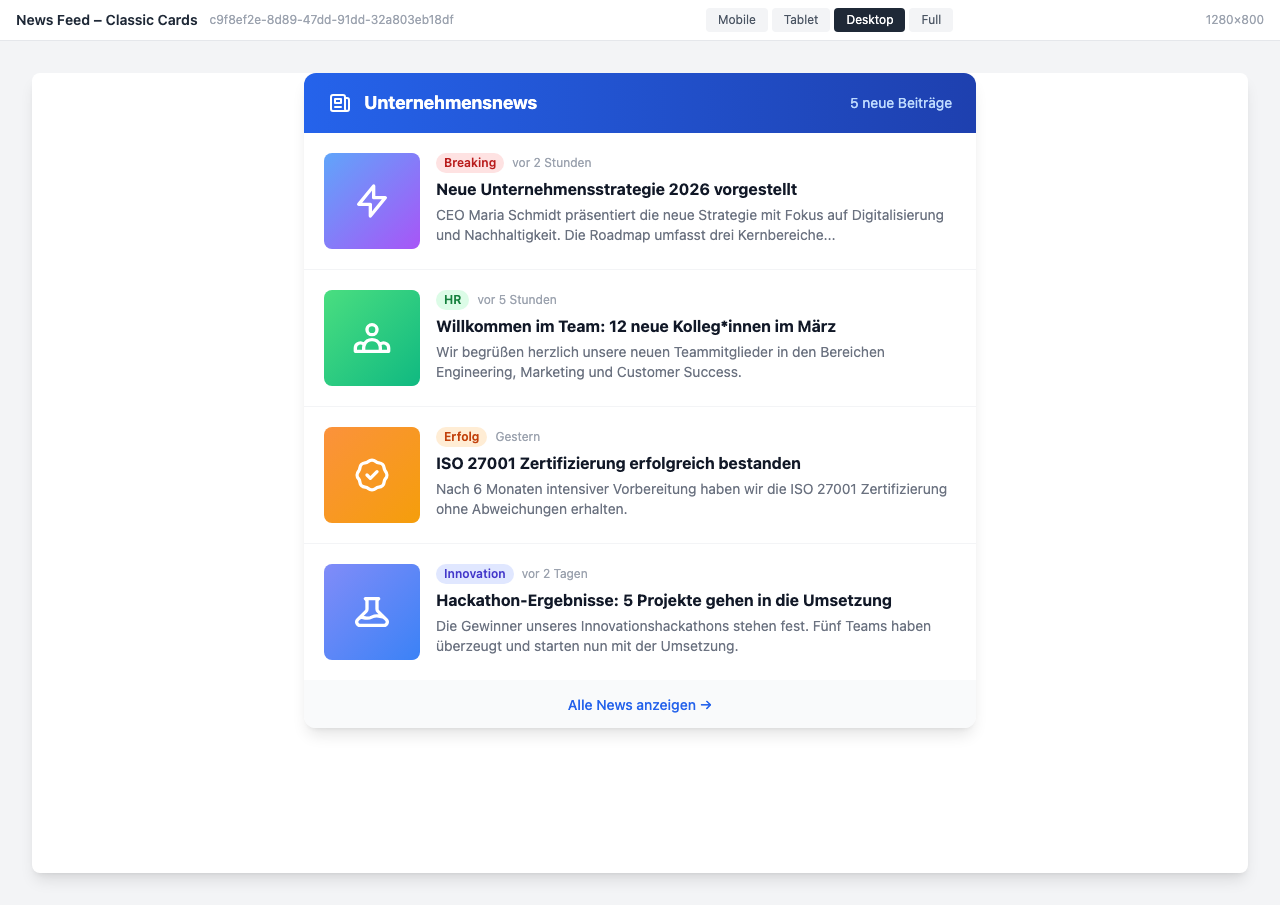
Classic card view with categories, timestamps, and article previews
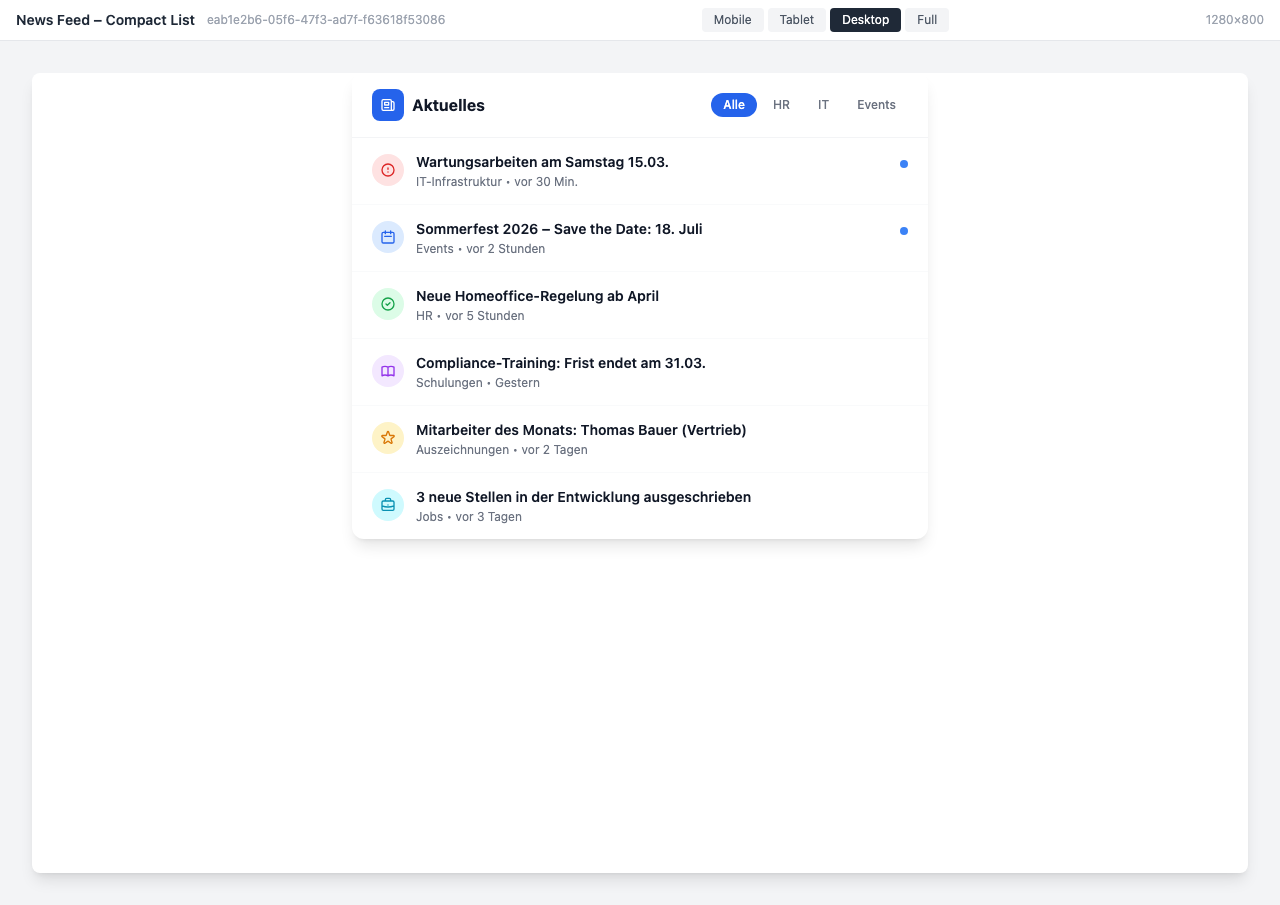
Compact list view with filter tabs and quick overview
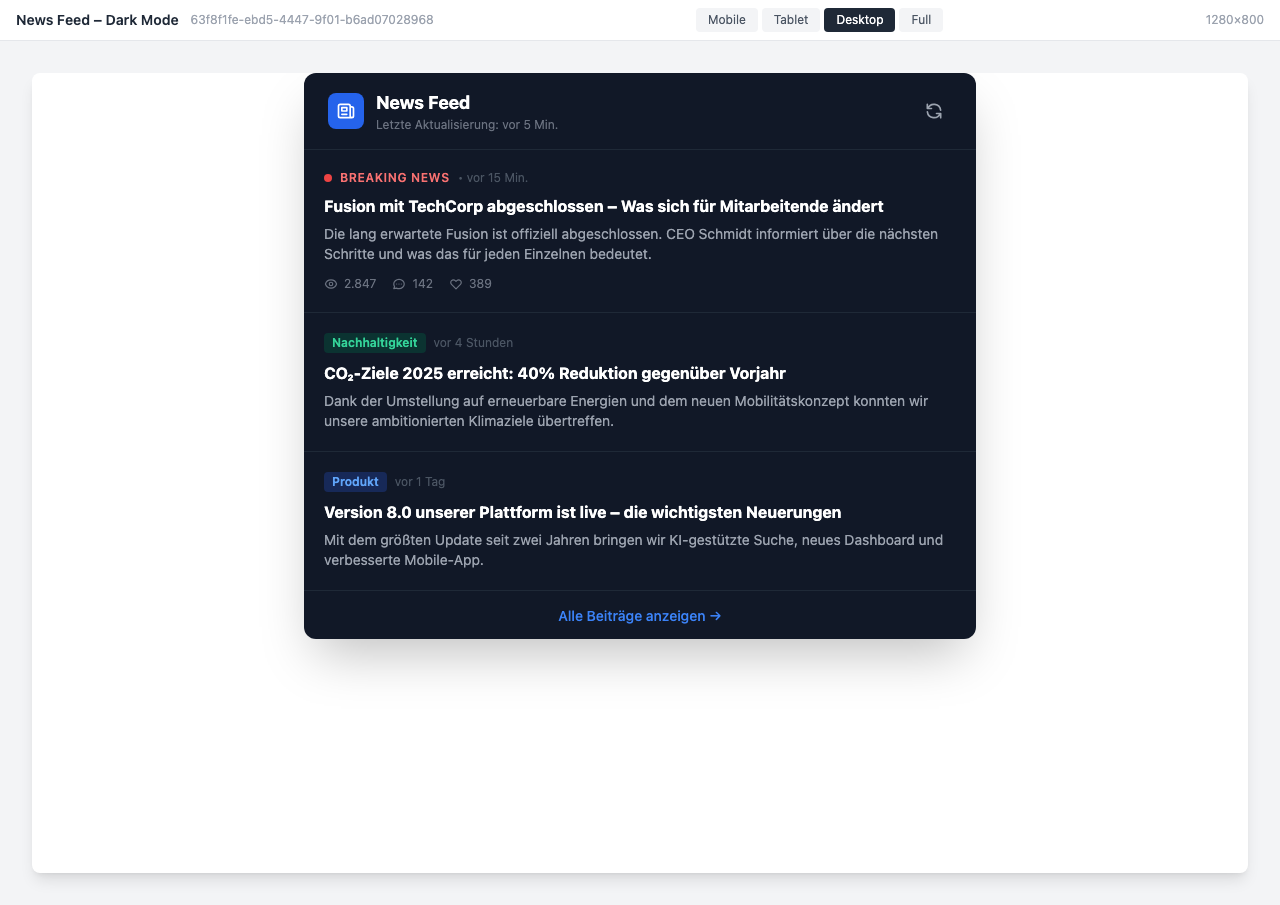
Dark mode variant with social engagement metrics
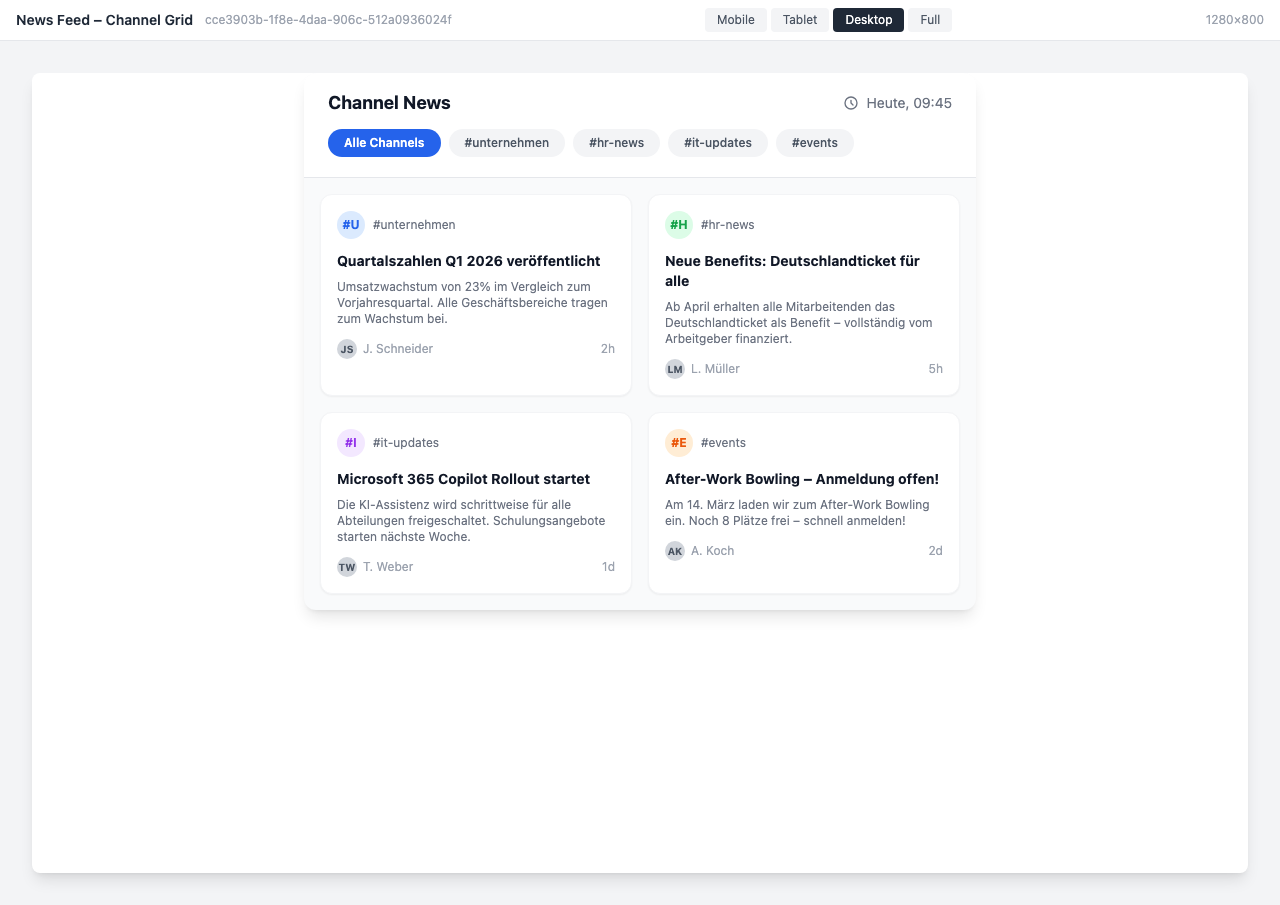
Channel grid with news from various corporate channels
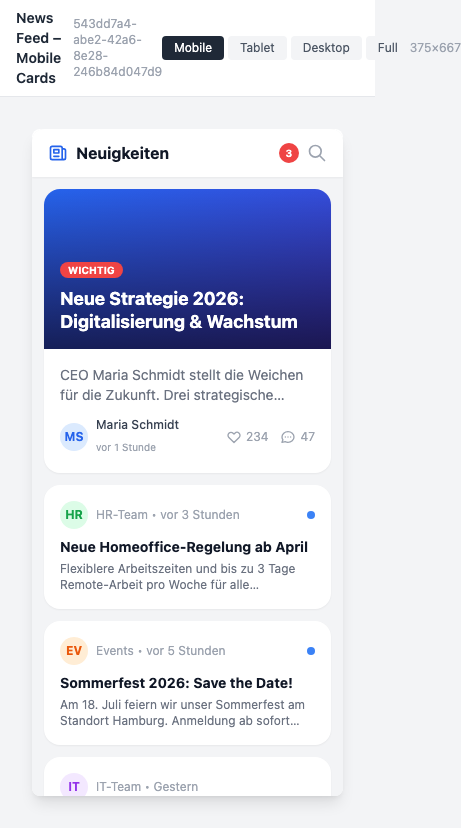
Mobile view with featured article and compact news cards
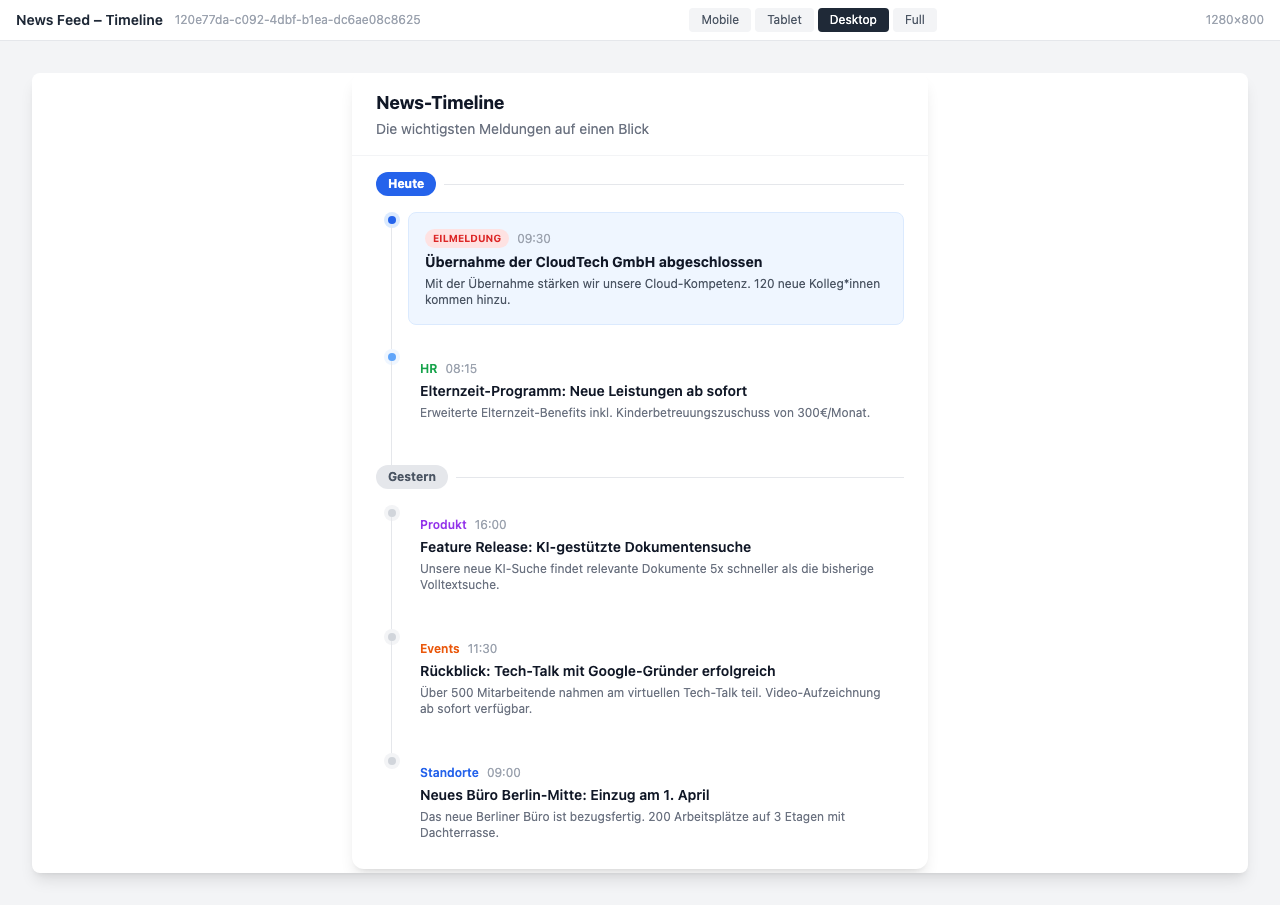
Timeline view with chronological sorting by date
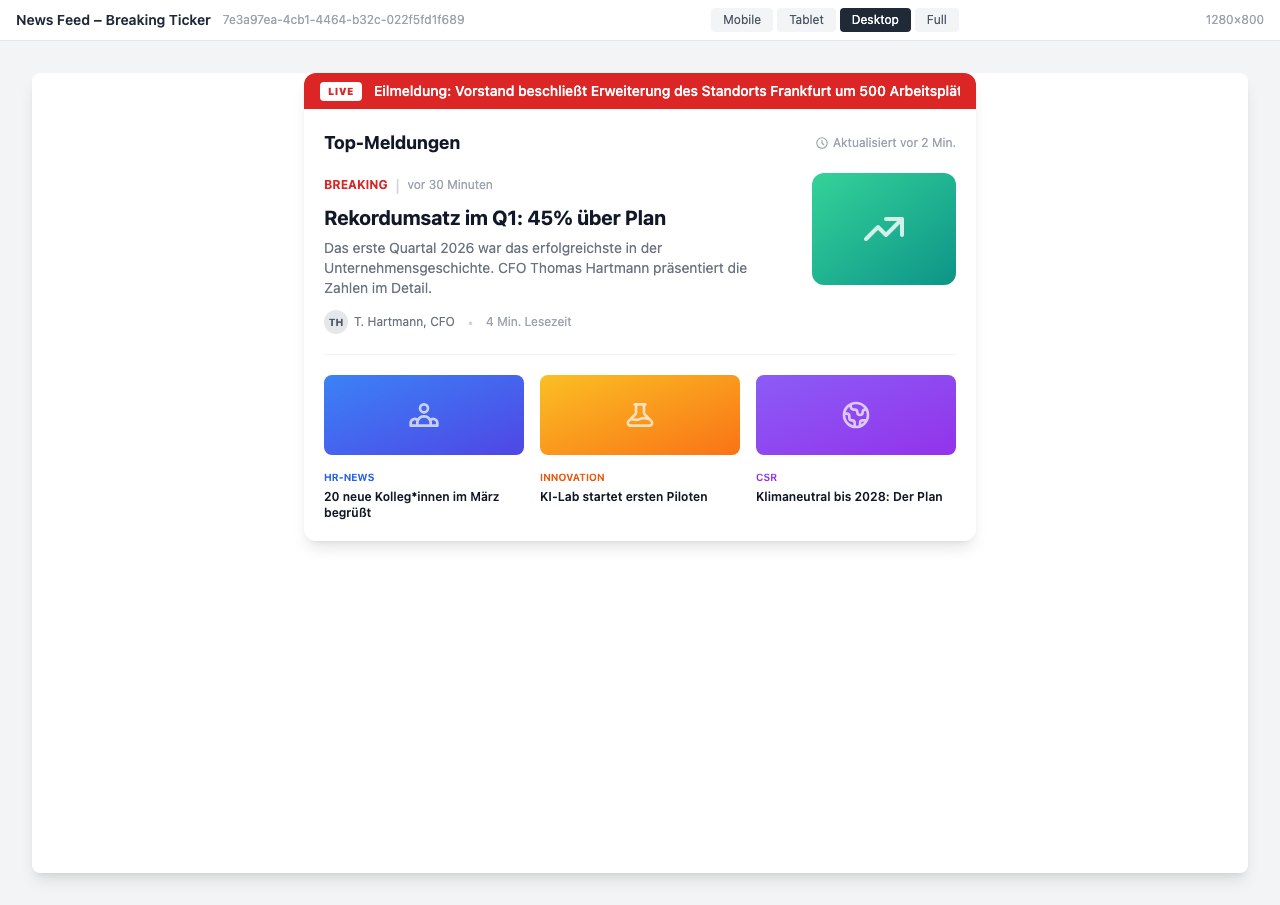
Breaking news ticker with live banner and top stories
Use Cases
Corporate Communications
Feature important company news prominently on the homepage – with hero images and reading time
Department News
Each department displays relevant channel news in their own area – automatically filtered
Location-Specific
Employees see only news for their location – ideal for international organizations
Breaking News
Highlight urgent updates and important announcements as a live ticker
Key Features
- Flexible FiltersUse any Staffbase filters – by channel, category, location, or audience
- Personalized ContentEach employee sees only the news they are authorized to view
- Custom DesignChoose from various layouts – cards, magazine, timeline, or compact list
- Real-Time UpdatesNew posts appear automatically – no page reload needed
Available in
Custom layouts and channel filters available from the Pro plan
Compare pricing