My Workday Widget – personalized day starter for the intranet
Your day at a glance
My Workday widget for Staffbase: personal greeting, 4 tasks with done state, 4 quick links – the cockpit for every employee.
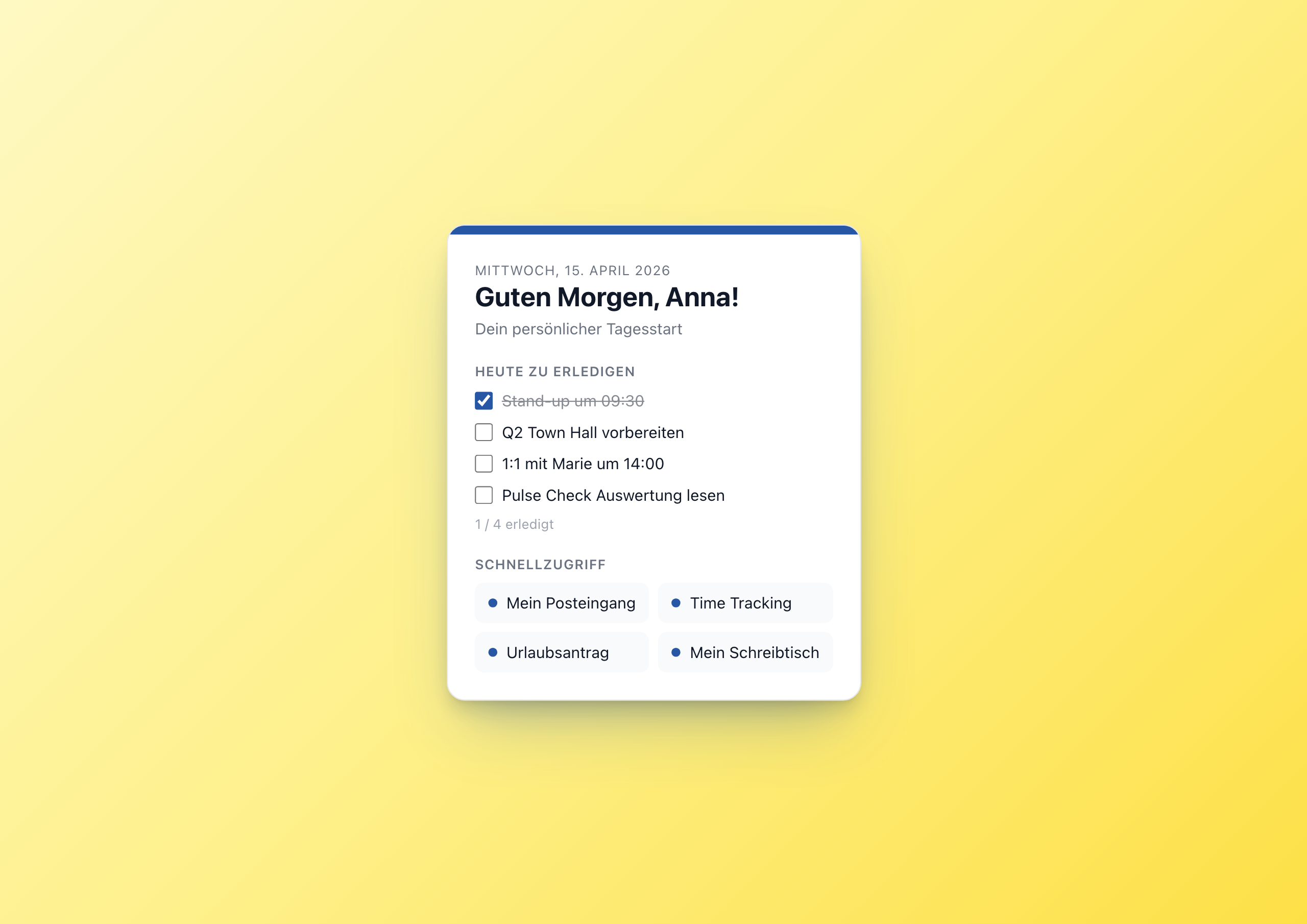
Overview
The My Workday Widget is the personal cockpit for every employee in the Staffbase intranet: greeting with first name, today’s date, four tasks with done state and four quick links to the most important tools – all at a glance, all without an external to-do tool.
Why this widget?
Employees lose 10–15 minutes every morning opening their scattered tools: Outlook, time tracking, holiday portal, desk booking, wiki. Each is its own tab, its own login, its own mental switch.
The My Workday Widget turns the intranet into the starting window: personal, focused, with the four most important tasks for today and the four most important tools.
Key features
1. Time-of-day greeting with first name
The widget uses the Staffbase user context for user.firstName and a small JavaScript block that checks the time:
1var hour = new Date().getHours();
2var g = 'Good morning';
3if (hour >= 12 && hour < 18) g = 'Good afternoon';
4else if (hour >= 18) g = 'Good evening';
Translations come from the translation keys – “Guten Morgen”, “Guten Tag”, “Guten Abend” in German.
2. Localized date
Above the greeting sits today’s date, localized via the datetime helper:
1{{datetime with_locale=widget.contentLanguage with_timezone=browserTimezone output_format="DDDD"}}
That gives “Wednesday, April 15, 2026” in English or “Mittwoch, 15. April 2026” in German.
3. Tasks with done state in localStorage
Four configurable tasks (editor settings, because they are the same for the whole team – e.g. “Stand-up at 09:30”). Each task has a checkbox; the done state is stored browser-locally:
1var dayKey = 'mein_tag_' + new Date().toISOString().slice(0,10);
2var done = JSON.parse(localStorage.getItem(dayKey) || '[]');
The key contains the date so the state automatically resets daily. Done tasks get strikethrough and 50% opacity. A small counter under the list shows “X / 4 done”.
4. Four quick links
Four configurable buttons in a 2×2 grid. Each with label and URL as settings, with a small accent dot in front of the label. The typical configuration: inbox, time tracking, holiday request, desk booking – but everything is editor-configurable.
5. Light & dark mode
Like all showcase widgets: both themes with configurable accent color.
Configuration
16 settings, all editor-time:
- Subtitle, fallback name, accent color, theme
- 4 tasks as text fields
- 4 quick links with label + URL each
If you want fewer tasks or links, simply leave individual fields empty – the template hides them via conditional rendering.
Technical
- Platform: Staffbase 5.0+
- Multilingual: German and English out of the box
- Persistence:
localStoragebrowser-local per day - User context:
user.firstNamewithcoalescefallback
FAQ
Are tasks persisted per user?
Yes – browser-local per day. Working on a second device, you see the tasks untouched. The widget isn’t meant for cross-team tasks – use project-specific tools like Asana or Linear for that.
Can I have more than 4 tasks or links?
Not in the current showcase – the widget intentionally focuses on “the four most important things”. If you need more, extend the template via update_widget.
Related widgets
- Kudos Wall – for recognition in the team
- QR Links – quick links as QR codes for frontline workers
- Weather Widget – weather next to the day starter
Use Cases
Personal cockpit
Every employee sees on login the most important tools and their open tasks
Onboarding day 1
New colleagues find their tools immediately – no manual
Frontline workers
Mobile-optimized, large touch targets, no external apps needed
Key Features
- Time-of-day greeting'Good morning', 'Good afternoon', 'Good evening' – automatically by hour
- Personal via user context`user.firstName` from the Staffbase context – every employee sees their name
- 4 tasks with done stateCheckboxes with strikethrough, persisted in browser localStorage
- 4 quick linksConfigurable shortcuts – inbox, time tracking, holiday request, ...
- Light & dark themeWith configurable accent color
Questions about the My Workday Widget – personalized day starter for the intranet?
Our team is happy to help you personally