Learning Path Tracker – training in the Staffbase intranet
Your training at a glance – personalized and up to date
Staffbase Learning Path Widget: compliance training, onboarding and development personalized in the intranet – with progress bar and deadline alerts.
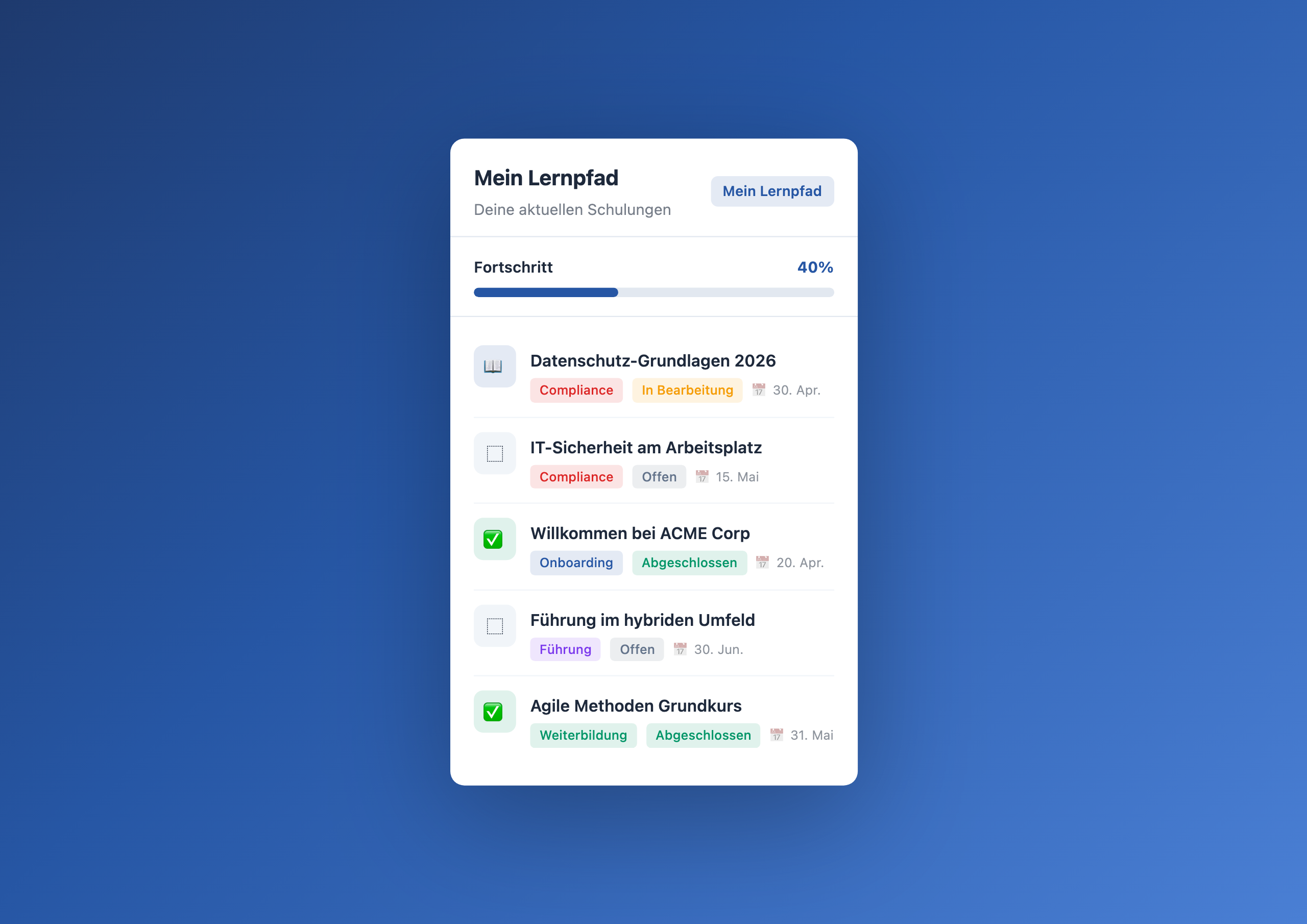
Overview
The Learning Path Tracker brings mandatory training, onboarding modules and professional development courses directly to the intranet homepage. Employees see at a glance what’s still open, what’s due soon and how far along they are – personalized, without detours through the LMS.
Why this widget?
In most companies, training lives in a separate LMS that employees only visit when HR sends a reminder email. The result: overdue compliance trainings, forgotten onboarding modules and zero visibility for voluntary professional development.
The Learning Path Tracker solves the problem at its root:
- Visibility – training is where employees already are every day: in the intranet
- Personalization – everyone sees only their own modules, filtered by email address
- Urgency – deadlines and status indicators make it clear what’s pressing
- Easy access – one click on the course title opens the LMS directly
Typical use cases
🎓 Make compliance training transparent
Data protection, IT security, workplace safety – many trainings are legally required. The widget highlights overdue modules in red and makes deadlines visible before they pass.
🚀 Accelerate onboarding
New hires see their onboarding modules right on the homepage. No searching the LMS, no “where was that compliance course again?” – just work through and check off.
📚 Make professional development visible
Optional courses get lost in daily work. When they appear alongside mandatory training on the homepage, significantly more employees participate.
📊 HR dashboard without tool switching
HR managers see the training status of all employees in the Data Table – without switching between LMS, Excel and the intranet.
Integration & setup
Setup takes just a few minutes:
- Create a Data Table in the Widget Builder (modules, status, deadline)
- Import training data or enter manually
- Drag the widget onto the intranet homepage
- Enter the table GUID, customize title and colors
- Publish
Connect External Systems
The Learning Path Tracker works out of the box with the built-in Data Table — but you can also sync training data directly from your existing LMS.
- Cornerstone OnDemand – Automatically mirror course assignments and progress from Cornerstone to the intranet
- SAP Litmos – Display mandatory training and deadlines from Litmos live on the homepage
- LinkedIn Learning – Visualize learning progress from LinkedIn Learning directly in the widget
- TalentLMS – Import training status and course completions from TalentLMS
- Moodle – Seamlessly integrate open-source LMS data into the intranet
FAQ
Can each employee only see their own training?
Yes – the widget automatically filters by the logged-in user’s email address. Everyone sees only their own assigned modules.
How does training data get into the Data Table?
Either manually through the Widget Builder interface or automated via API import from your existing LMS.
Are deadlines automatically highlighted?
Yes – overdue trainings get a red status, upcoming ones are marked with a color indicator.
Does the widget work without an LMS?
Yes – course URLs can point to any destination: internal SharePoint pages, YouTube videos or PDF documents. A traditional LMS is not required.
Related widgets
- Onboarding Checklist – for structured new hire onboarding
- OKR Tracker – team goals with progress bars
- My Workday – personalized day starter with tasks and quick links
Use Cases
Make mandatory training visible
Employees immediately see which compliance trainings are open or overdue
Accelerate onboarding
New hires find their onboarding modules right on the homepage
Promote professional development
Make optional courses visible – people who see them are more likely to enroll
Simplify HR reporting
Training status for all employees in one place instead of three systems
Key Features
- Personalized viewEveryone sees only their own assigned modules
- Progress barOverall progress at a glance
- Deadline alertsOverdue and upcoming training highlighted in color
- Category filterCompliance, onboarding, skill building and leadership clearly distinguished
- Direct course linkOne click takes you straight to the LMS or training video
Related Widgets
Onboarding Checklist Widget
Interactive onboarding checklist for new hires in the intranet – personalized by role with HR progress dashboard
OKR Tracker
Team OKRs with progress bars and status color code – from a Data Table, always current
My Workday
Personalized day starter with greeting, tasks and quick links – no external to-do tool
Questions about the Learning Path Tracker – training in the Staffbase intranet?
Our team is happy to help you personally