Kudos Wall Widget – recognition in the Staffbase intranet
Recognition in one click – visible to everyone
Kudos Wall for Staffbase: employees can thank colleagues directly in the intranet – with submit form, 5 categories and a Data Table backend.
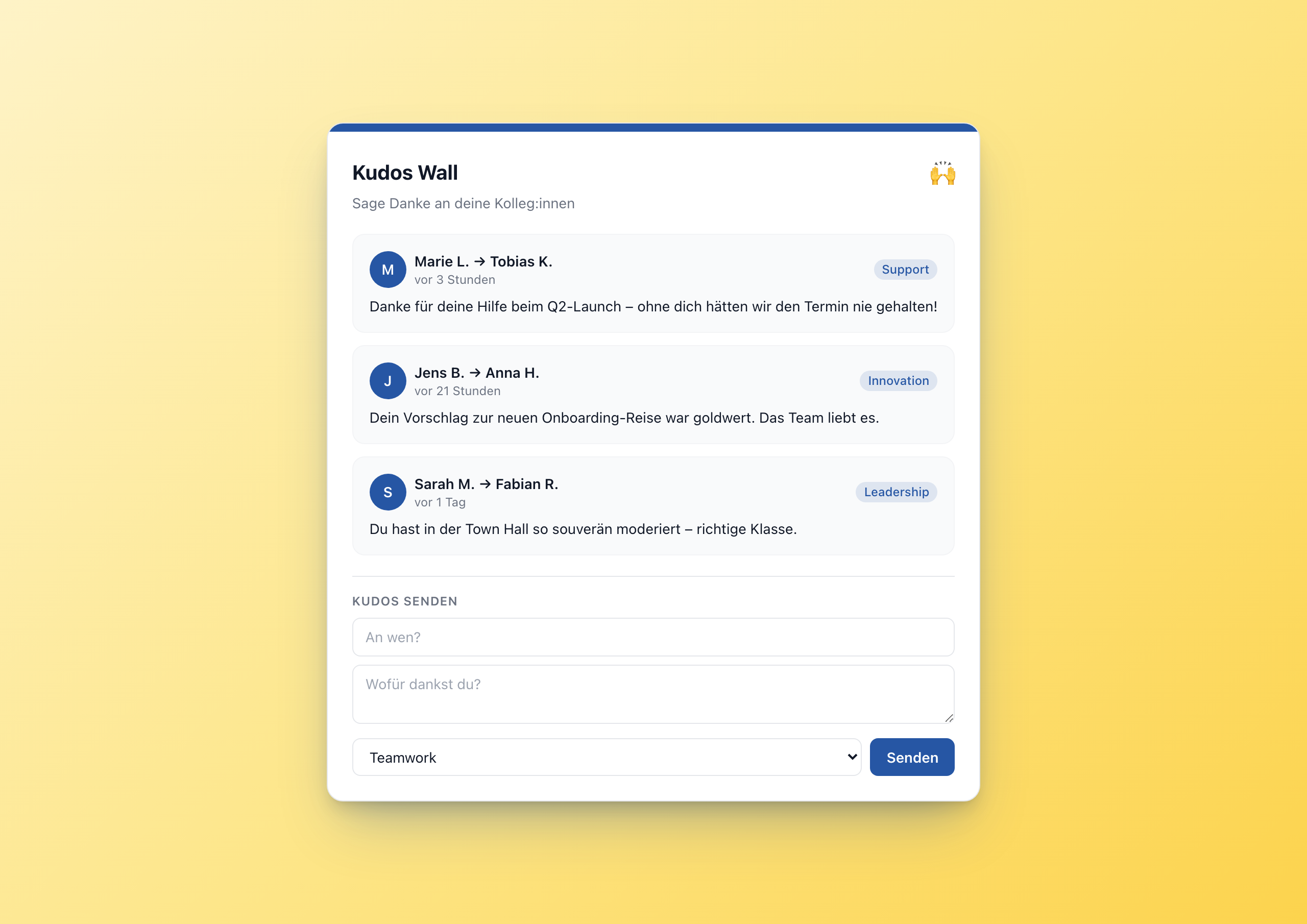
Overview
The Kudos Wall Widget turns recognition into a daily intranet ritual. Employees see the latest recognitions from their colleagues directly on the homepage – and can say thank you themselves with a single form, without leaving the intranet.
Why this widget?
Recognition programs often fail due to friction. If employees have to open a separate tool, fill out a form and click “submit”, they do it once per quarter. If the kudos wall is on the intranet homepage and the form has three fields, they do it once per week.
The Kudos Wall Widget solves two problems:
- ✅ Visibility – recognition lives in the intranet, not in the Slack channel
- ✅ Low friction – submit directly in the widget, three fields, one click
Architecture: Data Table as backend
Like Pulse Check, Kudos Wall is a textbook runtime user data widget. End users write to the widget; settings are only editor configuration. So recognitions live in a Data Table of the Widget Builder:
| Column | Type | Meaning |
|---|---|---|
from_name | text | Who writes the kudo (from user.firstName + user.lastName) |
to_name | text | Who receives the kudo |
message | text | The recognition (max 280 characters) |
category | text | One of 5 categories |
submitted_at | date | Timestamp |
The editor sets the table GUID in the tableGuid setting. Multiple kudos walls in parallel? Just one table per setup.
Key features
1. Inline submit form
Below the list of recent kudos sits a compact form with three fields: recipient, message, category. On click of “Send”, the widget makes a fetch() POST to the Data Table endpoint:
 1await fetch('/api/data-table-widget/' + tableGuid + '/rows', {
 2  method: 'POST',
 3  headers: {'Content-Type': 'application/json'},
 4  body: JSON.stringify({data: {
 5    from_name: '{{user.firstName}} {{user.lastName}}',
 6    to_name: recipient,
 7    message: message,
 8    category: category,
 9    submitted_at: new Date().toISOString()
10  }})
11});
The sender comes straight from the Staffbase user context – no typing, no confusion.
2. List of the latest N kudos
The widget API fetches sorted by submitted_at desc, top 50. The template shows the first N (configurable via slider setting, 3–20). Each card has an avatar with initial, “sender → recipient”, localized “X hours ago” and a colored category badge.
3. Five categories
Teamwork, Leadership, Innovation, Support, Impact. Five is enough – more leads to choice paralysis. Categories are translation keys, so they work in other languages too.
4. Localized timestamps
The datetime helper with to_relative=true and with_locale=widget.contentLanguage renders “3 hours ago” in English and “vor 3 Stunden” in German – automatically.
5. Light & dark mode
Both themes with configurable accent color. The accent color tints the initials avatars and category badges (with 12.5% opacity via the hex +20 trick).
Setup in 5 minutes
- Create a Data Table in the Widget Builder with the five columns above
- Copy the table GUID
- Add the Kudos Wall widget to a page
- Paste the GUID into the setting
- Pick title, accent color, theme, publish
Configuration
7 settings, all editor-time:
- tableGuid – required
- Title – “Kudos Wall” or anything
- Subtitle – short call to action
- maxItems – slider 3–20
- showForm – submit form on/off
- accent_color – color picker
- theme – light or dark
Connect External Systems
The Kudos Wall stores recognitions in the built-in Data Table — but you can also connect it to your existing recognition platform.
- Bonusly – Automatically display Bonusly recognitions on the Kudos Wall
- Slack – Mirror kudos from a Slack channel to the intranet so colleagues without Slack can see them too
- Microsoft Teams – Automatically capture recognition messages from Teams channels
- WorkTango – Surface employee recognition data from WorkTango directly in the intranet
FAQ
Can employees send anonymous kudos?
By default no – the widget reads user.firstName and user.lastName from the Staffbase context. If you want anonymity, you can set the fromName step in the template to a fixed string like “Colleague”.
What happens when the table is empty?
The widget shows a friendly empty state: “No kudos yet – be the first!”.
Can I moderate kudos?
Yes – via the Data Table in the Widget Builder. Editors with write permissions can delete individual rows if something inappropriate is posted.
Related widgets
- Anniversaries – for automatic anniversary recognition
- Birthday Widget – for birthday highlights
- Idea Box – crowdsourcing with the same Data Table architecture
Screenshots
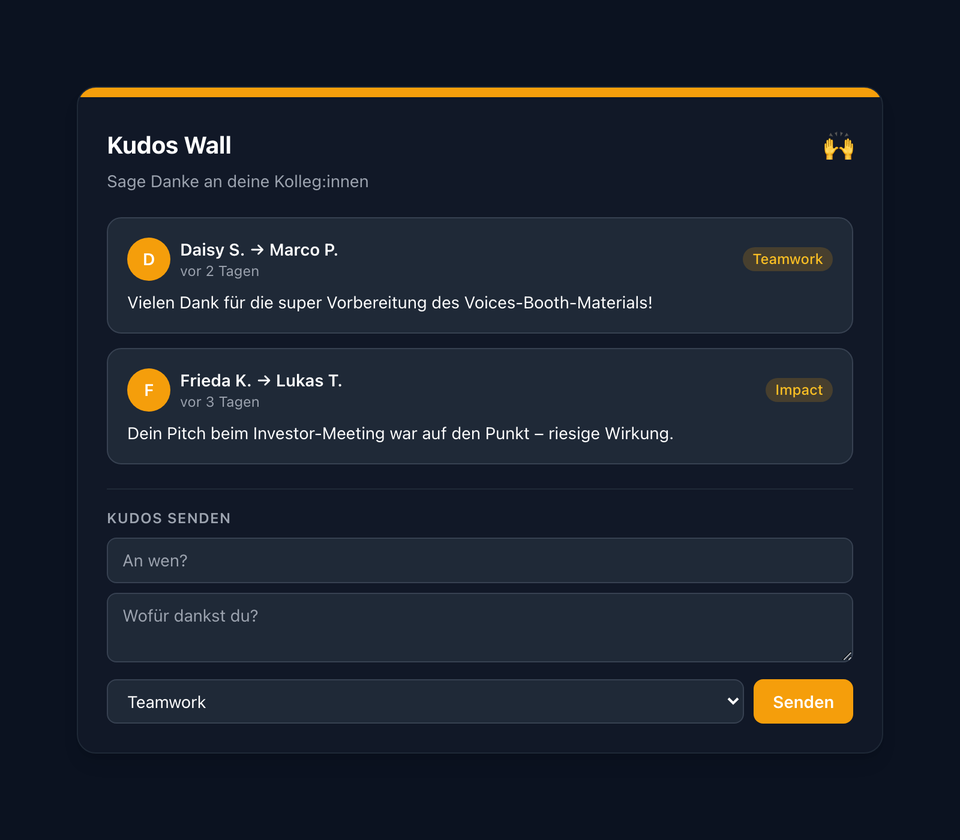
Dark mode with amber accent – fits any page template
The screenshots shown are example views with generated demo data. Customers adapt the widgets to their own systems and corporate design.
Use Cases
Continuous recognition
Recognition as a daily ritual instead of an annual event
Onboarding companion
New colleagues experience a recognition culture from day 1
Team highlights
Make wins visible without it feeling like self-promotion
Cross-team recognition
Say thanks across department boundaries
Key Features
- Inline submit formEmployees send kudos directly from the widget – no separate form
- Data Table backendEvery kudo is stored as a row. Visible to all, persistent.
- 5 categoriesTeamwork, Leadership, Innovation, Support, Impact – picked via dropdown
- Localized timestamps'3 hours ago' in English, 'vor 3 Stunden' in German – via datetime helper
- Light & dark modeBoth themes with configurable accent color
Questions about the Kudos Wall Widget – recognition in the Staffbase intranet?
Our team is happy to help you personally