Employee Directory
Find colleagues, connect instantly
Personalized employee directory with contact info, org chart, and click-to-call – directly in the Staffbase intranet
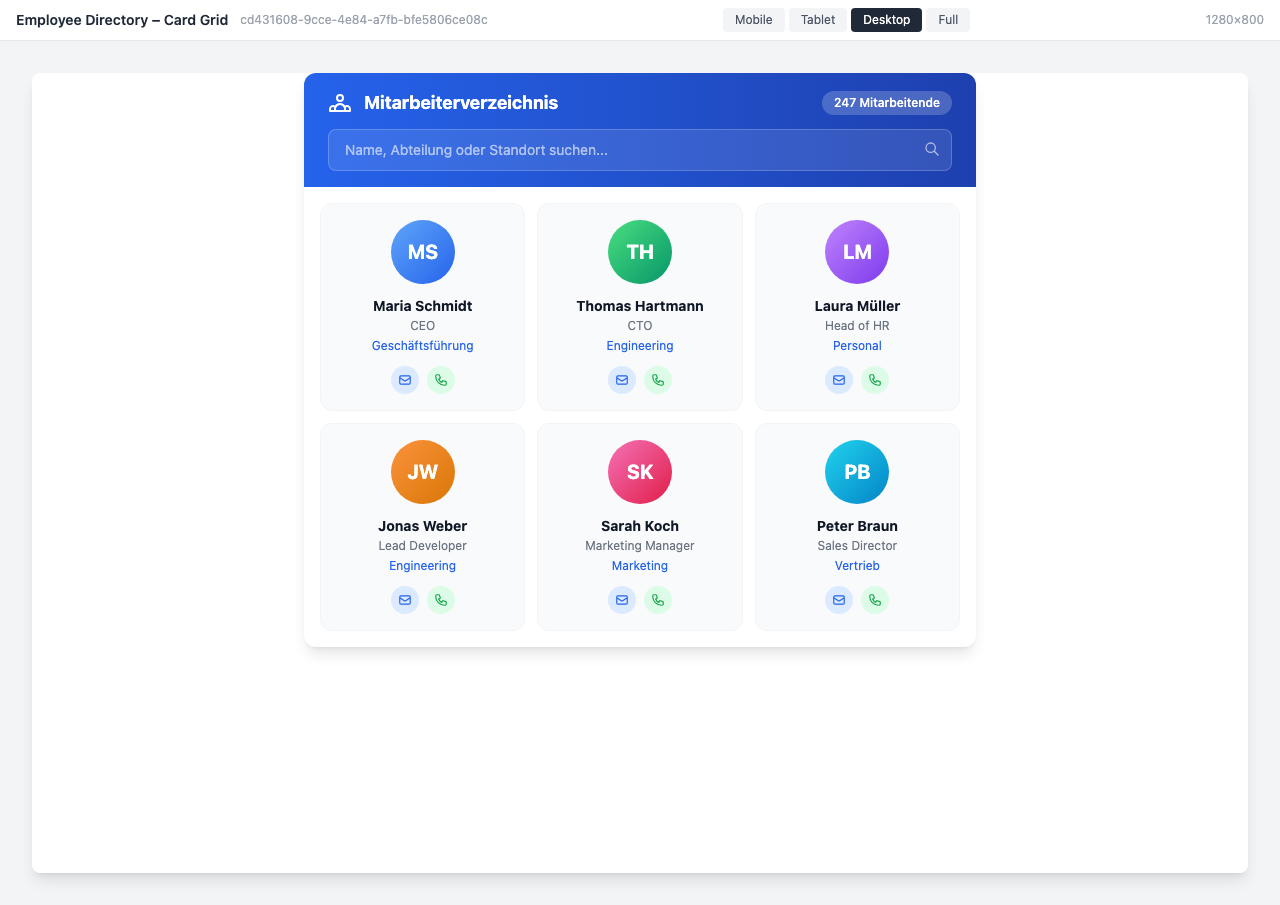
Overview
The Employee Directory makes colleagues discoverable across the entire organization. With smart search, org chart view, and click-to-call, employees connect in seconds – whether on desktop or smartphone.
Why This Widget?
“Who is responsible for topic X?” – This question costs companies hours every week:
- ✅ Find instantly: Search by name, role, department, location, or skill
- ✅ Connect directly: One click for call, email, or chat
- ✅ Understand structure: Org chart shows reporting lines and teams at a glance
Key Features
1. Smart Employee Search
The search finds colleagues in a flash – with multiple filter options:
- Full-text search across name, job title, and department
- Filter by location, department, or team
- Auto-complete while typing
- Alphabetical sorting or grouped by department
The result: The right contact in less than 3 seconds.
2. Click-to-Call & Click-to-Email
Contact without detours – directly from the directory:
- Phone: One tap and the call starts (click-to-call on smartphones)
- Email: Opens the email app directly with a pre-filled address
- Chat: Link to Microsoft Teams or Slack
- Extension: Internal phone number directly visible
3. Org Chart View
The visual company structure at a glance:
- Hierarchical display with CEO at the top
- C-level and department heads as the second level
- Teams with all team members below
- Click on a person to see profile and reporting lines
- Expandable and navigable (zoom & pan)
4. Location Filter
Especially useful for companies with multiple locations:
- Show only colleagues at the same location
- Switch between locations via dropdown
- Office information (building, floor, room)
- Availability status (online, away, in meeting)
Typical Use Cases
🆕 Onboarding: “Who is my contact person?”
New employees immediately find their team colleagues, HR contact, and their manager – with photo, phone number, and email.
🏢 Multi-Location: “Who is in Munich?”
For cross-location projects: Filter by location and find colleagues on-site – including building and room number.
👥 Manager: My Team
Managers see their entire team in the department view – with availability status and direct contact options.
🔍 Expert Search
“Who has SAP integration experience?” – Search by skills or expertise finds the right experts.
Integration & Setup
The Employee Directory is set up in just a few minutes:
- Choose widget – Add from the widget gallery
- Connect data source – Staffbase profiles, SAP SuccessFactors, or Azure AD
- Configure view – Card grid, list, org chart, or departments
- Select fields – Which contact data to display
- Publish – Done!
Optional: Enable dark mode, availability status, or advanced search filters.
Design Options
View Modes
- Card Grid: Profile cards with avatar, name, and contact buttons
- Compact List: Space-saving display with quick access
- Org Chart: Visual hierarchy with reporting lines
- Department View: Horizontally scrollable teams
- Dark Mode: For dark themes and info screens
Display Options
- Profile photos or initial avatars
- Availability status (color-coded)
- Location and office information
- Department tags
- Direct reports and supervisors
Frequently Asked Questions
Where does the employee data come from?
The widget uses Staffbase user data. Optionally, data can be synchronized from SAP SuccessFactors, Azure AD, Workday, or other HR systems.
Can employees edit their own data?
The displayed data comes from the source system. Changes are made through the HR system or Staffbase profile management.
Is the widget GDPR-compliant?
Yes, only data that is approved for the directory in the source system is displayed. Employees can control their visibility in profile settings.
Does the search work on smartphones?
Yes, the search is fully mobile-optimized. Click-to-call starts the call directly on smartphones.
Best Practices
📌 Dos
- Enable profile photos: Faces make the directory more personal
- Use location filters: Especially for companies with multiple locations
- Offer org chart: Helps new employees understand the structure
- Test on mobile: Many use the directory on the go
⚠️ Don’ts
- Display too many data fields (overwhelms users)
- Publish private contact data (privacy concerns!)
- Show outdated data (set up regular synchronization)
- Enable org chart without maintained reporting lines
Screenshots
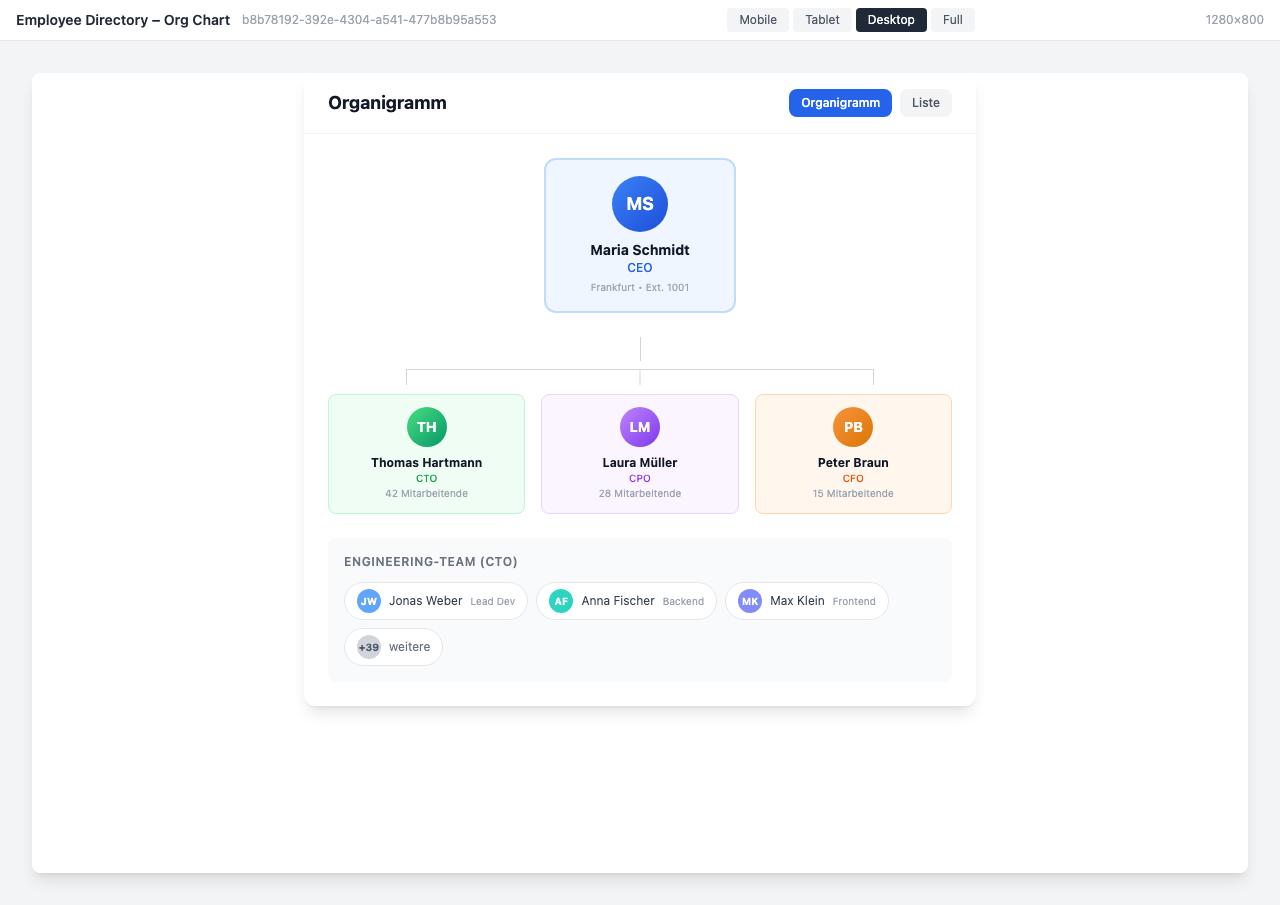
Org chart view with company hierarchy and reporting lines
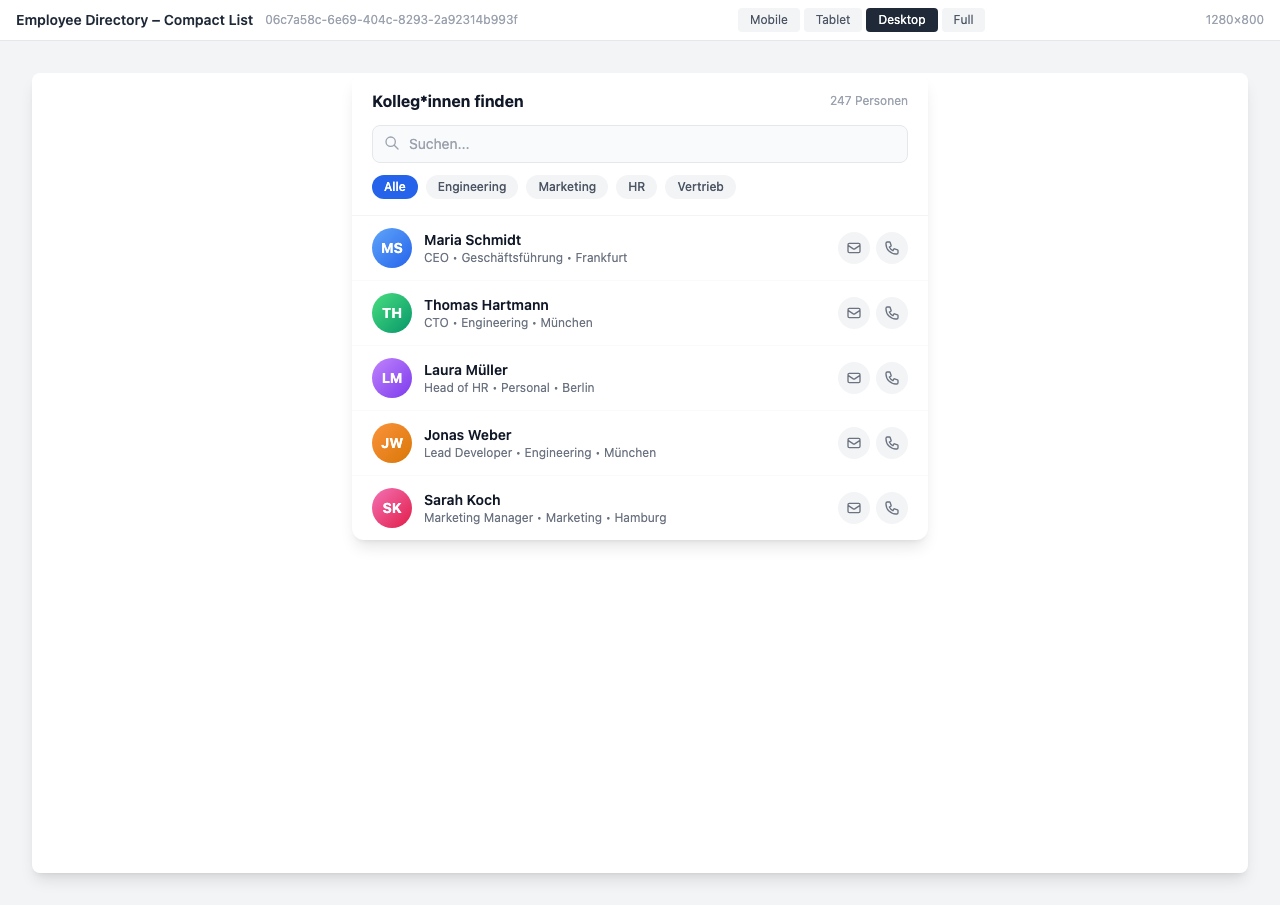
Compact list view with search field and department filter
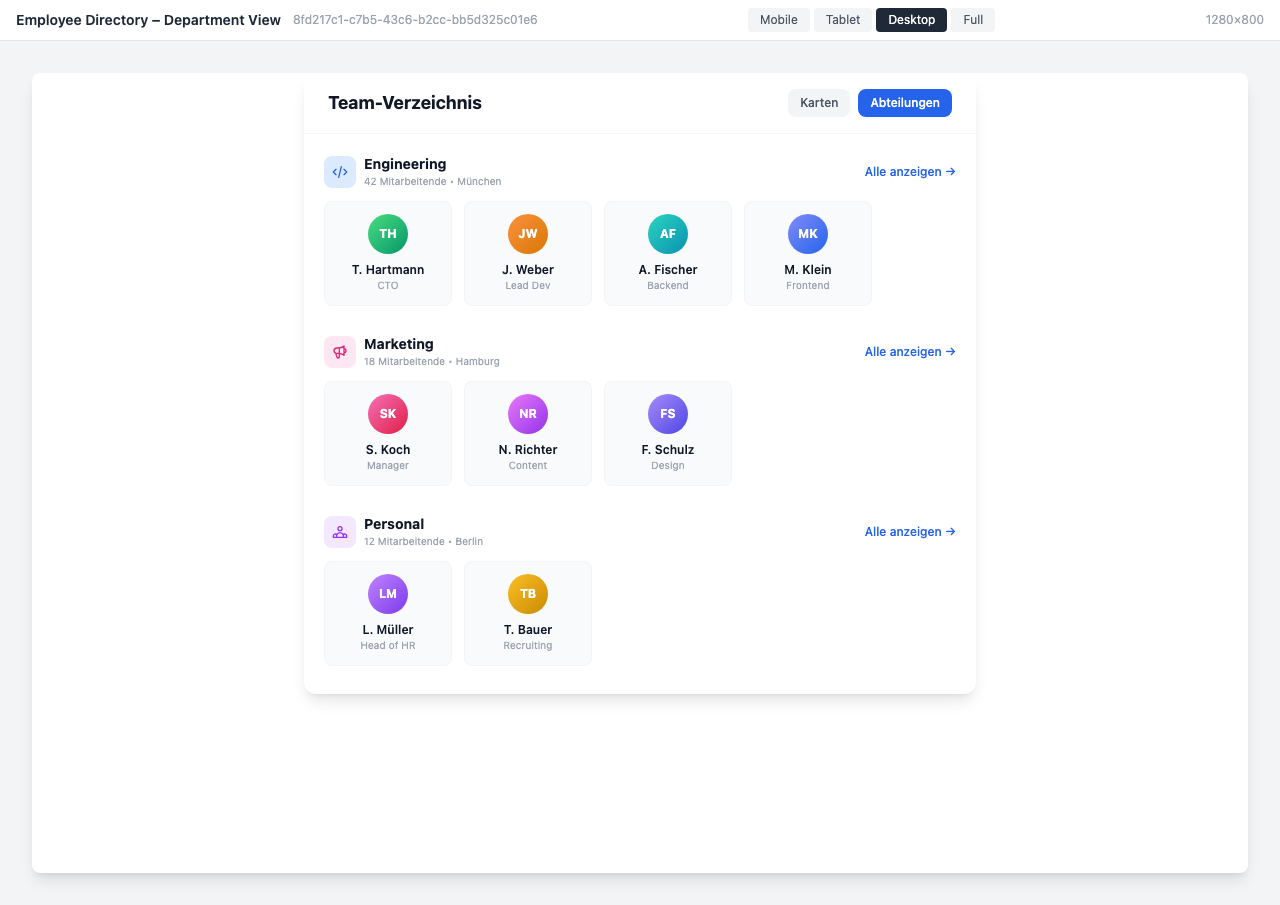
Department view with horizontal team carousel
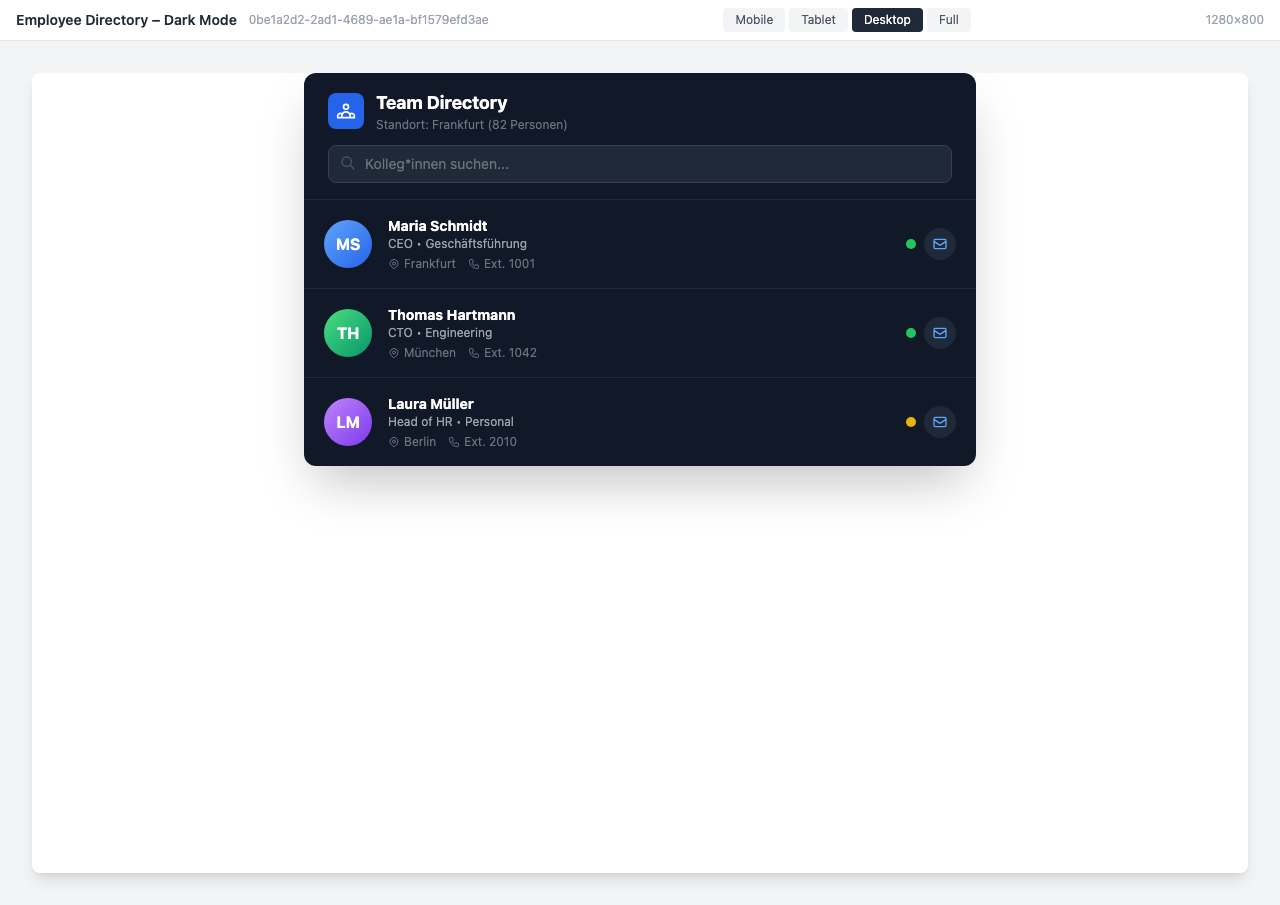
Dark mode variant with online status and location information
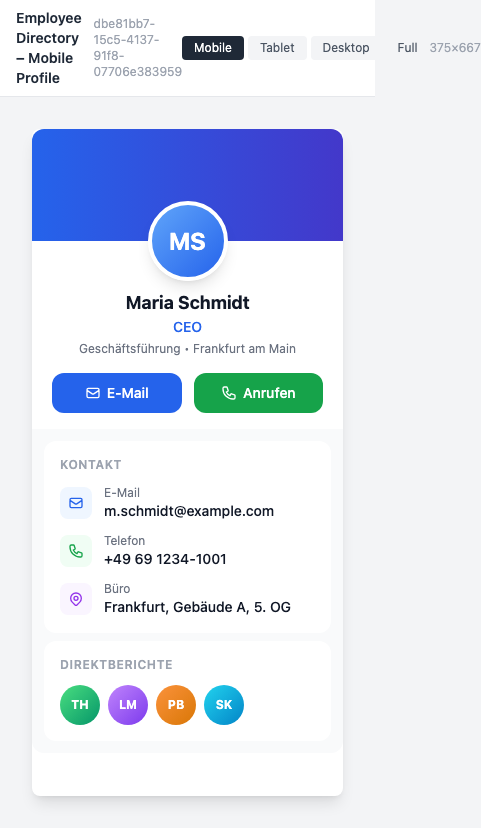
Mobile employee profile with contact details and direct reports
Use Cases
New Employee – Onboarding
New colleagues quickly find the right contacts in their department and beyond
Location Directory
Show all colleagues at the same location – ideal for cross-location collaboration
Manager – Team Overview
Managers see their team at a glance with contact details and availability status
Project Teams
Find experts by skills or expertise for new projects
Key Features
- Smart SearchFind colleagues by name, department, location, role, or skill
- Click-to-Call/EmailDirect contact via phone or email with a single click
- Org Chart ViewVisual representation of the company structure with reporting lines
- Location FilterShow only employees at a specific location or team
Available in
Org chart and advanced filters available from the Pro plan
Compare pricing