Countdown Widget
Share anticipation – down to the last second
Create visual countdowns for events, deadlines, or important dates – automatically synchronized across all time zones
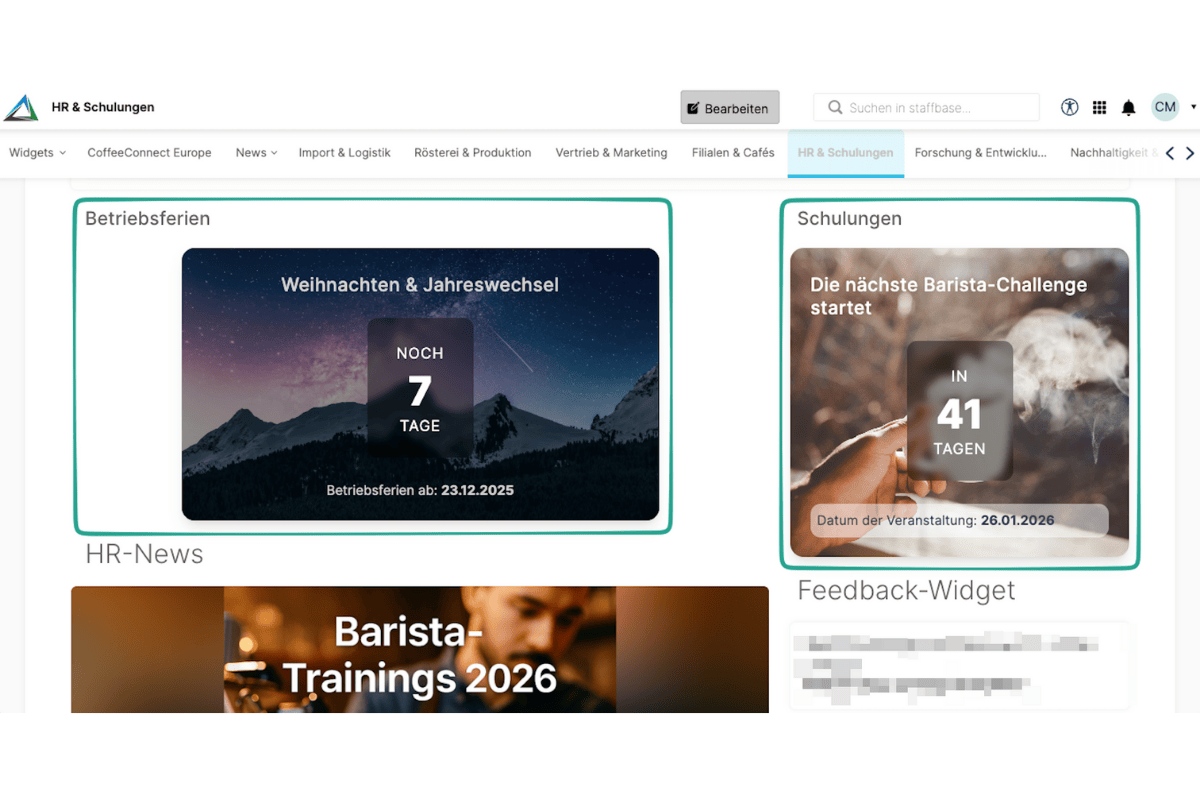
Overview
The Countdown Widget turns important dates and events into an experience. Create visually appealing countdowns that build anticipation and motivate your team. Whether it’s a product launch, company anniversary, or project deadline – the countdown runs precisely down to the last second.
Why This Widget?
Dates are more than just entries in a calendar. With the Countdown Widget, you make them visible, tangible, and unforgettable:
- ✅ Build anticipation: Visual countdowns create excitement
- ✅ Meet deadlines: Time pressure becomes tangible and motivating
- ✅ Globally synchronized: Automatic adjustment for all time zones
Key Features
1. Multiple Timers in Parallel
Manage as many countdowns as you need simultaneously. Perfect for:
- Different events in various departments
- Multiple project deadlines
- Staggered product launches
- Different campaigns
Each timer can be individually styled and positioned.
2. Customizable Design
Choose from professional templates or design your own countdown:
- Minimal: Days only until event
- Classic: Days, hours, minutes, seconds
- Celebration: With confetti and animations
- Dark Mode: For elegant designs
- Corporate: In your company colors
All designs are fully responsive and look great on any device.
3. Automatic Timezone Conversion
Global teams? No problem! The countdown automatically adapts:
- Detection of user’s timezone
- Precise calculation to the second
- Daylight saving time adjustments included
- Uniform display for everyone, despite different time zones
Example: Event starts in Berlin at 2:00 PM → Users in New York automatically see 8:00 AM.
Typical Use Cases
🎯 Event Countdown: Company Anniversary
“Only 127 days until our 50th company anniversary! 🎂”
Build anticipation for the big celebration and keep everyone informed.
📅 Deadline Reminder: Quarterly Reports
“Only 3 days, 14 hours until Q4 report submission”
Motivate your team to meet deadlines – without constant email reminders.
💡 Product Launch Countdown
“Coming Soon: New feature goes live in 10 days!”
Build excitement for product launches and automatically inform stakeholders.
🎓 Registration Deadline: Training
“Only 5 days left to register for the Leadership Program”
Increase registration rates through visual urgency.
Integration & Setup
The countdown is set up in a few minutes:
- Choose widget – Add from widget gallery
- Enter target date – Date and time of event
- Select design – Choose from templates or customize
- Add title – What are we counting down to?
- Publish – Done!
Optional: Configure celebration message for after expiration.
Done! 🚀
Design Options
Countdown Formats
- Long format: “45 days, 12 hours, 34 minutes, 12 seconds left”
- Short format: “45d 12h 34m”
- Days only: “45 days left”
- With date: “Countdown to March 15, 2025 (45 days left)”
Display Modes
- Tile View: Large, prominent box
- Banner: Slim across full width
- Sidebar: Compact in sidebar
- Inline: Directly in text flow
Color Schemes
- Use company colors
- Gradient support
- Dynamic color: Green → Yellow → Red (as date approaches)
Technical Specifications
- Responsive: Optimized for mobile & desktop
- Performance: Client-side calculation (no server load)
- Accuracy: ±1 second
- Update Frequency: Live update every second
- Offline Capable: Continues running without internet connection
Frequently Asked Questions
How accurate is the countdown?
The timer is accurate to the second and uses the device’s system time. Client-side calculation means no delays from network latency.
Can I change the countdown afterwards?
Yes, you can adjust date, design, or text at any time. Changes are immediately visible to all.
What happens when the countdown expires?
Depending on configuration:
- Displays a success message (“Event is now live!”)
- Starts celebration animation (optional)
- Disappears automatically (optional)
- Continues counting backwards (“Started 2 hours ago”)
Can I combine multiple countdowns?
Absolutely! In Pro and Enterprise plans, you can create unlimited timers and display them combined (e.g., “3 important dates this week”).
Best Practices
📌 Dos
- Clear titles: “X days until Summer Festival” instead of just “Countdown”
- Be realistic: Too early countdowns (e.g., 365 days) lose impact
- Choose appropriate design: Celebratory events = colorful designs, deadlines = sober design
- Use celebration: Celebrate the moment when the countdown expires!
⚠️ Don’ts
- Too many countdowns simultaneously (max. 3 on one page)
- Micro-optimization: Second display only makes sense for very short countdowns
- Confusing time zones: Always mention timezone for global teams
Screenshots
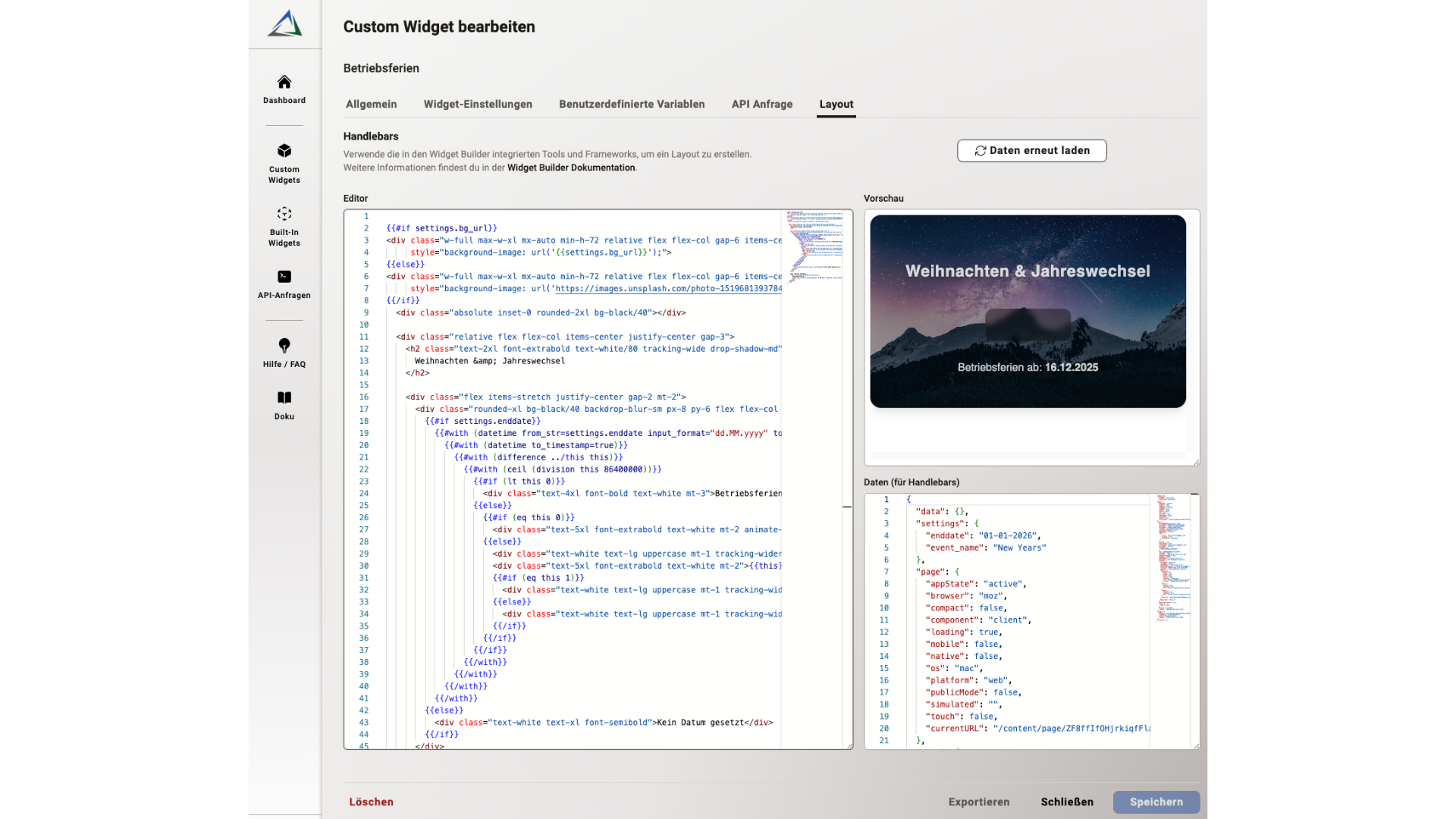
Editor with preview in Widget Builder
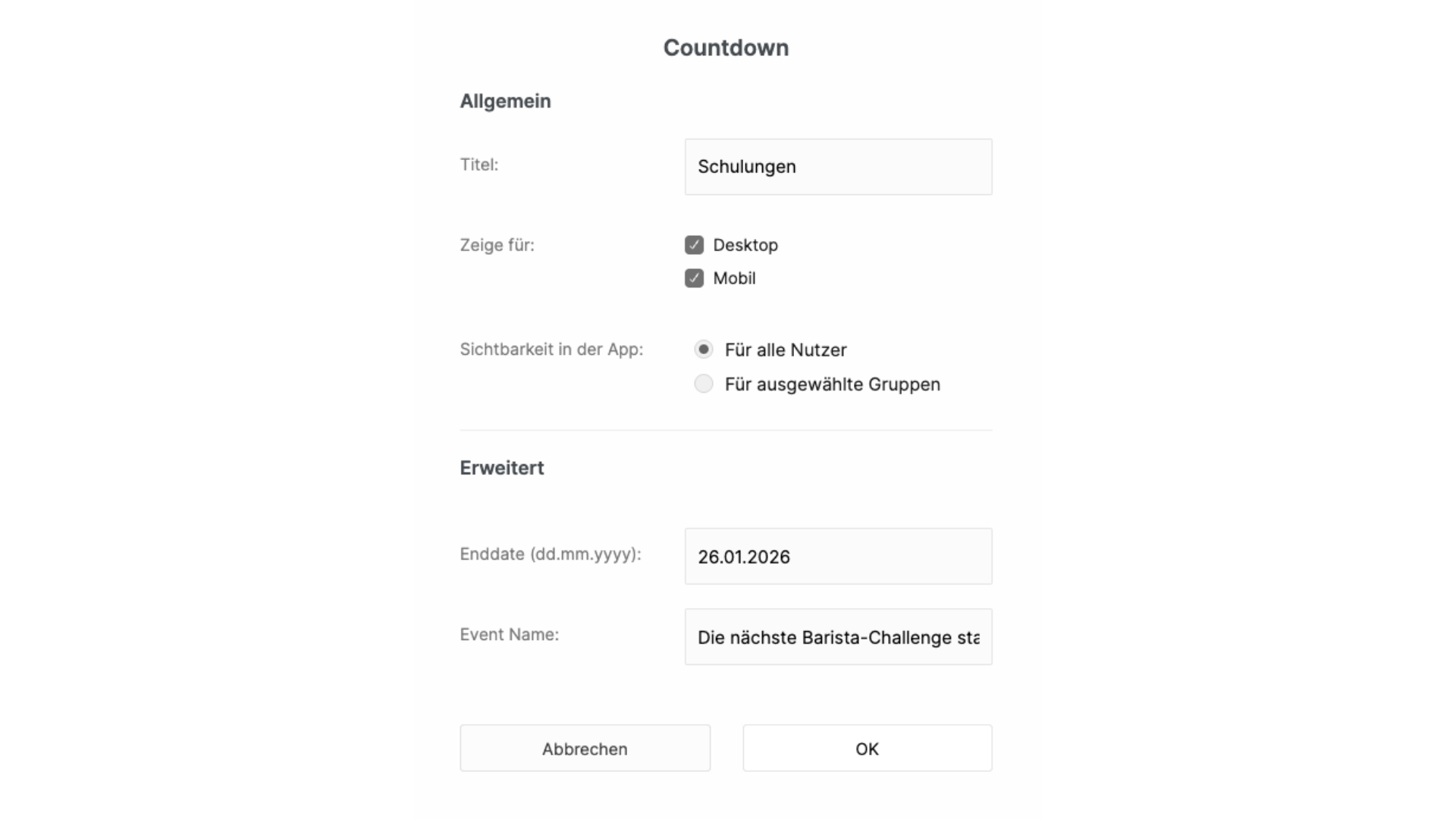
Countdown Widget in Staffbase Editor
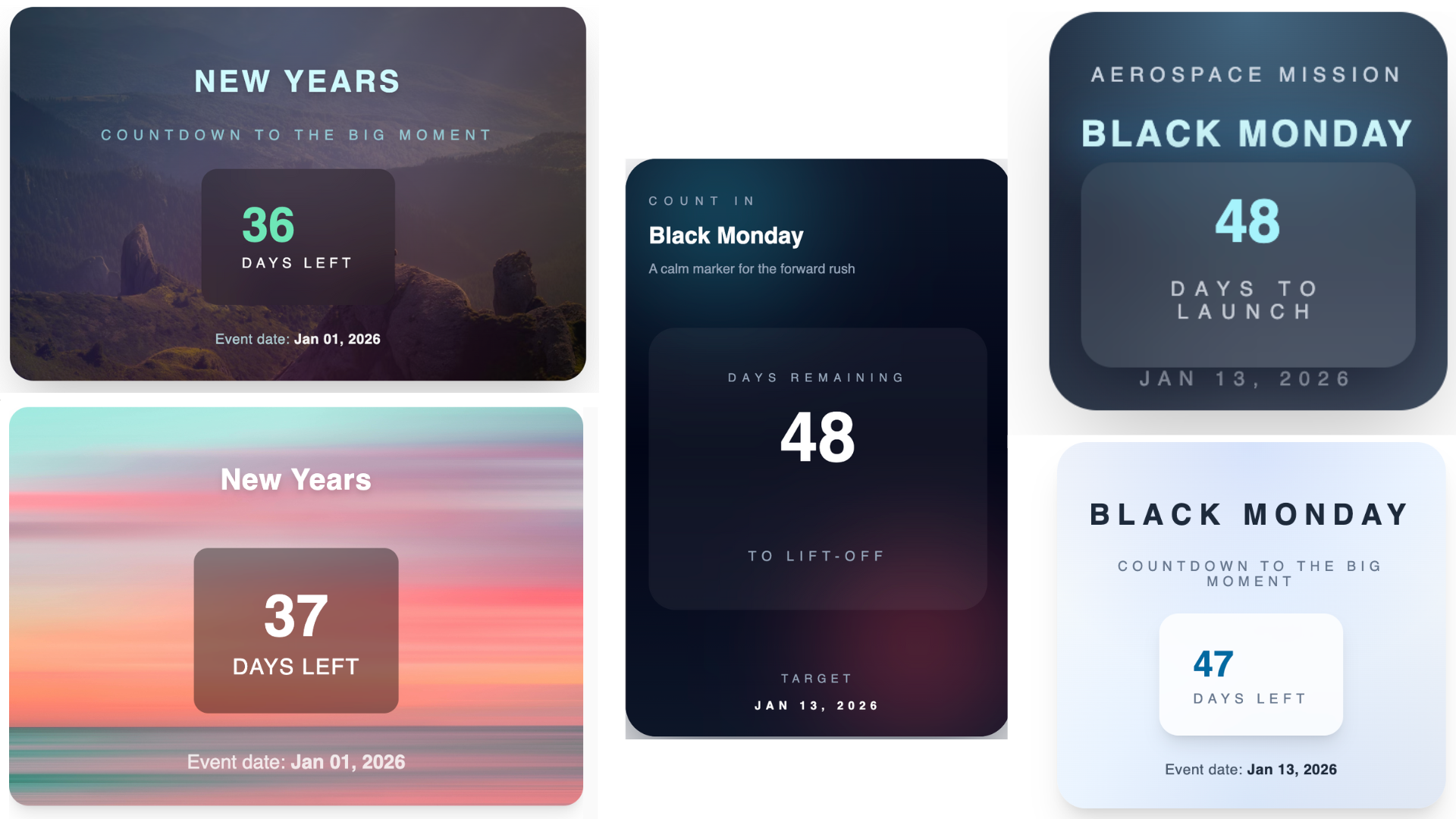
Live countdown in various designs
Use Cases
Event Countdown
Build anticipation for company events, anniversaries, or product launches
Deadline Reminder
Visually highlight important deadlines and motivate teams
Project Milestones
Display remaining time until the next release or sprint end
Registration Deadlines
Countdown for training, surveys, or internal registrations
Key Features
- Multiple Timers in ParallelManage different countdowns simultaneously for various events
- Customizable DesignChoose from various templates or create your own design
- Automatic Timezone ConversionEvery user sees the countdown in their local time
- Celebration ModeAutomatic celebration animation when the countdown expires