Staffbase KPI Widget – Charts & Metrics in Your Intranet
Make business data visible – right in the intranet
Staffbase KPI Widget: Interactive charts, metrics and business data directly in your Staffbase intranet – configurable without developers
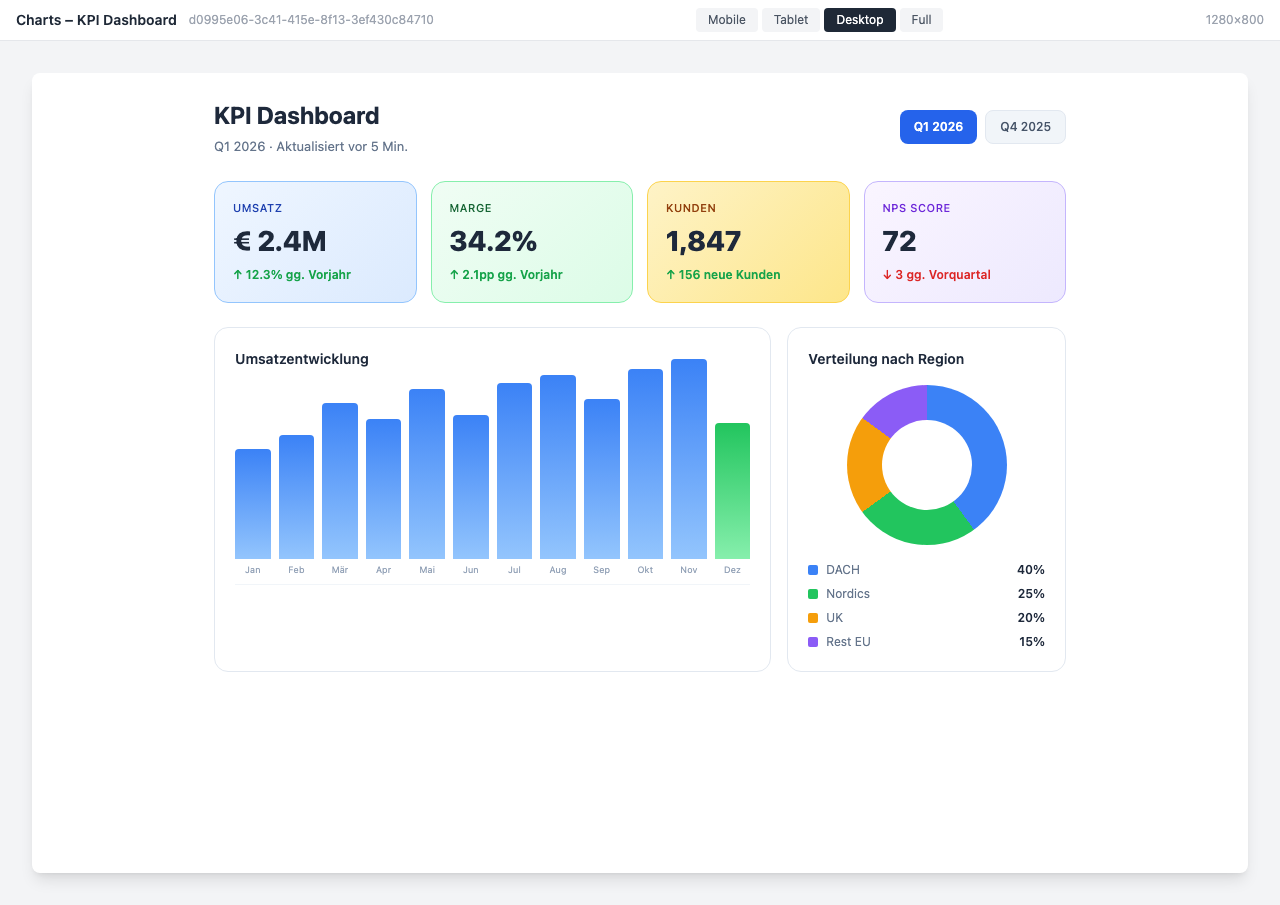
Overview
The Charts & Dashboards Widget brings business data directly into your Staffbase intranet. Visualize KPIs, metrics, and trends with professional charts — without employees needing to switch between different tools.
Why This Widget?
Data tells stories, but only when it’s visible. The Charts Widget makes relevant metrics accessible to everyone:
- ✅ Centralized: All important KPIs in one place
- ✅ Current: Auto-refresh keeps dashboards always up to date
- ✅ Accessible: Every department sees their relevant data
- ✅ Professional: Clean visualizations for management reports
Key Features
1. Versatile Chart Types
Choose from various chart types for every requirement:
- Bar charts (vertical & horizontal)
- Line charts with trend lines
- Pie charts and donut charts
- Area charts
- Gauges and progress indicators
2. Flexible Data Sources
Integrate data from various sources:
- REST APIs (JSON/XML)
- SAP modules
- Databases (SQL)
- CSV import
- Manual entry
3. Auto-Refresh & Live Data
- Configurable refresh intervals
- Real-time data updates
- Historical comparison values
- Trend display and delta calculations
4. Role-Based Dashboards
- Different views based on user role
- Management dashboard vs. team dashboard
- Location-based filtering
- Export for presentations
Typical Use Cases
📊 KPI Overview for Management
Revenue, employee satisfaction, NPS, and other key metrics at a glance.
👥 HR Analytics
Visualize HR statistics like turnover, diversity metrics, and age structure.
💼 Sales Performance
Sales metrics, pipeline overview, and target achievement for the sales team.
🏗️ Project Tracking
Clearly display progress, budgets, and milestones of ongoing projects.
Integration & Setup
The widget can be set up in under 5 minutes:
- Select widget from the gallery
- Configure data source (API URL, credentials)
- Choose chart type and layout
- Publish
Done! The dashboard updates automatically.
Design Options
- KPI Dashboard: Metric tiles with trend arrows — ideal for the homepage
- HR Analytics: Specialized for HR statistics with diversity metrics
- Sales Performance: Revenue tracking with target comparison and pipeline
- Project Tracker: Project progress with Gantt-like display
- Energy Monitor: Sustainability and consumption data overview
Frequently Asked Questions
Which data sources are supported?
Any source with a REST API (JSON/XML). Additionally SAP modules, SQL databases, and CSV import.
How often is the data updated?
The refresh interval is freely configurable — from every minute to daily.
Can different teams see different dashboards?
Yes, through role-based access control you only see the dashboards relevant to your role.
Can I export dashboards?
Yes, export as PDF or image for presentations and reports is available.
Best Practices
- Clear structure: Maximum 6-8 metrics per dashboard
- Consistent colors: Uniform color scheme across all charts
- Provide context: Always show comparison values or trends
- Test on mobile: Check dashboards on smartphones too
Screenshots
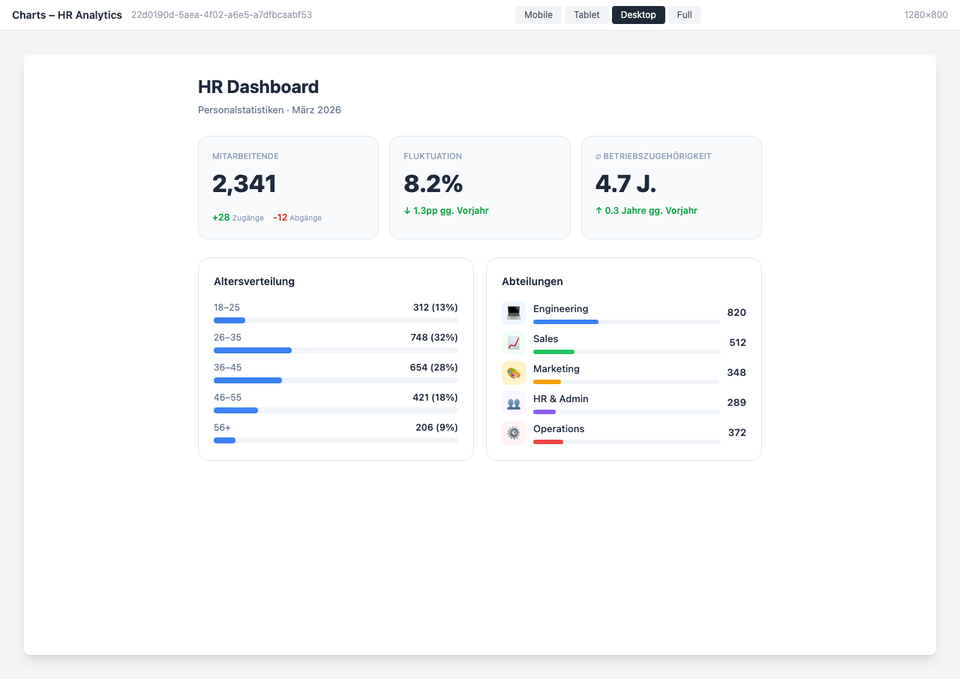
HR Analytics Dashboard
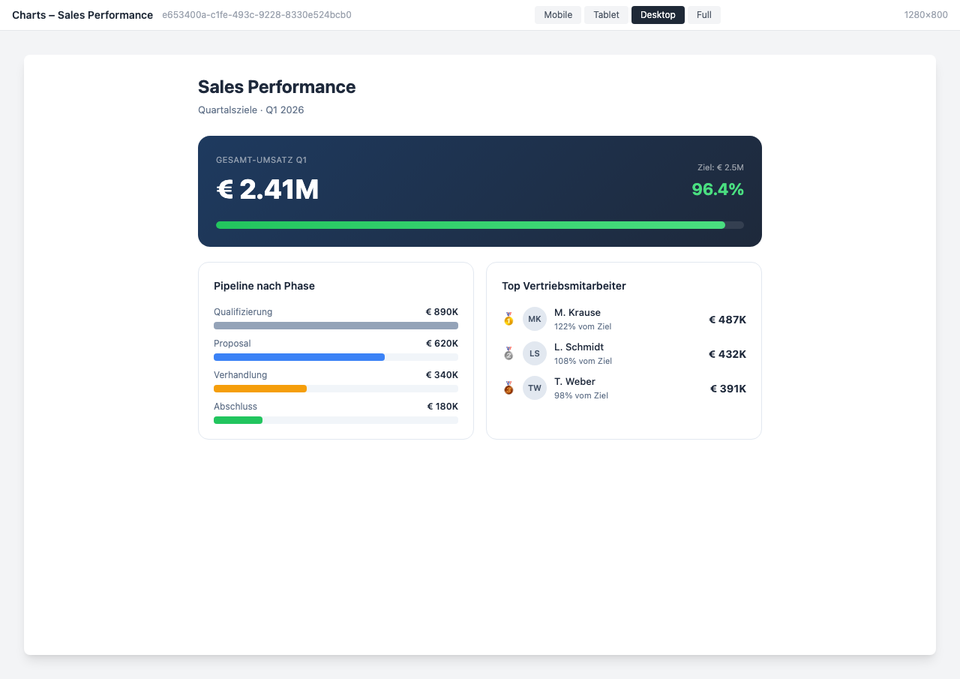
Sales Performance Dashboard
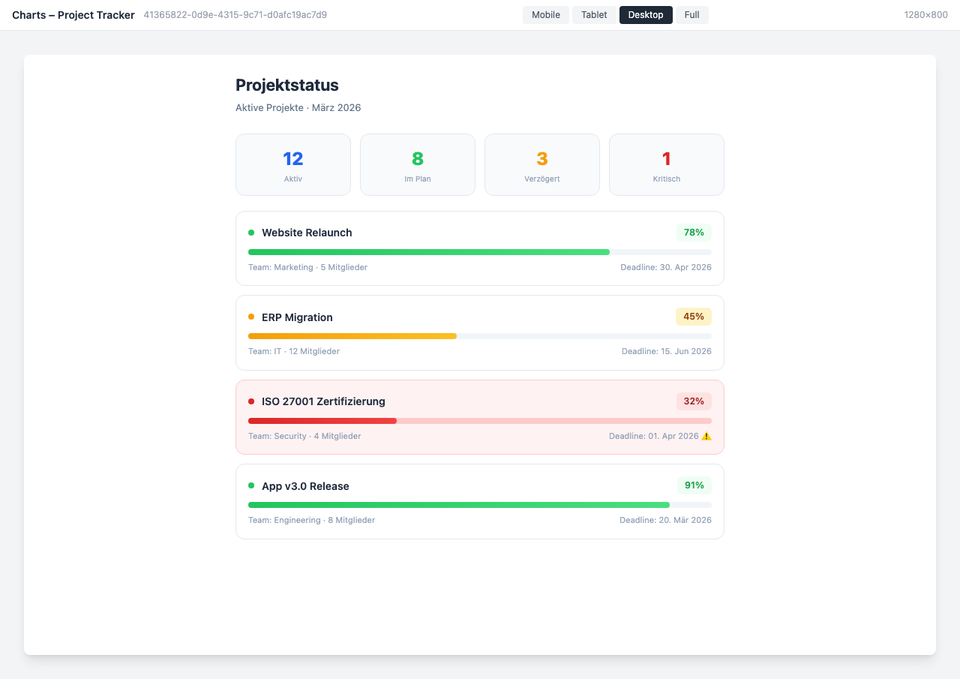
Project Tracker Dashboard
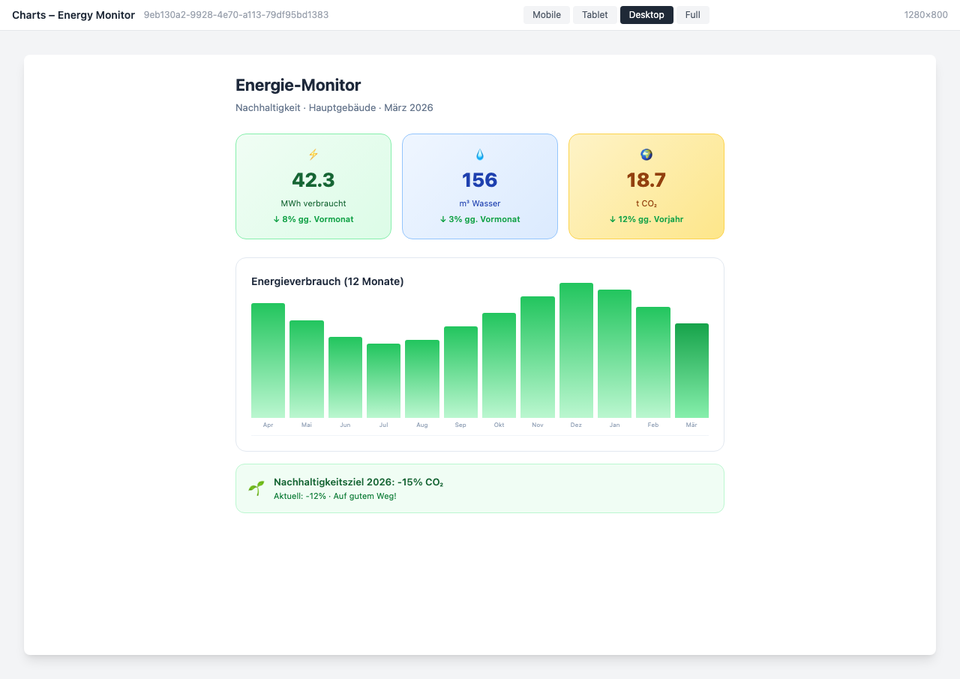
Energy Monitor Dashboard
The screenshots shown are example views with generated demo data. Customers adapt the widgets to their own systems and corporate design.
Use Cases
KPI Overview
Revenue, employee satisfaction, and other key metrics at a glance
HR Analytics
Visualize HR statistics like turnover, diversity, and age structure
Project Tracking
Display progress and budgets of ongoing projects in a dashboard
Key Features
- Various Chart TypesBar, line, pie, and area charts for every requirement
- API IntegrationAutomatically integrate data from internal and external sources
- Auto-RefreshDashboards update automatically at configurable intervals
- Role-Based AccessDifferent dashboards for different audiences
Integrations
Ready to get started?
Available from the Pro plan. We set it up together with you.
Request a consultationQuestions about the Staffbase KPI Widget – Charts & Metrics in Your Intranet?
Our team is happy to help you personally