Staffbase Birthday Widget – GDPR-Compliant Birthday Display
No birthday goes unnoticed
Staffbase birthday widget: Display birthdays automatically and celebrate colleagues – GDPR-compliant with opt-in and consent management
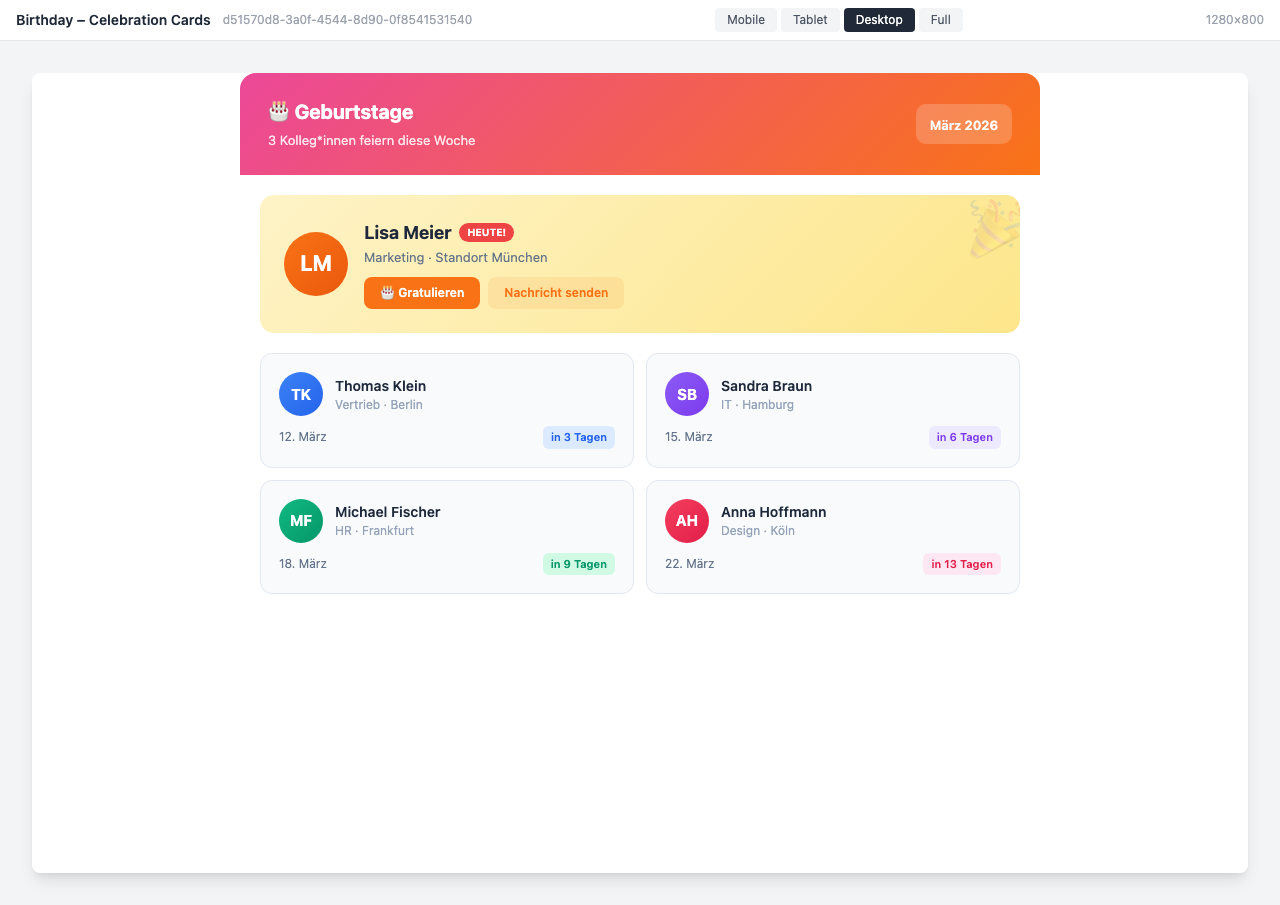
Overview
The Birthday Widget automatically displays your colleagues’ birthdays in the intranet. Whether as a Celebration Board, calendar, or compact sidebar — no birthday goes unnoticed.
Why This Widget?
Birthdays are a simple and effective way to show appreciation within the team. The Birthday Widget makes congratulating a breeze:
- ✅ Automatic: Birthdays are read from profile data
- ✅ GDPR-compliant: Full control with opt-out option
- ✅ Interactive: Congratulate directly through the widget
- ✅ Flexible: Various views for every placement
Key Features
1. Automatic Birthday Detection
The widget reads the date of birth from Staffbase profile data and automatically displays upcoming birthdays:
- Today’s birthday person highlighted
- Countdown to the next birthday
- Filterable by team, department, or location
- Automatic sorting by date
2. Versatile Display Options
Choose from various layouts:
- Celebration Cards: Large-format cards with congratulation button
- Calendar View: Monthly calendar with marked birthdays
- Dark Mode: Elegant design for dark themes
- Compact Sidebar: Space-saving for sidebars
3. Privacy & GDPR
Privacy is the top priority:
- Opt-out for employees (hide birthday)
- Age can be hidden separately
- Configurable notifications
- Full GDPR compliance
4. Congratulation Feature
- Direct congratulation with one click
- Optional message to the birthday person
- Team notifications via push or email
- Automatic birthday messages
Typical Use Cases
🎂 Daily Birthday Display
The homepage automatically shows who has a birthday today.
📅 Monthly Calendar
The calendar view shows all birthdays of the month at a glance.
🏢 Location-Based View
Show only birthdays from your own location or department.
📊 HR Dashboard
The HR department gets statistics and can manage privacy settings.
Integration & Setup
The widget can be set up in under 2 minutes:
- Select widget from the gallery
- Choose display variant
- Configure privacy options
- Publish — done!
Birthdays are automatically read from existing profile data.
Design Options
- Celebration Cards: Ideal for the homepage with congratulation button
- Calendar View: Perfect for a dedicated team page
- Dark Mode: Modern design for dark themes
- Compact Sidebar: Space-saving in the sidebar
- Statistics View: Key metrics and privacy for HR
GDPR & Data Privacy
Displaying birthdays in the intranet involves personal data — a clear legal basis is therefore essential.
Legal Basis
Dates of birth are personal data under the GDPR. For displaying them in the intranet, data protection experts recommend obtaining explicit consent (Art. 6(1)(a) GDPR) from employees. A works council agreement can also serve as a legal basis.
Opt-In in the Widget Builder
The Widget Builder supports both approaches:
- Opt-in: Employees actively give their consent — birthday is only shown if they have agreed
- Opt-out: Birthday is shown by default; employees can hide it at any time
- Age protection: The birth year can be hidden separately — only day and month are visible
Both settings can be configured in the Widget Builder without IT involvement.
Frequently Asked Questions
Am I allowed to display birthdays in the intranet?
This is generally possible, but requires a legal basis. The recommended approach is either employee consent (opt-in) or a works agreement. Without one of these, the birthday date should not be displayed. (More on GDPR and birthday lists at wbs.legal )
Do I need consent from employees?
Yes, in most cases consent is required. A date of birth is personal data that cannot be made public without authorization. Exceptions apply if a works agreement governs the display.
How does opt-in work in the Widget Builder?
In opt-in mode, employees receive a one-time prompt in the app asking whether their birthday may be displayed. Only after they agree do they appear in the widget. Consent can be revoked at any time.
Where does the birthday data come from?
The widget uses the date of birth from Staffbase profile data. Alternatively, data can be imported via HR system integration.
Can employees hide their birthday?
Yes, every employee can opt out to hide their birthday. Age can also be hidden separately.
Are colleagues notified?
Optionally, push notifications or email reminders can be activated so the team can congratulate in time.
Is the widget GDPR-compliant?
Yes, full GDPR compliance with configurable opt-in/opt-out settings, age protection, and EU data hosting. The specific legal basis is determined by your organization.
Best Practices
- Homepage: Place the widget prominently on the homepage
- Communicate Opt-out: Inform employees about the opt-out option
- Combination: Use together with the Anniversaries Widget for a complete recognition page
- Team Notifications: Activate push reminders for more interaction
Next Steps
Ready to visibly celebrate birthdays in the team?
Try for Free → or → Book a Demo
Screenshots
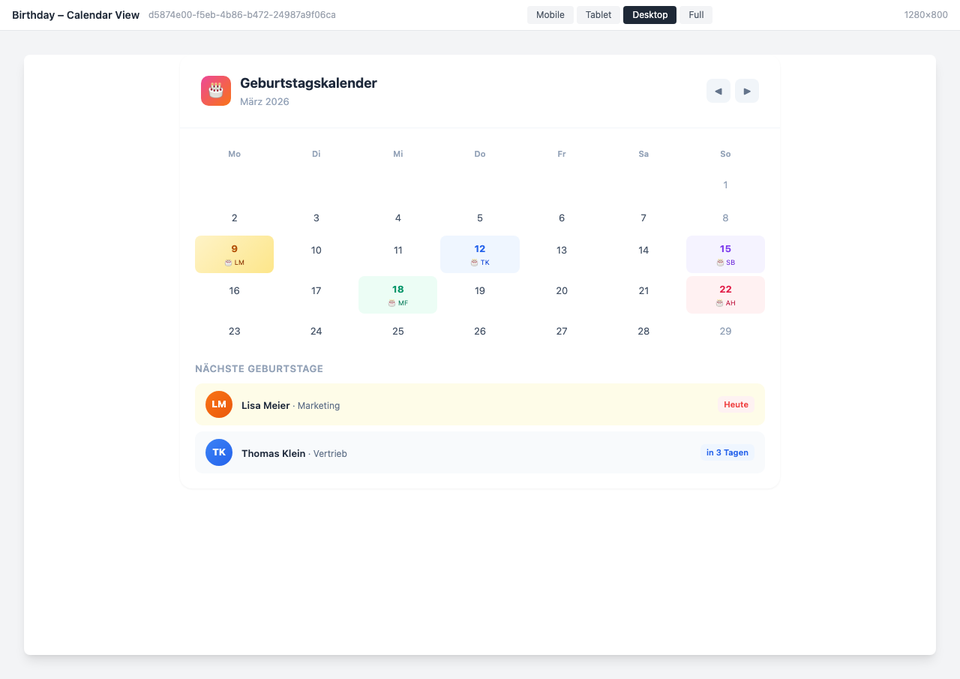
Calendar view with marked birthdays
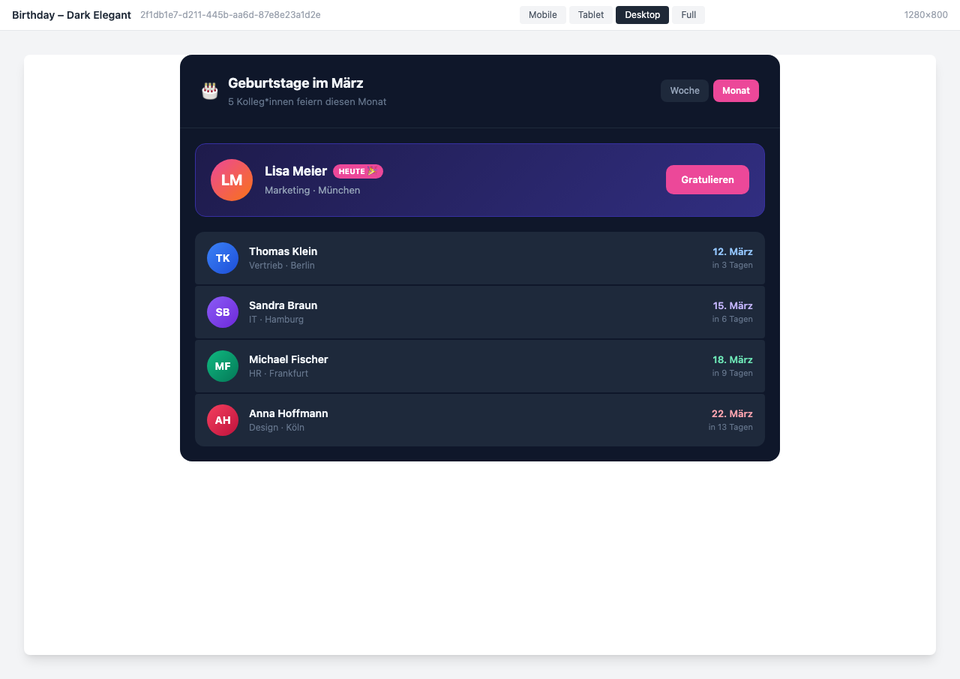
Dark mode variant
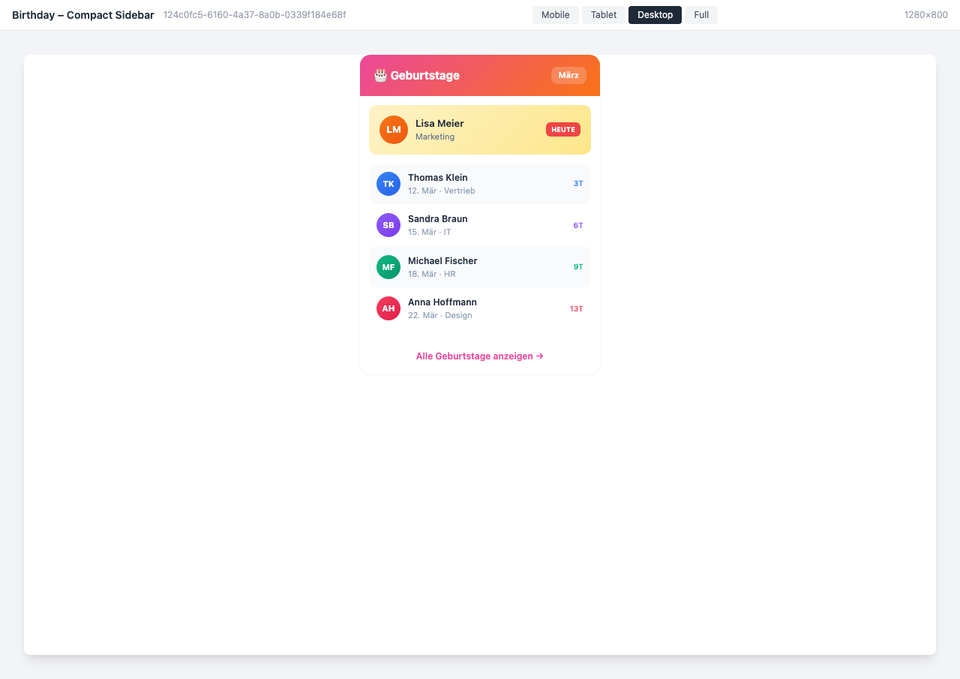
Compact sidebar view
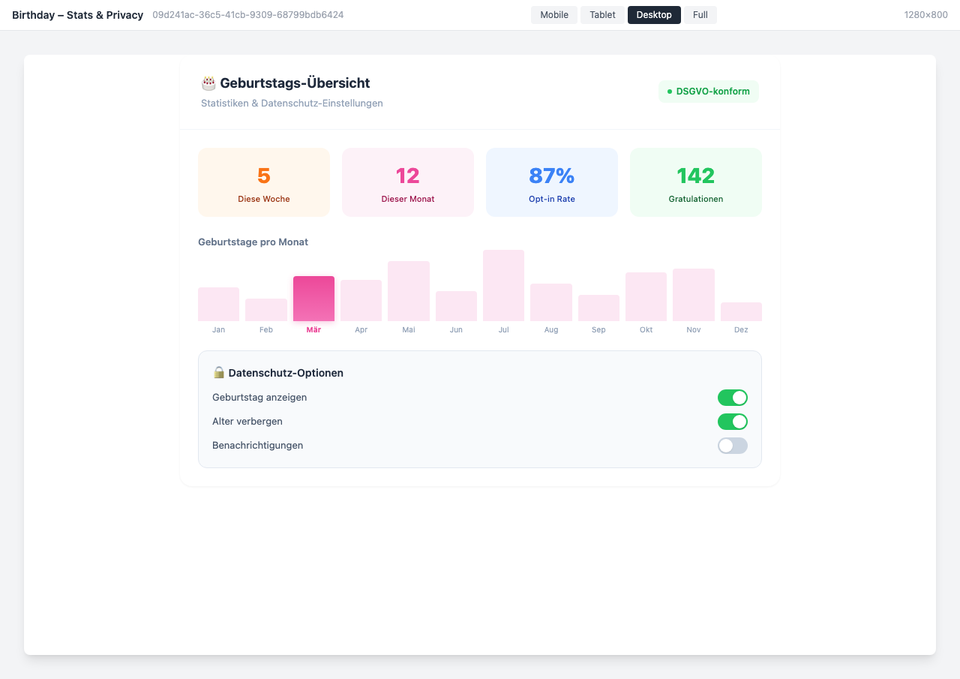
Statistics & Privacy
The screenshots shown are example views with generated demo data. Customers adapt the widgets to their own systems and corporate design.
Use Cases
Celebrate Colleagues
Congratulate birthday colleagues directly in the intranet
Team Calendar
All birthdays in the monthly calendar at a glance
HR Overview
Statistics and privacy settings for the HR department
Key Features
- Automatic HR IntegrationRead birthdays directly from the HR system
- Privacy OptionsGDPR-compliant with opt-out capability
- Customizable CongratulationsIndividual birthday messages and notifications
- Team NotificationsPush or email reminders for the team
Integrations
Questions about the Staffbase Birthday Widget – GDPR-Compliant Birthday Display?
Our team is happy to help you personally