Staffbase Anniversaries Widget – Work Milestones
Visibly honor long-term loyalty
Staffbase anniversaries widget: Display work anniversaries automatically and celebrate long-term employees – GDPR-compliant with configurable milestones
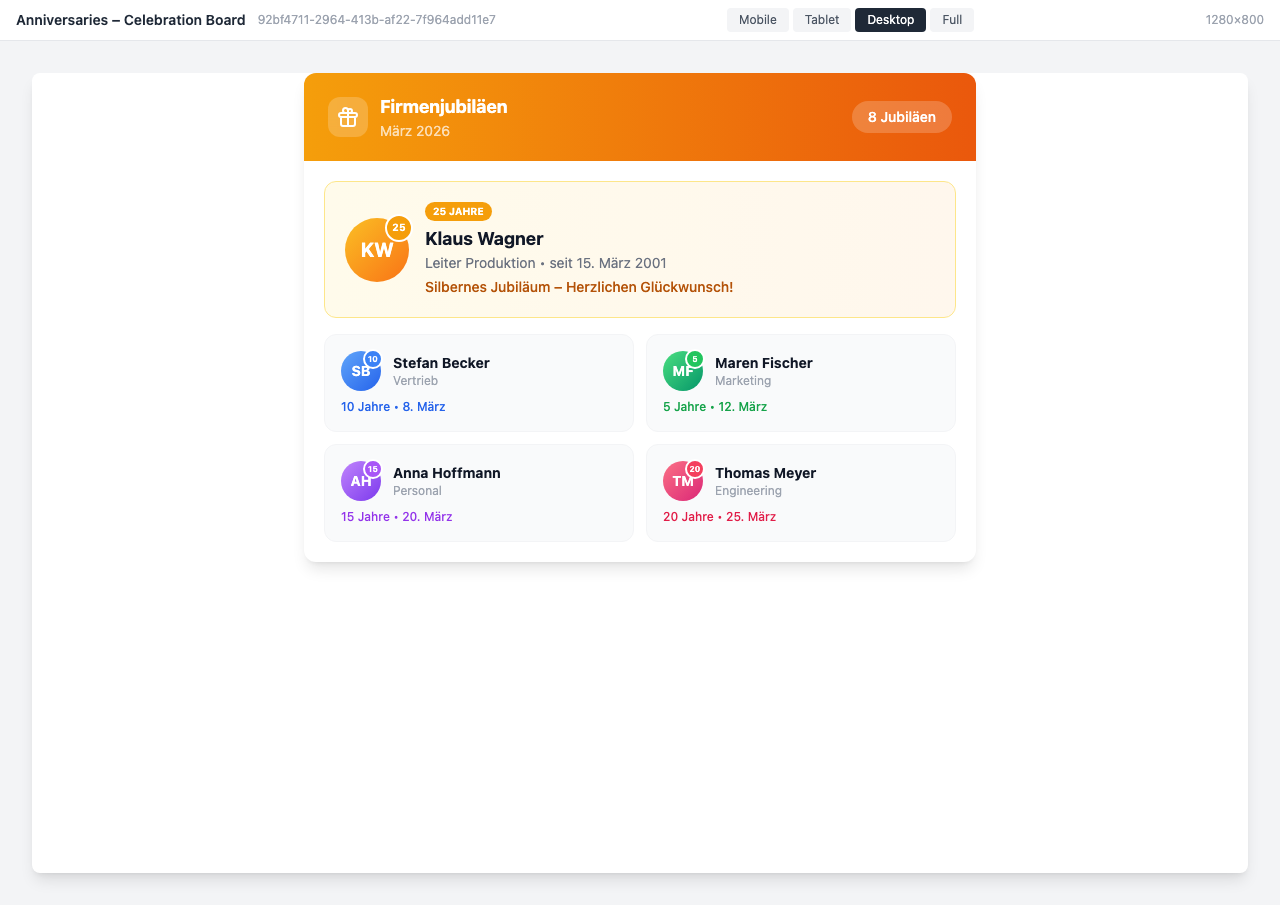
Overview
The Anniversaries Widget automatically honors your employees’ tenure. Whether 5, 10, or 25 years — every milestone is visibly celebrated, strengthening the culture of appreciation in your organization.
Why This Widget?
Long-term employees are the backbone of every organization. The Anniversaries Widget ensures no milestone goes unnoticed:
- ✅ Automatic: Anniversaries are detected directly from profile data
- ✅ Personal: Individual congratulations for each milestone
- ✅ Visible: Recognition right in the intranet for everyone
- ✅ Flexible: Various display options for every page
Key Features
1. Automatic Anniversary Detection
The widget reads the start date directly from Staffbase profile data and automatically calculates all milestones:
- 5-year anniversaries
- 10-year anniversaries
- 15, 20, 25+ years
- Freely configurable thresholds
2. Versatile Display Options
Choose from various layouts depending on placement:
- Celebration Board: Large-format display with highlighting
- Timeline: Chronological overview of all anniversaries
- Compact Sidebar: Space-saving for sidebars
- Statistics Dashboard: Key metrics and overview
3. Customizable Congratulations
- Individual texts per milestone (5, 10, 25 years)
- Congratulation button for colleagues
- Optional notifications via email
- Multilingual congratulation messages
4. Statistics & Analytics
- Overview by tenure duration
- Location-based evaluations
- Countdown to the next anniversary
- Export for HR reports
Typical Use Cases
🎉 Automatic Recognition
Every anniversary is visibly displayed in the intranet — no more manual effort.
📊 HR Dashboard
The HR department keeps track of all upcoming milestones.
🏢 Location Events
Plan celebration events based on a location’s anniversaries.
👥 Team Spirit
Colleagues can congratulate directly through the widget and show their appreciation.
Integration & Setup
The widget can be set up in under 2 minutes:
- Select widget from the gallery
- Configure milestones (5, 10, 25 years, etc.)
- Choose display variant
- Publish — done!
Anniversaries are automatically calculated from existing profile data.
Design Options
- Celebration Board: Ideal for the homepage
- Timeline: Perfect for a dedicated anniversaries page
- Dark Mode: Modern design for dark themes
- Compact Sidebar: Space-saving in the sidebar
- Statistics View: Key metrics for HR and management
Frequently Asked Questions
Where does the anniversary data come from?
The widget uses the start date from Staffbase profile data. Alternatively, data can be imported via API or CSV.
Can I customize the milestones?
Yes, you freely determine which tenure years are celebrated as milestones (e.g., only 10, 20, 25 years).
Are employees notified?
Optionally, you can activate email reminders for the team.
Does the widget work across locations?
Yes, you can display anniversaries company-wide or filtered by location.
Privacy & GDPR
The start date is personal data — its use to display work anniversaries falls under GDPR. A clear legal basis is required.
Legal Basis
The following bases apply to displaying work anniversaries in the intranet:
- Art. 6(1)(f) GDPR (legitimate interest) — for anniversaries that serve recognition culture
- Consent (Art. 6(1)(a) GDPR) — recommended, especially for birthdays (handled by the Birthday Widget )
- Works agreement — can serve as a collective basis
Privacy Settings in Widget Builder
- Opt-out for anniversaries: Anniversaries are displayed by default but employees can hide their own
- Data minimisation: The start year does not need to be shown publicly — only the anniversary milestone is displayed
Can I display anniversaries in the intranet?
Yes — work anniversaries (start date) can be displayed on the basis of legitimate interest or a works agreement. Active consent is generally not required. For birthdays, stricter requirements apply — that is handled by the separate Birthday Widget .
How does opt-out work in Widget Builder?
Employees can hide their anniversary from the public display in their profile settings — without IT involvement, reversible at any time.
Best Practices
- Prominent Placement: Place on the homepage or a channel
- Regular Data Maintenance: Keep start dates in profiles up to date
- Communicate opt-out: Let employees know they can hide their anniversary if they prefer
- Combination: Use together with the Birthday Widget for a complete recognition page
- Congratulation Feature: Enable the congratulate button for more interaction
Screenshots
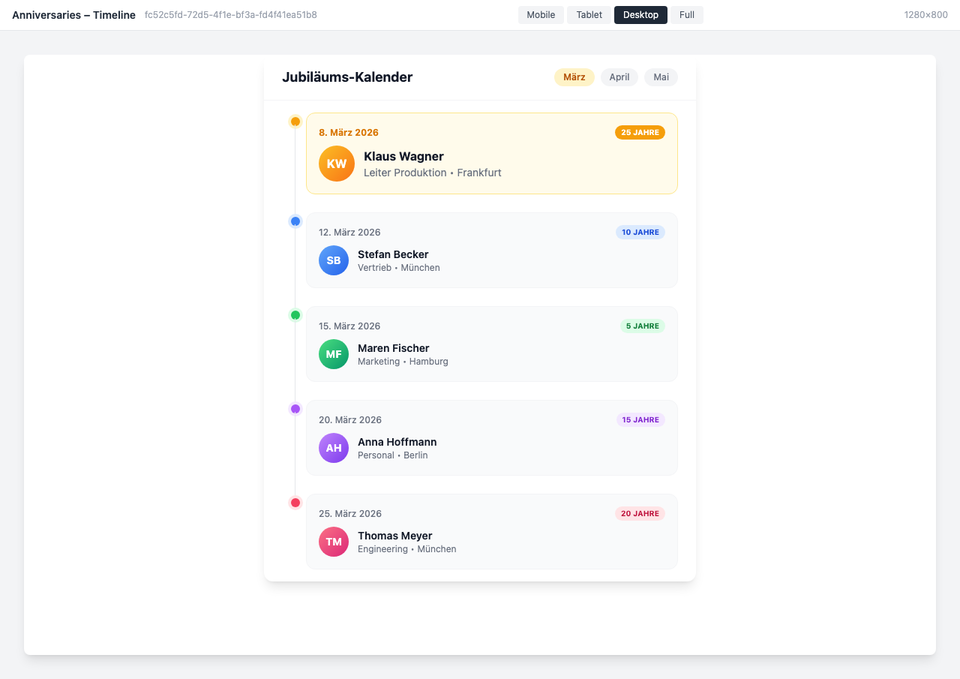
Timeline view with milestone overview
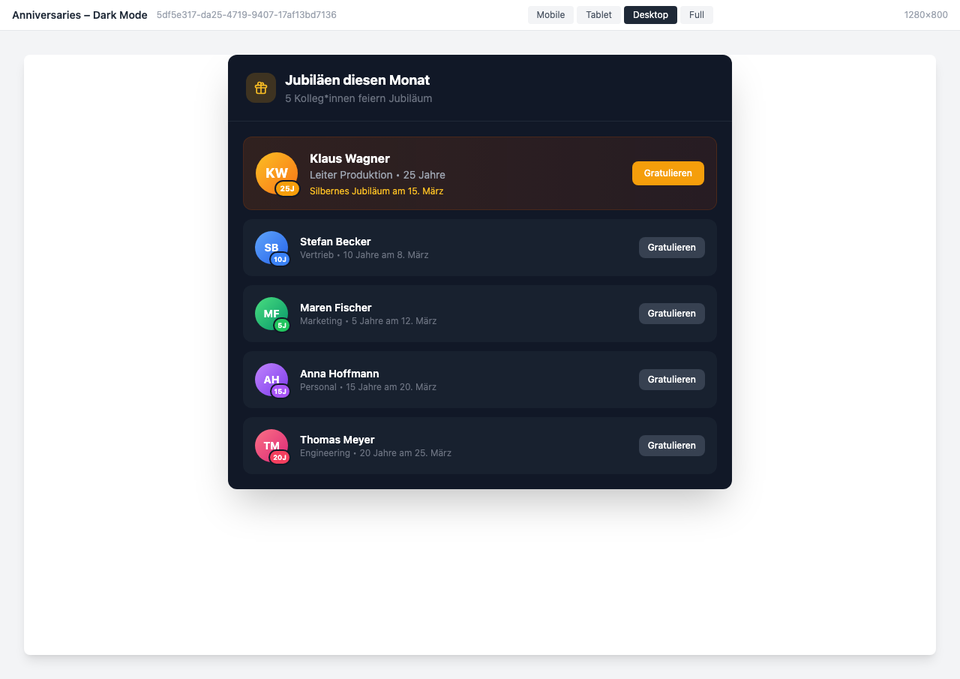
Dark mode variant
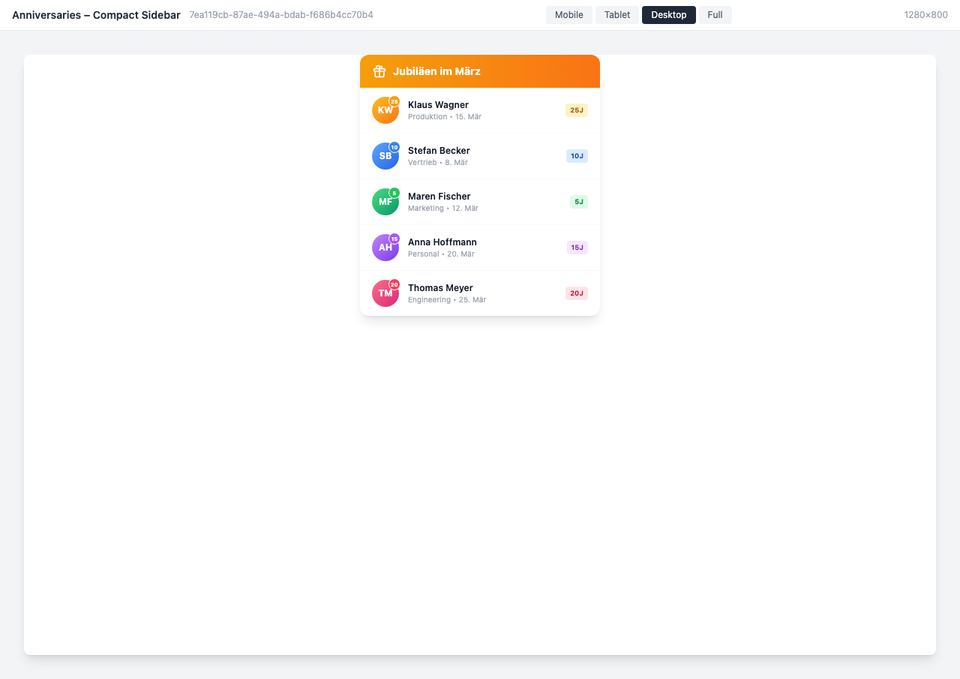
Compact sidebar view
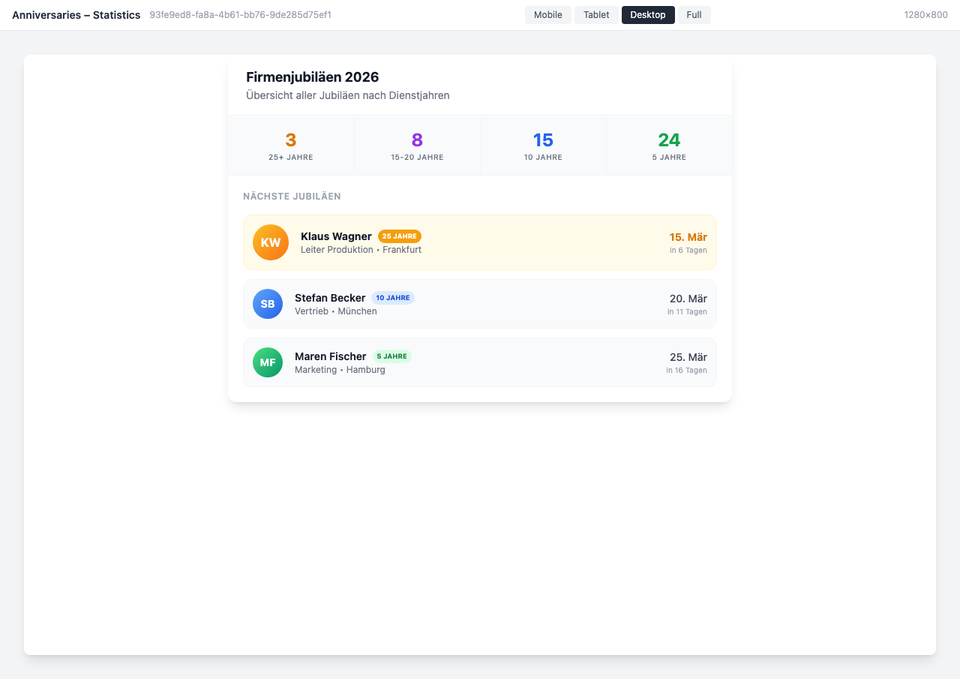
Statistics dashboard
The screenshots shown are example views with generated demo data. Customers adapt the widgets to their own systems and corporate design.
Use Cases
Honor Company Loyalty
Automatically celebrate employees with 5, 10, 25 years
Team Overview
All upcoming anniversaries at a glance in the dashboard
Location Events
Plan celebration events per location
Key Features
- Automatic DetectionRead anniversaries directly from profile data
- Customizable CongratulationsIndividual messages for each milestone
- Timeline & StatisticsClear overview of all anniversaries
- Multi-LocationDisplay anniversaries per location or company-wide
Integrations
Questions about the Staffbase Anniversaries Widget – Work Milestones?
Our team is happy to help you personally