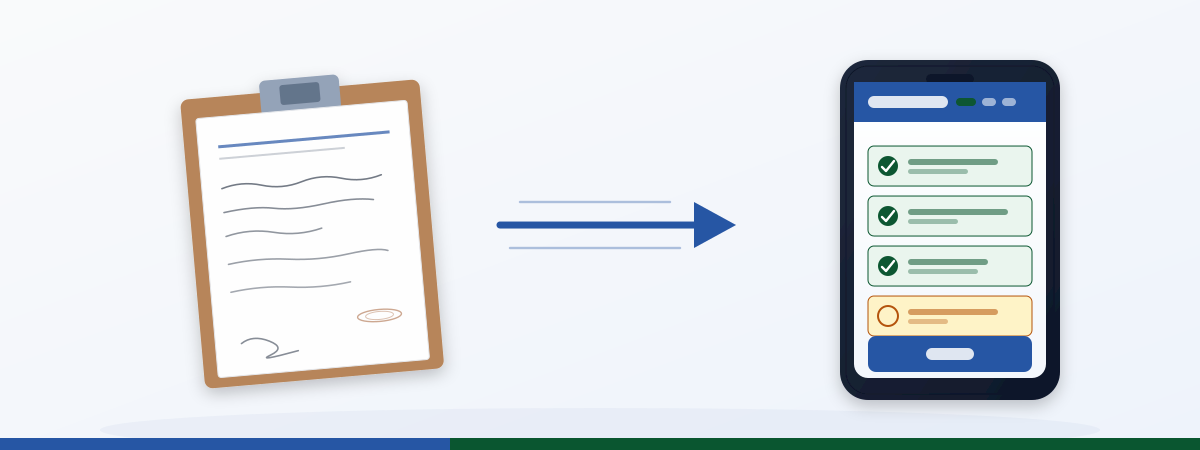
It is 5:58 a.m. in a plant somewhere between Stuttgart and Poznań. The early shift is arriving, the night shift is clearing out the lockers. On the clipboard at the station of Line 7 lies an A5 notebook with a ballpoint scribble: “Pump 3 running unevenly, please monitor.” Who wrote it, when exactly, what has already been tried, whether maintenance has been notified: all unclear. Three hours later the line is down. The early shift never saw the entry; the notebook was buried under last week’s shift log.
This is 2026. And it is still reality in most production plants across Europe. What fails here is digital shift handover, and it fails in four out of five plants for the same reasons. That’s also why shift handover is one of the first use cases where the Operations shift in the Staffbase intranet becomes concrete: because the gap between Comms platform and operational reality is most visible right here.
Status quo: clipboard, phone, WhatsApp group
Walk through any plant today and ask how shift handover is organized, and you will usually get a mix of three answers:
- The handover notebook. A spiral pad per line, handwritten, no index. Whoever needs the entry from six weeks ago flips through page by page.
- The verbal handover. The outgoing shift lead spends five minutes telling the incoming one what matters. Whatever gets forgotten is gone.
- The WhatsApp group. Unofficial, on shaky data-protection ground, but practical. Until the critical photo gets buried in the stream between memes and birthday wishes.
On top of that, there is usually an Excel sheet on a shift lead’s PC that nobody but its creator has ever opened. And an MES, where official downtime tickets get logged, typically with a two-hour delay, because terminal entry is slow and there is no time during the shift.
The system works. As long as nothing goes wrong. When it does go wrong, it costs money, time, and sometimes certifications.
Anti-patterns every plant knows
The problems with today’s shift handover are not isolated incidents. They are patterns. The five most common:
1. Information loss in verbal hand-offs
What is not written down does not exist. When a shift lead heads home after twelve hours and a three-minute hand-off, the odds are high that at least one important point gets lost. Studies from aviation and medicine show: in unstructured verbal hand-offs, 30 to 50 percent of detail-level information is lost. Production is no better.
2. Duplicate work across three to five systems
The same disturbance gets logged in the handover notebook, sent into the WhatsApp group, captured at the MES terminal, and then verbally repeated in the morning shift meeting. Four entries, all redundant, none of them the single source of truth.
3. Compliance gaps without an audit trail
When the auditor arrives and asks “Who was responsible for the handover on Line 7 at 22:30 on March 14?” and the answer is a creased notebook with an illegible signature, you have a problem. ISO 9001, IATF 16949, FDA 21 CFR Part 11: all require traceable hand-offs with timestamps and identified responsible persons. A clipboard does not deliver that.
4. Language barriers in multilingual teams
In many German plants, operators with German, Polish, Romanian, Turkish and Ukrainian as their native languages work side by side. If the handover entry is written in German and the incoming operator does not understand it, the handover has not happened, regardless of what the notebook says.
5. Maintenance overhead of handover notebooks
The notebooks have to be archived (compliance), regularly replaced, and nobody ever finds the entry from two months ago. A shift lead at an automotive supplier put it this way: “We have 18 lines, three shifts, seven days. That is 378 hand-offs per week. Nobody reads the notebooks retrospectively. They are compliance theater.”
Digital shift handover as a widget in the intranet
What if shift handover happened where your operator already looks every day: in the Staffbase app on the plant tablet or their personal phone?
That is exactly what a shift-handover widget does. It is not a new system, but an additional tile inside the existing intranet that enables structured hand-offs. Required fields, photo upload, confirmation workflow, audit trail: all in one tool that needs no training.
Required fields per handover
Every hand-off follows a fixed schema that the plant defines itself. Typical fields:
- Line / area (required, dropdown)
- Line status (running / running with restrictions / down)
- Open items for the next shift (free text, required)
- Safety notes (separate field, flagged red when filled)
- Quality observations from the current shift (optional)
- Contact for follow-up questions (auto-populated from Staffbase profile)
If a required field is empty, the hand-off cannot be submitted. That eliminates the “quick verbal addition” that gets forgotten ten minutes later.
Photo upload for line photos and damage notes
A picture replaces three paragraphs of text. If pump 3 has a leak at the bearing, a photo explains in two seconds what ten lines of description struggle to convey. The widget allows direct upload from the smartphone camera, automatic resizing, and annotation (arrows, markers directly on the image).
Hand-off confirmation with timestamp
The incoming shift lead opens the handover in the app and taps “Hand-off accepted.” The widget records: who accepted what, when. That gives you an audit trail that holds up in front of auditors and, in case of an incident, makes traceable who had which information at which point in time.
Language variants via Widget Builder
The widget can be configured so that field labels and inline help texts automatically appear in the language stored in the Staffbase profile. German for the core workforce, Polish for colleagues from Poznań, Romanian for the team from Cluj. The hand-off content itself stays in one language (typically German or English), but the user interface is language-neutral.
This is not a translator. But it lowers the barrier to using the widget at all, because the operator understands which field they are supposed to fill.
Mobile-first, also on plant tablets
Most plants today work with ruggedized tablets on the lines. The widget renders cleanly on 8-inch to 12-inch displays, works with gloves (large touch targets), and can be operated standing at the line console. The operator does not need to walk to the shift-lead PC.
Digital shift handover ROI: what does it actually deliver?
The question every plant manager asks after three slides is: what does it cost, what does it deliver. Here is a conservative calculation for a mid-sized industrial company with five plants. Source: the time values come from three pilot projects between 2024 and 2026 in metal processing and food production; the spread was 8 to 12 minutes saved per hand-off, conservatively shown here as 8 minutes.
| Factor | Status quo | With widget |
|---|---|---|
| Time per hand-off | 12 min | 4 min |
| Hand-offs per day per plant | 6 | 6 |
| Number of plants | 5 | 5 |
| Working days per year | 250 | 250 |
| Δ hours per year | n/a | 600 h |
| Δ EUR @ €45/h (shift lead, conservative) | n/a | €27,000 |
| Widget Builder license + setup year 1 | n/a | ~€12,000 one-off |
| Net ROI year 1 | n/a | ~+€15,000 |
600 hours saved: at a shift-lead rate of €45/h that’s a Δ of €27,000 per year, less the one-off license and setup cost = about €15,000 net in year one. From year two onward only the running license remains, the full Δ flows through. At plant-manager rates (~€75/h), Δ runs at ~€45,000 per year.
But that is just the simple math. The bigger effects do not show up in the table:
- Less recovery time after information loss. A single hour of unplanned line downtime costs anywhere from €2,000 to €50,000 depending on industry. If the widget prevents just two such downtimes per plant per year through better-documented hand-offs, it pays for itself several times over.
- Lower compliance risk. ISO audits that produce findings due to incomplete shift-handover documentation cost not only money in remediation but, in the worst case, the certification itself. And with it, the contract.
- Better OEE. When the next shift knows from minute one which lines are in which state, it can react earlier. That feeds directly into availability and therefore into OEE.
- Onboarding new shift leads. A new shift lead who can read the last 30 hand-offs of a line is productive within a week instead of three.
Roll-out strategy: pilot first, then global
Nobody rolls out a new handover tool overnight across five plants. What works in practice is a phased roll-out over four to six weeks.
Weeks 1-2: pilot plant, one shift model
Pick a plant with a receptive shift lead and a clear shift model (three shifts, five days). Configure the widget with the required fields the plant itself proposes, not with the wishlist from corporate HQ. Let the pilot plant work with it for two weeks and gather feedback.
What you learn in this phase: which required fields are useful, which are annoying. Where operators bail out. Which photo functions actually get used.
Weeks 3-4: second plant, language variants, refinement
Roll the widget out to the second plant, ideally one with a multilingual workforce so you test the language variants. Adjust the required fields based on pilot feedback. If the pilot plant said “safety note as a required field is annoying because 90% of hand-offs have no safety topic,” then make it an optional field with prominent placement.
Weeks 5+: global roll-out, KPI tracking
With two plants live, you have evidence for the remaining sites. Roll-out speed now depends mostly on how many shift leads can be trained in parallel (typically one plant per week).
What you should measure from day one:
- Hand-offs per day (adoption)
- Average processing time per hand-off (efficiency)
- Share of hand-offs with photo upload (quality)
- Acknowledgment rate by the next shift (completeness)
- Number of hand-offs containing a safety note (risk visibility)
A charts dashboard widget on the operations homepage makes these numbers visible to plant managers and the COO.
Common objections
“But it happens verbally between shift leads, that works”
Does it? Ask your shift lead how many unplanned downtimes in the last quarter trace back to handover gaps. Then ask how he can prove it without an audit trail. Verbal handover is not wrong. It is just not enough. The widget does not replace the conversation between shift leads. It documents it.
“We have an MES, do we even need this?”
MES systems capture production data, disturbances, and quantities. They are not built for the five-minute hand-off conversation between two shift leads. Anyone trying to squeeze shift handover into MES ends up with either empty fields or unusable forms. The widget complements MES, it does not replace it. Mandatory disturbance tickets continue to flow into MES; the hand-off goes into the widget.
“Our operators don’t have smartphones”
Operators do have smartphones, just not always company-issued ones. Most plants today have ruggedized tablets on the lines or in the shift-lead office. The widget runs on a 10-inch tablet just as well as on a smartphone. If you have to do without any hardware, you can print a summary at shift end. The widget is web-based, that works.
“Data protection will be hard, we cannot evaluate every shift change”
The widget stores exactly what a proper hand-off has to contain, and nothing beyond it. No movement profiles, no keystroke logging, no individual performance evaluation. What gets stored is open to negotiation with the works council and is fully transparent. Today’s handover notebook, by the way, is not better in GDPR terms, just less visible.
Frequently asked questions
What happens if the app is offline?
The widget caches the last hand-off locally. If the connection drops, the operator can prepare the hand-off and as soon as the connection returns the widget syncs automatically.
How does this integrate with our MES?
Via REST API. Mandatory disturbance reports that need to flow into MES can be mirrored automatically. The hand-off content itself stays in the widget; MES only receives the structured data (line, status, downtime reason).
Can we define different handover forms per line type?
Yes. Required fields are configurable per line or area. A packaging line needs different fields than a cleanroom production.
How long does widget configuration take?
Initial setup with three to five required fields and a list of lines takes about two hours. Language variants and photo upload are part of the standard configuration. The bigger effort is defining the required fields together with the shift leads.
Do we need extra hardware?
No, provided smartphones or tablets are already in the plant. The widget runs in the Staffbase app and in the browser. For stand-alone stations at the line console, an inexpensive Android tablet with a protective case is enough.
How does the works council react to deployments like this?
Usually positively, as long as it is clear that individual performance is not being measured but structured hand-off is. We recommend a works agreement on data usage before the roll-out.
Can digital shift handover be tied to our frontline adoption strategy?
Yes, and it’s one of the strongest levers for it. For many operators, shift handover is the first real reason to open the Staffbase app on shift. That makes it the entry point for further operations use cases. More on that in Frontline adoption in the intranet .
Next step
Digital shift handover isn’t an IT mega-project. It’s a pilot a single plant can try in two weeks.
You want to test it in your plant. Ping us on LinkedIn (JASP) with three numbers: how many plants, how many shifts/day, your target pilot start date. We’ll respond inside one working day and sketch in a 30-minute walkthrough the required fields, language variants, and MES connection for your plant. If a plant manager and a shift lead join, 30 minutes is often enough to draft the pilot plan on a single page.
Want to browse first.
- Widget gallery : 40+ pre-built widgets, many of them Operations-ready
- Widget Builder in detail : how the low-code layer actually works
- Pricing : when the entry point starts paying off
Want to go deeper on the building blocks.
- Shift schedule widget : the shift-aware base
- Charts dashboard for operations KPIs : asset status, the next use case after handover
- Pulse check widget for shift feedback : when after 4 weeks of pilot you want to know what shift workers actually think
Strategic context.
- Pillar: Staffbase Operations 2026: From Triangle to Square
- 5 operations use cases beyond standard widgets
- Frontline adoption : when the adoption question lands after rollout