Most employees open five to eight different tools every morning before they can be productive: Outlook for mail, time tracking for hours, the HR portal for holiday requests, a desk booking app, a wiki, a ticket system. Each tab a separate login, each tool a separate mental switch.
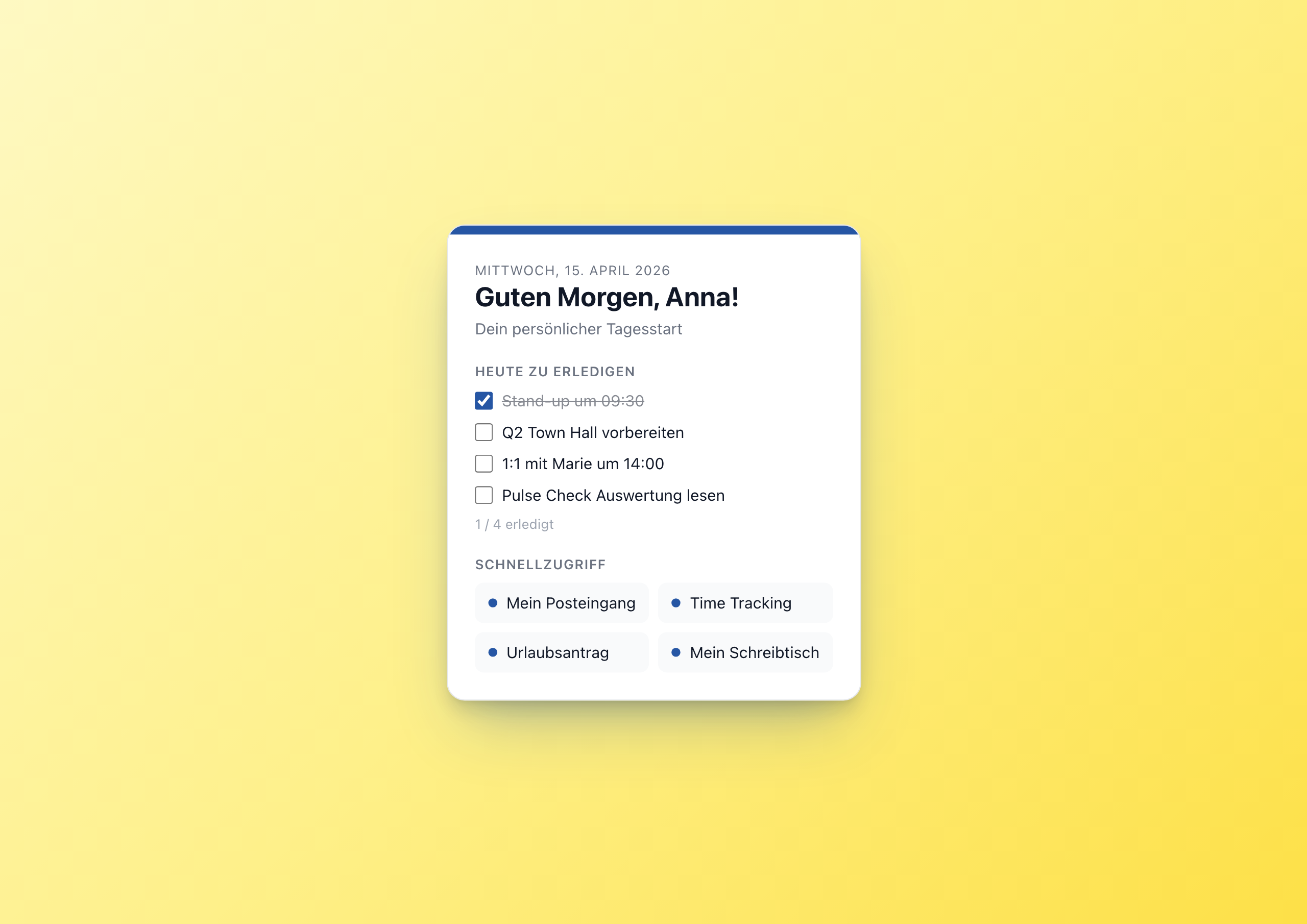
The My Workday Widget turns the intranet into the one starting window. Personal, focused, with the four most important tasks for today and the four most important tools at a glance.
A cockpit in 16 settings
The widget has no magic. It has 16 editor settings:
- 1 × subtitle (e.g. “Your personal day starter”)
- 1 × fallback name in case no user context is available
- 1 × accent color, 1 × theme
- 4 × task texts (the editor sets them team-wide, e.g. “Stand-up at 09:30”)
- 4 × quick links with label and URL
That’s it. What these 16 editor-time settings turn into in the browser is a personal greeting with first name, localized date, four checkable tasks and four shortcuts.
Three Builder features in one widget
My Workday combines three Widget Builder concepts that rarely appear together in the architecture world:
1. user context for personalization. The Widget Builder injects user.firstName, user.lastName, user.email into the template – every employee sees their first name, nobody needs to configure anything:
1<h2>{{t "greeting.morning"}}, {{coalesce user.firstName settings.fallback_name}}!</h2>
The coalesce helper provides a clean fallback if no user context is present (demo, anonymous preview, …).
2. datetime helper for locale + timezone:
1{{datetime with_locale=widget.contentLanguage with_timezone=browserTimezone output_format="DDDD"}}
In English: “Wednesday, April 15, 2026”. In German: “Mittwoch, 15. April 2026”. One line, perfectly localized.
3. localStorage for the done state of tasks. Unlike Pulse Check or Kudos Wall – which store real runtime user data in a Data Table – the tasks in My Workday are per-user browser-local. Why? Because setting up a Data Table for “is the stand-up done yet?” would be overkill. Browser localStorage is enough:
1var dayKey = 'mein_tag_' + new Date().toISOString().slice(0,10);
2var done = JSON.parse(localStorage.getItem(dayKey) || '[]');
The key contains the date, so the done state automatically resets daily.
When settings, when Data Tables, when localStorage?
My Workday is a good example of the right choice of persistence layer:
| Data | Persistence | Why |
|---|---|---|
| Task texts (team-wide same) | Editor setting | One editor configures for everyone |
| Quick link URLs | Editor setting | Same |
| Accent color, theme | Editor setting | Branding is editor config |
| Done state per task | localStorage | Per user, per day, no aggregation |
| (Hypothetical:) shared team tasks | Data Table | Cross-user, persistent, with analysis |
The rule of thumb: editor decides → settings. User decides, only for themselves → localStorage. User decides, visible to others → Data Table.
When to use this widget
- Personal cockpit on the intranet homepage – every employee sees their day
- Onboarding day 1 – new colleagues find the most important tools immediately
- Frontline workers – mobile-optimized, no external apps needed
- Location-specific – per location a variant with its own tasks and links
Try it in the gallery
Setup steps and all 16 settings are in the My Workday gallery entry .
Related widgets
- Kudos Wall – team recognition alongside the day starter
- QR Links – quick links as QR codes for frontline workers
- Weather Widget – weather next to the day starter