Mandatory training is an ongoing topic in most companies – but not because the content is missing. Data protection courses, IT security modules and workplace safety trainings have long existed in some LMS. The problem is different: nobody goes there voluntarily.
Every HR department knows the result: reminder emails, escalations to managers, Excel spreadsheets with traffic light colors. And yet at the end of the quarter, 30% of compliance trainings are overdue.
The widget on the homepage
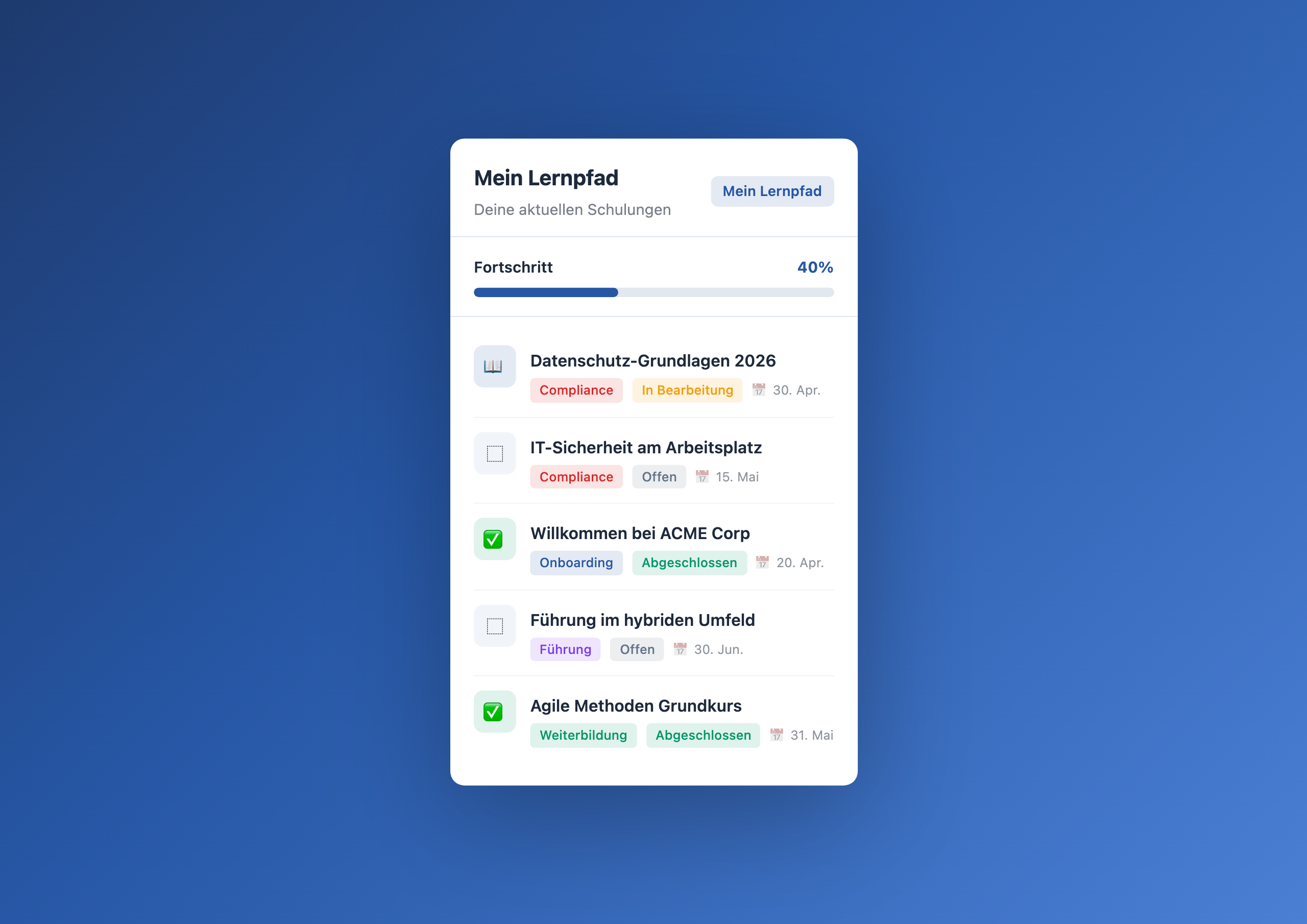
The Learning Path Tracker makes training visible where employees already are every day: in the intranet. No new app, no new login – just a widget on the homepage showing your open modules.
The widget automatically filters by the logged-in user. Everyone sees only their own training – with status, deadline and a direct link to the course. The progress bar at the top shows overall completion.
Why it works
- Visibility drives action – what employees see daily, they’re more likely to complete than something that requires opening a separate system
- Deadlines become tangible – “14 days left” on the homepage hits differently than an email buried in the inbox
- Optional courses benefit too – when professional development modules sit alongside mandatory training, participation rates increase significantly
- HR saves reminder effort – fewer escalation emails because employees can track their own status
Four categories, one widget
The tracker distinguishes four categories: Compliance, Onboarding, Skill building and Leadership. Each category gets a colored badge so employees can see at a glance what’s mandatory and what’s optional.
For new hires this is especially valuable: instead of navigating an unfamiliar LMS, they find their onboarding modules right on the homepage – from day one.
Typical scenarios
🏥 Healthcare: annual mandatory training
Hospitals and care facilities must document annual hygiene, fire safety and data protection training. The tracker makes the status per employee visible – without HR having to email each department individually.
🏭 Manufacturing: workplace safety
New machine training, safety briefings, PPE courses – all time-critical and documentation-required. With deadline indicators in the intranet instead of a paper list in the supervisor’s office.
🏢 Enterprise: global compliance campaigns
Anti-corruption, Code of Conduct, antitrust – corporations regularly roll out mandatory training for thousands of employees. The tracker shows individual progress while HR sees the overall status in the Data Table.
💻 Tech: security awareness
Phishing simulations, password policies, data protection while working from home – IT security trainings due every quarter. The widget reminds automatically, HR doesn’t need to follow up.
Who this widget is for
The Learning Path Tracker is designed for HR managers and compliance officers who organize training – and for all employees who want to know what’s still open. Setup and configuration are handled by editors in the Widget Builder, no technical skills required.
Learn more
Setup steps and all configuration options can be found in the Learning Path Tracker gallery entry .
Related widgets
- Onboarding Checklist – structured onboarding for new hires
- My Workday – personalized day starter with tasks
- OKR Tracker – team goals with progress bars
- More widget ideas