Everyone knows the moment: you open your laptop Monday morning, Outlook won’t load. Is it just you? Or is it the server? You switch to Slack, type “Is email down?” in the general channel – and wait. Three minutes later the channel has 47 messages, IT opens an incident, and your meeting falls apart because nobody can see the invite.
The problem isn’t the outage. The problem is the information gap between “something isn’t working” and “IT knows about it and is working on it.”
DEX debt: the hidden cost
Digital Employee Experience (DEX) measures how smoothly employees work with their digital tools. Every unplanned Slack thread, every ticket for a known issue, every colleague who spends 15 minutes troubleshooting a VPN problem that IT is already fixing – those are DEX debts.
Most companies invest in expensive DEX platforms. But the simplest measure costs almost nothing: A status widget on the intranet homepage.
The widget as self-service
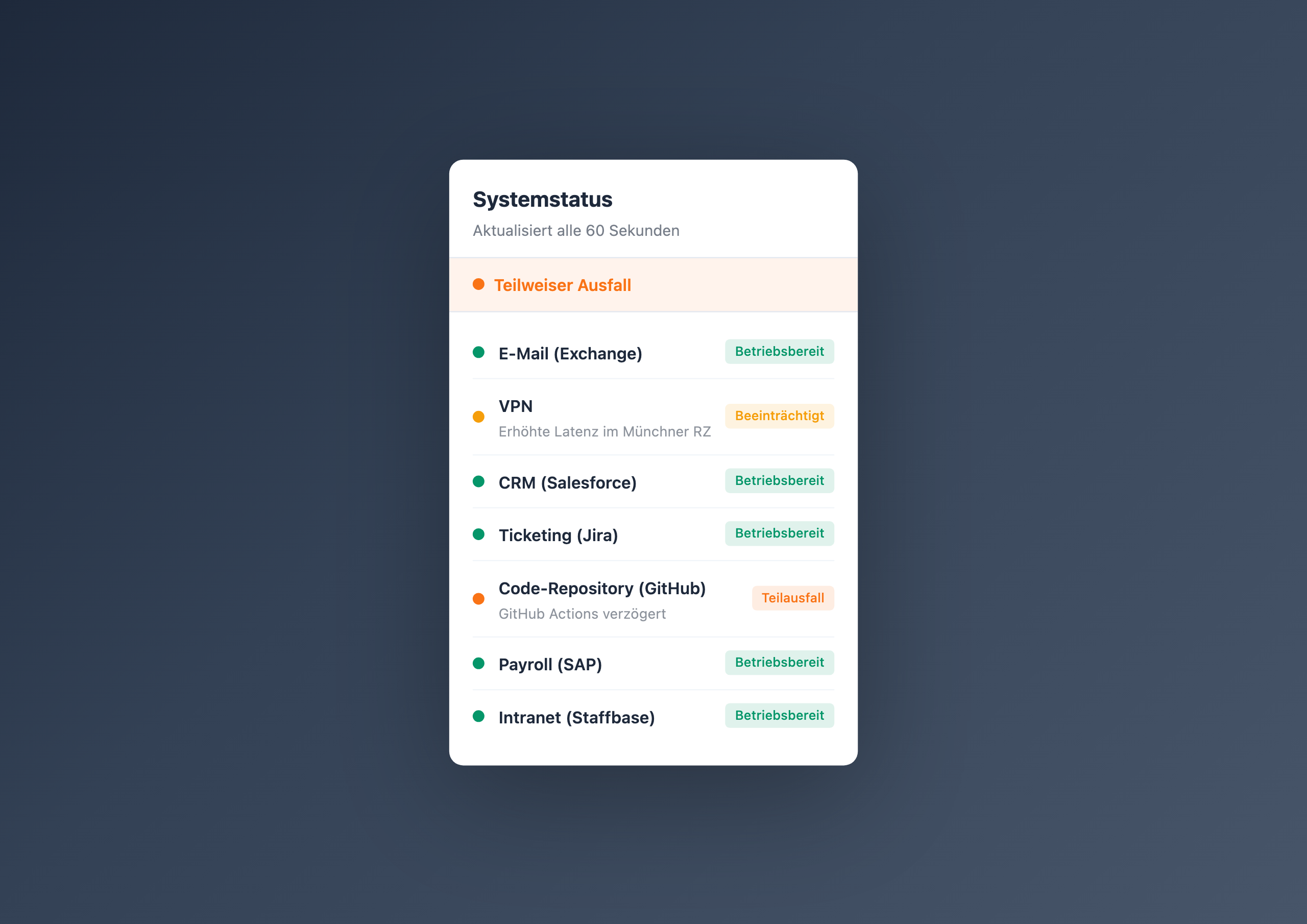
The IT Service Status Board shows the live status of all important systems: email, VPN, CRM, ticketing, code repository, payroll. Each service has a color dot – green, amber, orange, red – and optionally a short explanation text.
At the top sits an overall status banner that automatically takes the color of the worst service. When everything is green, employees know: it’s not the system. When something is amber or red, they know: IT is on it.
Why it works
- Trust through transparency – employees see that IT has the overview
- Fewer tickets – those who know the status don’t file duplicate tickets
- Faster response – IT communicates one status update instead of answering 20 Slack messages
- Planned maintenance – “SAP update Saturday 6–10 AM” in the status board instead of a mass email
Three real scenarios
Monday morning outage
Exchange is down. Instead of 50 Slack messages and 12 IT tickets, 2,000 employees see in the intranet: “Email – Major outage – Exchange migration in progress, expected resolution by 10:00 AM.” IT handles the problem, not the communication.
VPN latency in the remote work era
The Munich data center has capacity issues. The status switches to “Degraded” with the note “Increased latency for Munich location.” Employees in Berlin see: their VPN works normally. No confusion, no false alarm.
Planned SAP maintenance
Three days before the update, the status board shows: “Payroll (SAP) – Planned maintenance on Apr 19, 06:00–10:00 AM.” Payroll plans ahead. No surprised call on Saturday morning.
Who this widget is for
The IT Service Status Board is designed for IT teams and infrastructure managers who communicate the status of internal systems. Maintenance is simple: change one entry in the Data Table, the status updates in the widget. No programming skills required.
Learn more
Setup steps and all configuration options can be found in the IT Service Status Board gallery entry .
Related widgets
- Charts & Dashboards – visualize KPIs and metrics
- My Workday – personalized day starter
- Learning Path Tracker – training in the intranet