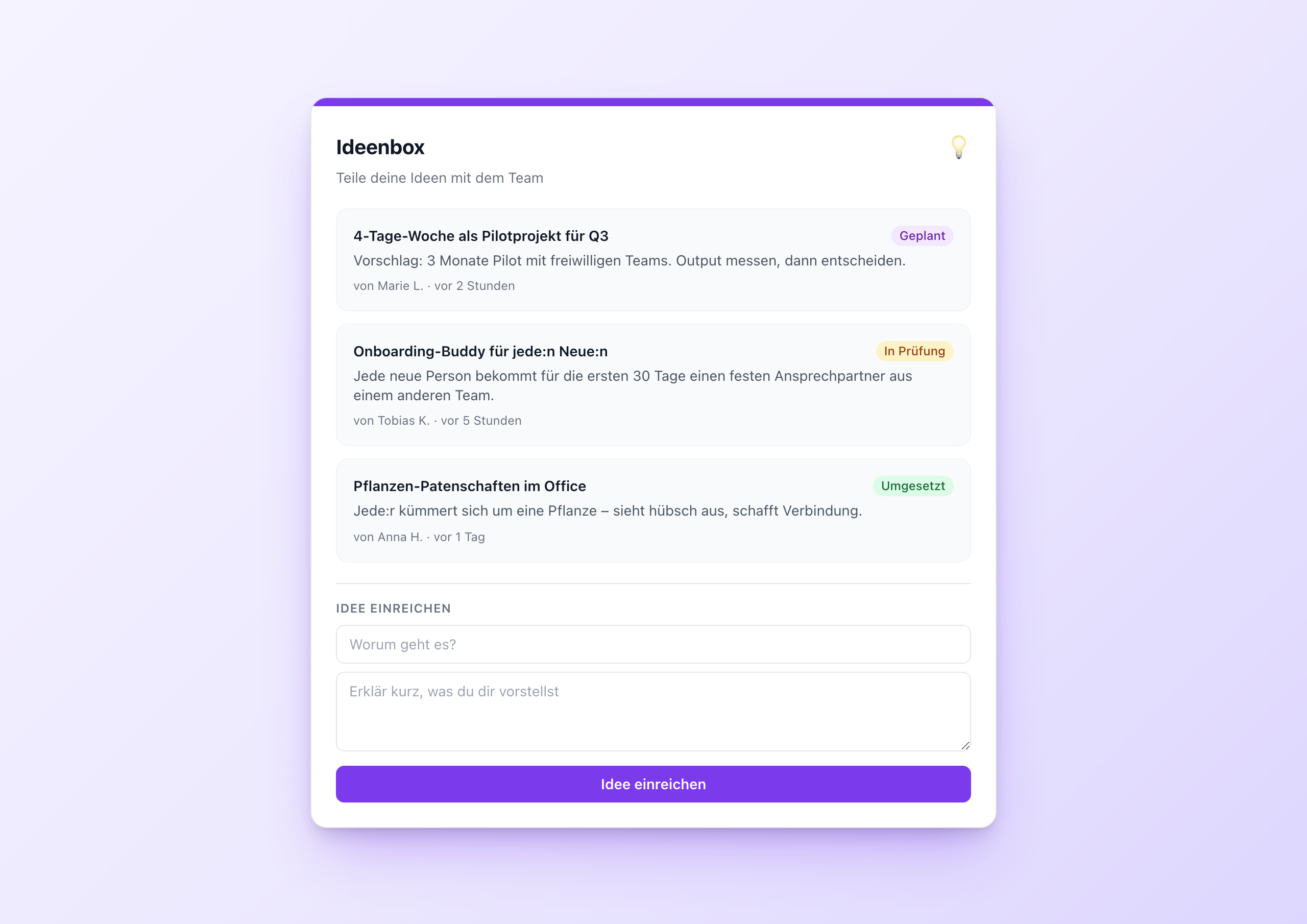
Most suggestion boxes fail for the same reason: ideas disappear into nowhere. Employees submit a proposal, hear nothing for weeks, and decide: never again. Next time they keep the idea to themselves or only tell a colleague at the coffee machine.
The Idea Box solves this with a single feature: status. Every submitted idea gets a visible state – “New”, “In review”, “Planned”, “Done”. Whoever submits an idea later sees what becomes of it. Whoever flirts with the status display knows the company reads and reacts.
Architecture: Data Table again
Anyone who’s read Kudos Wall knows the pattern: end users write to a Data Table, not to settings or variables. For the Idea Box, this means:
- A Data Table
ideaswith columns:idea_title,description,author,status,submitted_at - On submit,
POSTa new row withstatus: 'new' - On render,
GETwithsortBy=submitted_at&sortDir=desc&pageSize=50 - Status maintenance: an editor (or innovation manager) changes the status manually in the table when the idea is evaluated, planned or implemented
No separate backend, no separate tool, no approval logic in the widget. The workflow lives where it belongs: in the Data Table.
Four statuses, four colors
Statuses aren’t just text. They are social signals. A green “Done” marker is a reward for the person who once submitted the idea, and motivation for everyone else who wants to propose something next. A blue “New” marker says: “still being evaluated”. An amber “In review” says: “someone is taking care of it right now”.
In the template, that looks like:
1<span class="text-xs px-2 py-0.5 rounded-full font-medium
2  {{#if (eq this.status 'new')}}bg-blue-100 text-blue-800{{/if}}
3  {{#if (eq this.status 'review')}}bg-amber-100 text-amber-800{{/if}}
4  {{#if (eq this.status 'planned')}}bg-purple-100 text-purple-800{{/if}}
5  {{#if (eq this.status 'done')}}bg-green-100 text-green-800{{/if}}
6">{{t (concat "status." this.status)}}</span>
Four eq helpers, four Tailwind class sets, one concat helper for the translation key. That’s all it takes.
Setup in 5 minutes
- Create a Data Table in the Widget Builder with the five columns
- Copy the GUID
- Add the widget to a page
- Paste the GUID into the setting
- Publish
The editor sets the status later directly in the Data Table – simply new → review → planned → done per click.
When to use this widget
- Innovation programs – structured crowdsourcing
- Employee suggestion scheme – the digital version of the suggestion box
- Product roadmap input – feature requests from sales or support
- Office improvements – small workplace improvements anyone can submit
Try it in the gallery
You can see the full feature set in the Idea Box gallery entry .
Related widgets
- Kudos Wall – recognition with the same architecture
- Poll Widget – for structured polls
- OKR Tracker – track goals with a Data Table backend