Hybrid work is the norm in most companies. But desk booking? That’s usually either an Excel spreadsheet, a Teams channel with “Who’s coming tomorrow?” or an expensive tool that got dropped after the pilot phase.
The problem is rarely the technology. The problem is the barrier to entry: a separate tool, a separate login, an app that employees only need twice a week – and therefore never open.
The widget instead of the app
The Hybrid Booking approach flips the logic: instead of sending employees to a booking tool, the booking comes to the intranet – the place they already open every day.
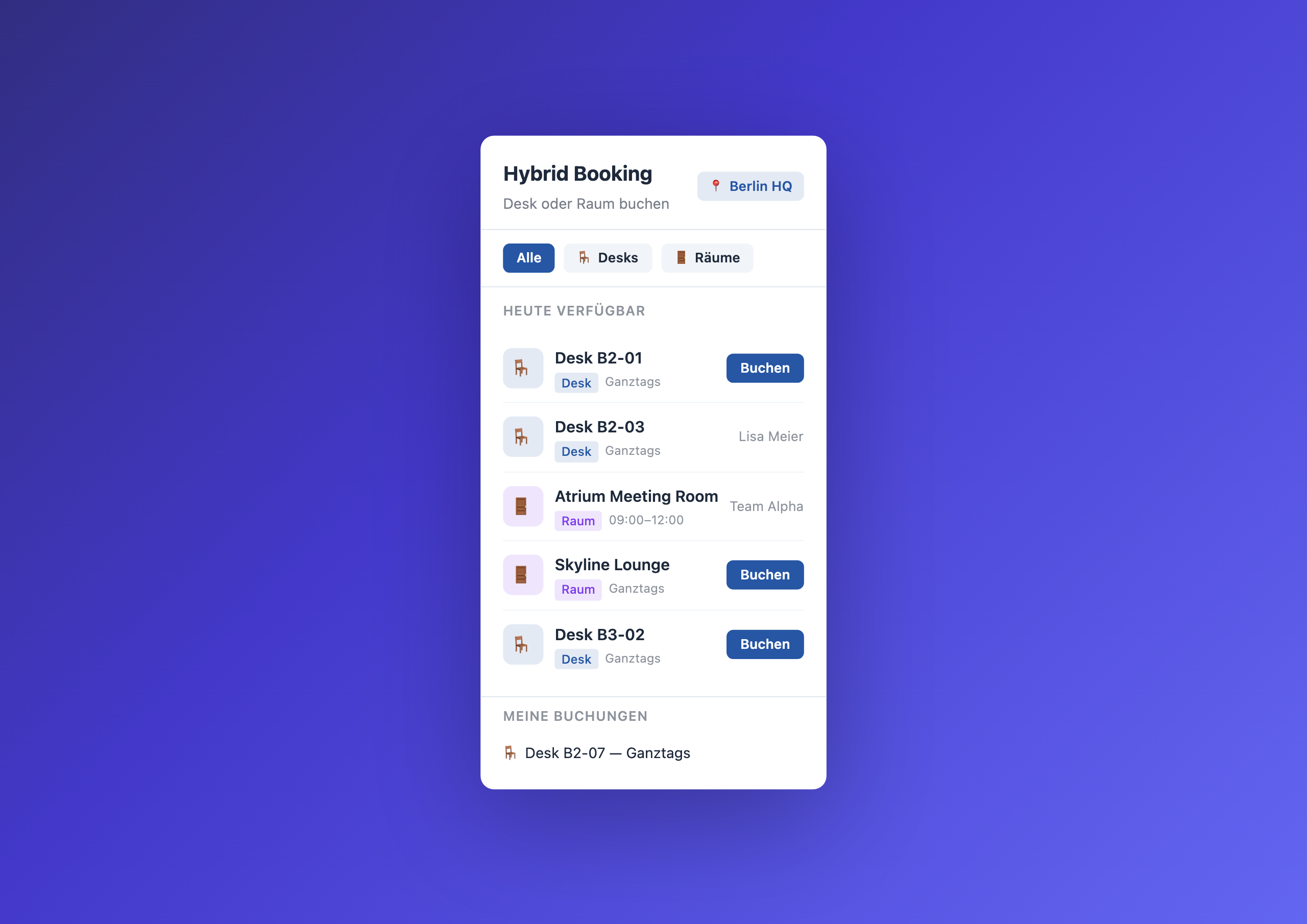
The widget shows for the configured location:
- Which hot desks are free today
- Which meeting rooms are available
- Who has already booked
- Your own existing bookings
One click on “Book” reserves the desk. Name and email come automatically from the Staffbase user context – no form, no typing.
Why 80% is enough
Most desk booking tools offer features that 95% of companies never use: interactive floor plans, sensors, room occupancy detection, visitor management, catering integration. It sounds impressive in the sales call, but in reality employees want exactly two things:
- Is a desk free?
- Can I book it?
The Hybrid Booking Widget answers both questions. Anything beyond that is nice-to-have – and rarely justifies an additional tool with its own budget, its own onboarding and its own user management.
Three everyday scenarios
The Monday check
Anna opens the Staffbase app on her phone in the morning. On the homepage she sees: Desk B2-01 is free. One tap on “Book” – done. On the train she already knows where she’ll sit.
The spontaneous workshop
The product team needs a room for four hours on short notice. Instead of comparing three Outlook calendars, Tomasz checks the widget: Skyline Lounge is free all day. One click, booked.
Team Wednesday
The marketing team has agreed: Wednesday is office day. Through the widget, everyone books desks in row B2 – and at lunch they actually sit together.
What facility management gets
The booking data lives in a Data Table in the Widget Builder. Facility management can export and analyze the table:
- Which desks are regularly booked, which sit empty?
- How many employees are in the office on Mondays vs. Fridays?
- Are current spaces sufficient, or do adjustments need to be made?
Data-driven space planning – without expensive sensor hardware.
Who this widget is for
The Hybrid Booking Widget is designed for facility managers, HR teams and workplace managers who organize hybrid work. Configuration is handled by the intranet team – set location, resources and colors, done.
Learn more
Setup steps and all configuration options can be found in the Hybrid Booking gallery entry .
Related widgets
- Parking Management – book parking spaces with the same principle
- My Workday – personalized day starter