Every company has a CSR initiative. Holiday donation campaigns, charity runs in summer, leadership matching programs. The intention is there, the budget too. What’s missing is the cumulative effect – the feeling that your own donation is part of something bigger.
The reason: most campaigns run through email calls or separate donation platforms. Employees donate (or don’t), but they never see the total grow. The campaign remains abstract.
The progress bar on the homepage
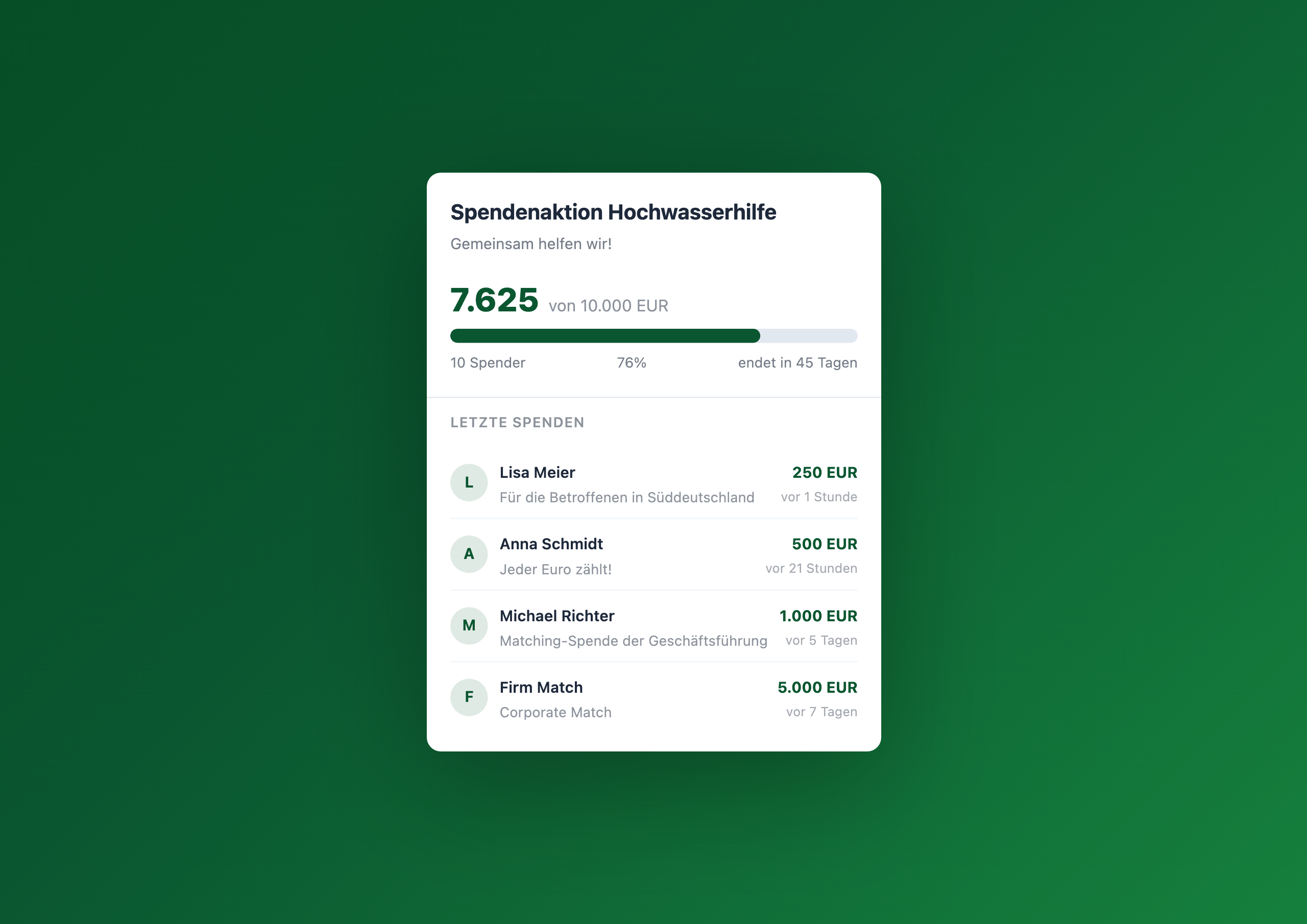
The Charity Counter makes exactly this cumulative effect visible. A widget on the intranet homepage shows:
- The current donation total in large font
- A progress bar toward the campaign goal
- Recent donors with amounts and personal messages
- A countdown to the campaign end
It sounds simple – and that’s the point. Visibility doesn’t need complexity. It needs the right place.
Why visibility makes the difference
Behavioral research shows: people are more likely to donate when they see others doing it too. This isn’t peer pressure, it’s a social proof effect: when Lisa donated 250 euros and Anna 500, your own donation feels less like a drop in the ocean – and more like a contribution to a growing movement.
The Charity Counter leverages this effect intentionally:
- Progress bar – 76% feels different than “we’re on our way”. The number makes the goal tangible
- Donor list – names and messages show that real people are participating
- Celebration mode – when the goal is reached, the whole intranet celebrates
Three scenarios, one widget
Disaster relief in 48 hours
Flooding hits a region where colleagues live. Leadership starts a donation drive. Within two minutes the Charity Counter is on the homepage – with goal, deadline and the first matching donations. No alignment meetings, no tool evaluation, no IT ticket.
The annual holiday campaign
Same ritual every year: email to all, link to a donation platform, summary newsletter two weeks later. With the Charity Counter on the homepage, employees see every day how the total grows. Experience shows participation increases when progress is visible.
Volunteer hours instead of euros
Not every CSR campaign counts money. Volunteering hours, collected food, planted trees – the counter tracks any unit you record in the Data Table. Instead of “EUR” the widget shows “hours” or “trees”.
Who this widget is for
The Charity Counter is designed for CSR managers, HR teams and communications departments that organize engagement campaigns. Configuration is non-technical – set donation goal, currency, deadline and color, done. Donation data lives in a Data Table that the finance team can also access.
Learn more
Setup steps and all configuration options can be found in the Charity Counter gallery entry .
Related widgets
- Kudos Wall – make recognition visible
- Pulse Check – weekly mood check-in
- Poll Widget – collect quick feedback
- Workplace Management Widgets